Don't miss our holiday offer - up to 50% OFF!

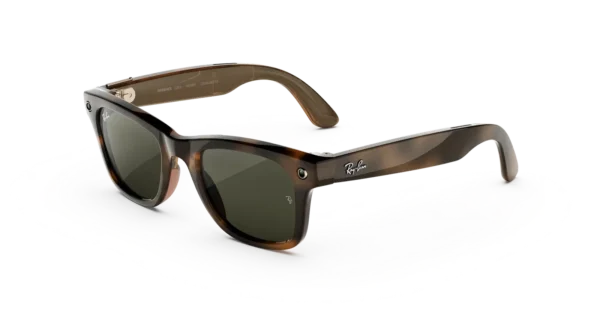
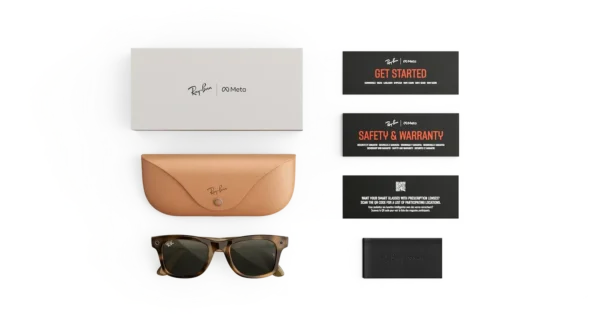
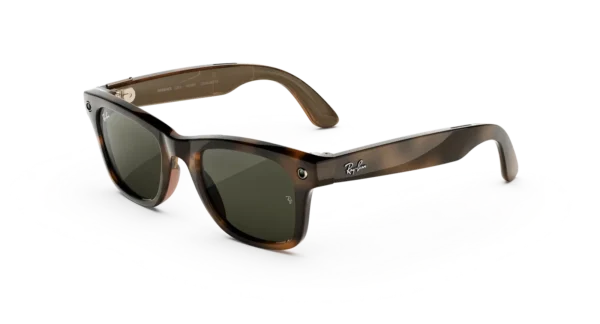
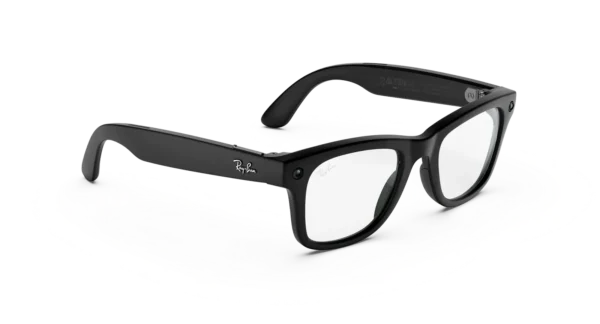
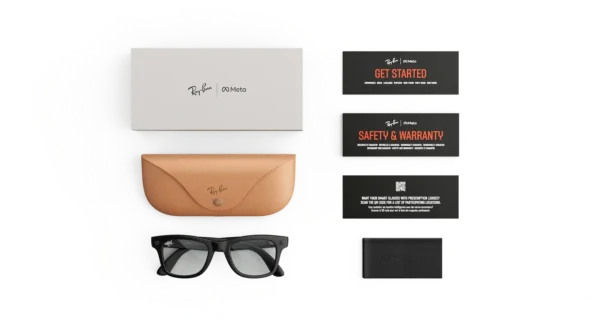
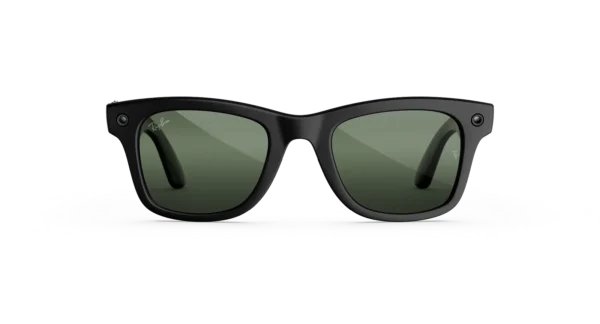
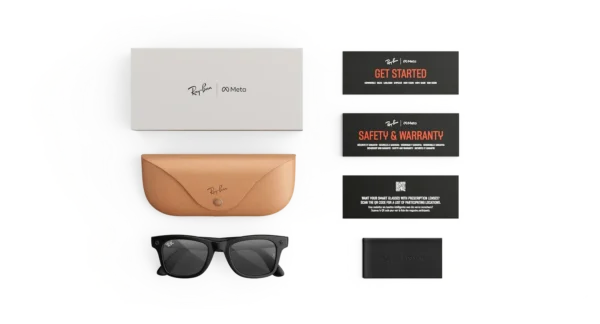
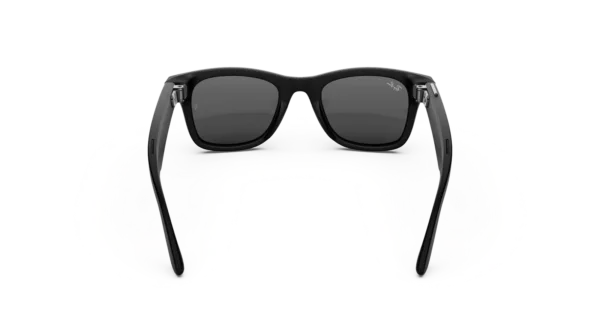
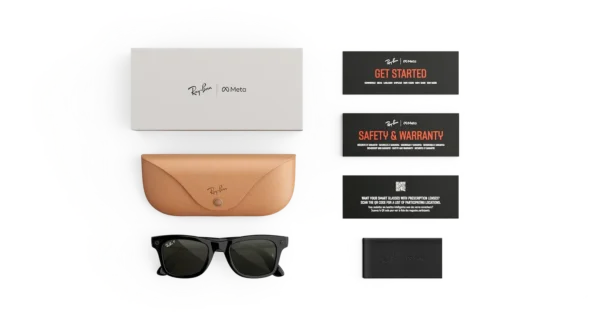
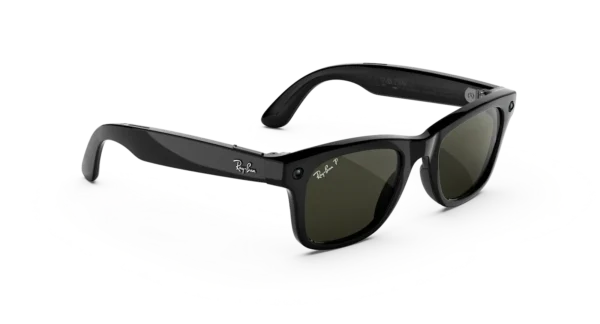
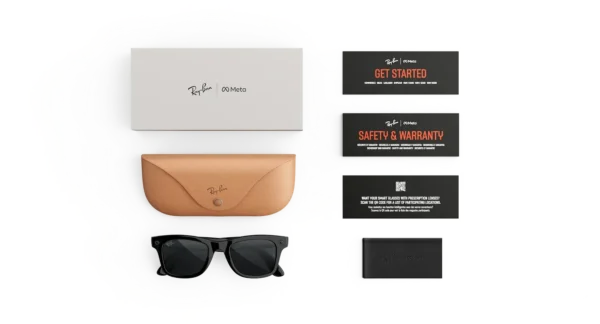
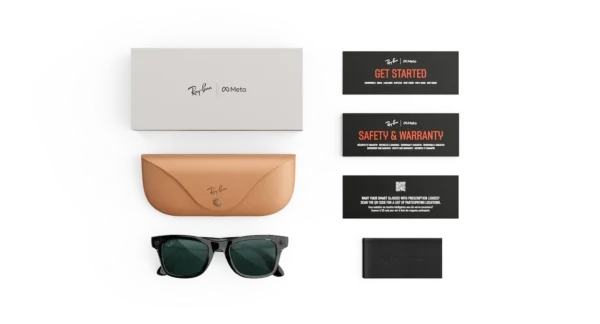

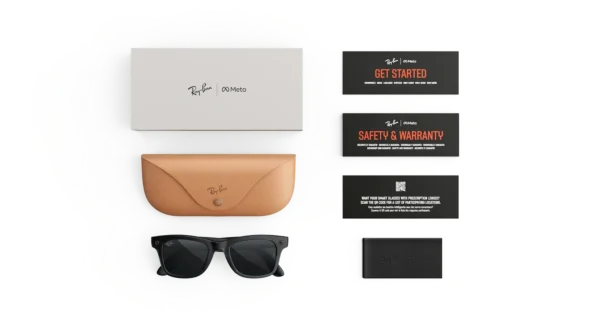
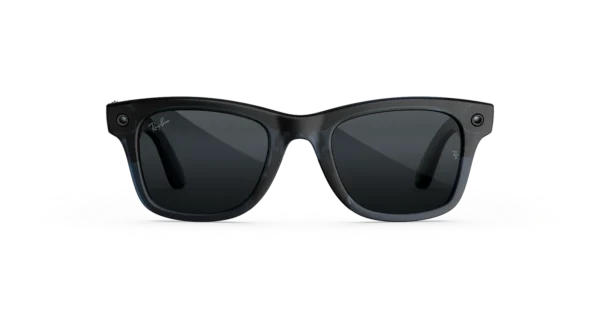
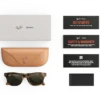
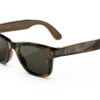
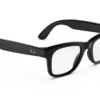
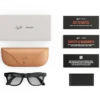
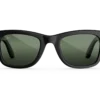
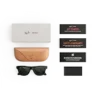
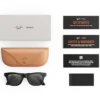

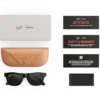
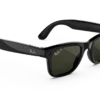
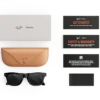
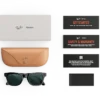

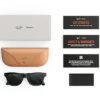
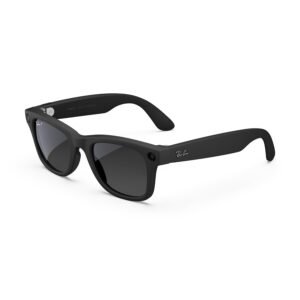
RAY-BAN Wayfarer (Gen 3) AI GLASSES
Price range: $449.00 through $529.00
Welcome to the next generation of the world’s #1 selling AI glasses. Ray-Ban Meta (Gen 3) Wayfarer is our most iconic style, making your day effortless and keeping you seamlessly connected the moment you put them on.
RAY-BAN Wayfarer (Gen 3) AI Glasses – Smart Technology Meets Iconic Style
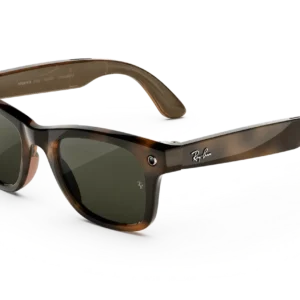
Discover a New Generation of Smart Eyewear
Classic eyewear has been reimagined for a more connected world. The RAY-BAN Wayfarer (Gen 3) AI GLASSES combine the unmistakable Wayfarer silhouette with intelligent features, hands-free content capture, open-ear audio, and voice-assisted convenience. As a result, everyday eyewear is transformed into a versatile companion for work, travel, entertainment, and personal expression.
Designed for people who appreciate both style and technology, these smart glasses offer an alternative to carrying additional devices for every task. Instead, selected activities can be managed directly through compatible eyewear, allowing more natural interaction with the world around you.
Furthermore, the familiar frame design makes this generation appealing to fashion-conscious shoppers who prefer technology that complements their personal style rather than dominates it. Whether a casual outfit is being completed, a memorable occasion is being documented, or a podcast is being enjoyed during a walk, this innovative eyewear is designed to fit naturally into everyday routines.
The third-generation Wayfarer platform introduces a slimmer design, a 12 MP camera, 3K Ultra HD video recording, open-ear speakers, and an advertised battery life of up to nine hours per charge. Actual results will vary according to usage, settings, and other conditions. These features are listed on the official Ray-Ban product pages.
Key Product Highlights
- Iconic Wayfarer design: A recognizable square frame aesthetic is paired with contemporary smart functionality.
- Hands-free photography: Everyday scenes can be captured without needing to hold a separate camera.
- High-resolution video: Supported recording options include 3K video, depending on the selected configuration and settings.
- Voice-assisted interactions: Compatible features can be accessed through Meta AI voice commands.
- Open-ear listening: Music, podcasts, and calls can be enjoyed without completely blocking surrounding sounds.
- Built-in microphones: Voice interactions and audio capture are supported by an integrated microphone system.
- Rechargeable battery: Up to nine hours of use per charge is advertised for the Gen 3 model.
- Connected functionality: Bluetooth and Wi-Fi support help connect the glasses to compatible devices.
- Lens choices: Selected configurations are offered with clear, sun, Transitions, or prescription lens options.
- Everyday versatility: A combination of eyewear, audio, camera, and AI-assisted functions is provided in one wearable product.
A Timeless Design With a Modern Purpose
The Wayfarer frame has long been associated with confident styling and enduring appeal. In this updated version, that recognizable aesthetic is maintained while smart technology is incorporated into the frame.
Rather than resembling a conventional electronic gadget, the glasses are designed to complement everyday clothing. They can be worn with casual outfits, smart-casual combinations, travel clothing, and other personal styles. Consequently, they are suitable for shoppers who want connected functionality without sacrificing the appearance of traditional eyewear.
In addition, the familiar frame shape offers a practical styling advantage. A bold silhouette can serve as a defining accessory, while neutral finishes can be coordinated with a wide range of wardrobe choices.
The available finishes and sizes should be checked before purchase, since product specifications can vary between individual versions.
Capture Everyday Moments With Greater Freedom
Some experiences are easier to enjoy when attention remains on the moment itself. With the integrated camera, photographs and videos can be captured hands-free, making the glasses useful for documenting travel, family gatherings, creative projects, and everyday discoveries.
For example, a scenic walk can be recorded without a phone being held in front of the face. Similarly, a creator can document selected activities while keeping both hands available for the task at hand.
The camera system is specified at 12 MP, with 3K Ultra HD video recording supported by the Gen 3 product range. Nevertheless, image quality can be influenced by lighting, movement, framing, and recording settings.
For the best experience, the glasses should be used responsibly. People nearby should be informed when appropriate, and privacy rules should be respected whenever photography or recording is undertaken.
Enjoy Audio Without Completely Disconnecting
Entertainment can be brought into everyday routines through the integrated open-ear audio system. Music and podcasts can be played while the surrounding environment remains audible, making this format different from traditional headphones that cover or seal the ears.
Furthermore, compatible calling features allow conversations to be managed while the glasses are being worn. The integrated microphones are designed to support voice interaction and audio capture, helping reduce the need to reach for a separate headset.
Open-ear audio is particularly useful for relaxed listening, commuting on foot, and other activities where awareness of nearby sounds matters. However, environmental awareness is not guaranteed, and audio should be kept at a sensible level. The glasses should not be relied upon to make cycling, driving, or other potentially hazardous activities safe.
Meet the Convenience of Voice-Assisted AI
A connected wearable becomes more useful when common tasks can be requested naturally. Through supported Meta AI features, users can ask questions, request assistance with visible objects, explore information, and access compatible functions through voice commands.
For instance, a landmark can be identified, a sign can be interpreted where translation is supported, or an everyday question can be submitted without typing it on a phone. Available capabilities depend on the country, language, software version, account configuration, and connected device.
In addition, supported messaging and entertainment services can make selected tasks easier to manage while moving between activities.
AI responses should still be checked when accuracy is important. Availability is not universal, and some functions may require an internet connection, app permissions, or a compatible smartphone.
Designed for Everyday Connectivity
Modern routines frequently involve switching between communication, entertainment, photography, and information. The connected features of the Wayfarer Gen 3 are designed to bring selected activities together within a single wearable device.
Bluetooth and Wi-Fi connectivity are specified for the product, while compatible smartphone software is used to support setup and selected connected functions. Before ordering, buyers should verify operating-system requirements and supported-phone information for the exact model.
Once compatibility has been confirmed, the glasses can be configured according to the available instructions. Software updates, account settings, and regional service availability may influence which functions can be used.
Battery Life for a More Connected Day
Convenience depends partly on how long a device can be used between charges. For the third-generation Wayfarer, battery life of up to nine hours per charge is advertised by Ray-Ban.
This figure should be treated as a maximum stated estimate rather than a guaranteed result. Frequent camera recording, AI interactions, audio playback, calls, and other demanding functions can affect actual operating time.
For longer outings, charging habits should be planned around the intended usage. The charging accessories and supported charging method supplied with or recommended for the selected configuration should be checked before purchase.
A Versatile Choice for Different Lifestyles
These smart glasses can be considered by shoppers with a variety of interests.
- For travellers: Selected landmarks, memorable scenes, and travel experiences can be captured hands-free.
- For content creators: First-person footage can be recorded for compatible creative workflows.
- For music listeners: Podcasts and audio entertainment can be enjoyed through integrated speakers.
- For busy professionals: Supported calls and voice-assisted functions can help manage selected tasks.
- For students: Compatible AI assistance may be useful for general questions and everyday information.
- For fashion enthusiasts: The recognizable Wayfarer appearance offers a familiar alternative to more technical-looking wearables.
- For everyday explorers: Camera and AI features can support curiosity during ordinary activities.
The most suitable configuration will depend on individual preferences, prescription requirements, device compatibility, and the features that are most frequently used.
Product Specifications at a Glance
| Specification | Details |
|---|---|
| Product | Ray-Ban Meta Wayfarer Gen 3 AI Glasses |
| Frame shape | Square Wayfarer |
| Camera | 12 MP |
| Video recording | Up to 3K Ultra HD, subject to supported settings |
| Audio | Integrated open-ear speakers |
| Microphones | Six-microphone array listed for the standard Gen 3 model |
| Battery life | Advertised up to 9 hours per charge |
| Storage | 32 GB listed for the standard model |
| Wireless connectivity | Bluetooth 5.3 and Wi-Fi 6 listed |
| Lens configurations | Selected clear, sun, Transitions, and prescription options |
| AI assistant | Meta AI, where supported |
| Compatibility | Verify the requirements for the specific model and region |
Specifications are based on published Ray-Ban Gen 3 product information and may vary by configuration or change with software updates.
Why Consider the Wayfarer Gen 3?
The appeal of these glasses lies in the combination of familiar design and connected functionality. Photography, listening, voice assistance, and everyday eyewear are brought together in a format that can be worn throughout selected parts of the day.
Moreover, the design can be coordinated with different outfits and personal preferences. Buyers can focus on the features they value most, whether that means capturing memories, enjoying audio, exploring supported AI functions, or wearing a recognizable frame.
Before purchasing, confirm the exact frame colour, lens treatment, size, prescription availability, smartphone compatibility, and included accessories. These checks help ensure that the chosen model meets both practical needs and personal expectations.
Upgrade Your Everyday Eyewear
A familiar silhouette, integrated technology, and convenient hands-free features make the Ray-Ban Meta Wayfarer Gen 3 a compelling option for shoppers exploring smart eyewear.
Choose a configuration that fits your lifestyle, review the supported features in your region, and enjoy a more connected approach to everyday photography, audio, and information.
Explore the RAY-BAN Wayfarer (Gen 3) AI GLASSES and discover how classic eyewear can be paired with modern connected experiences.
Smart Eyewear for Modern Everyday Living
Technology is most useful when it fits naturally into daily routines. With the Ray-Ban Meta Wayfarer Gen 3, selected digital activities can be accessed through wearable eyewear, allowing photography, audio, and supported AI functions to be combined in one stylish accessory.
Rather than relying exclusively on a smartphone for every interaction, users can take advantage of hands-free features when they are supported and appropriate. For example, photographs can be captured during a walk, music can be enjoyed while relaxing, and compatible voice commands can be used to request information.
Furthermore, the recognizable Wayfarer frame makes this product suitable for people who prefer traditional eyewear aesthetics. Modern functionality is incorporated into a familiar silhouette, so the glasses can complement personal style while providing access to connected experiences.
A Practical Balance Between Fashion and Function
Eyewear is often selected according to appearance, comfort, and versatility. Consequently, a smart frame must offer more than technical specifications to become a useful part of an everyday wardrobe.
The Wayfarer design is recognized for its distinctive shape and confident appearance. When paired with contemporary technology, it provides an option for shoppers who want connected features without choosing an obviously futuristic frame.
Moreover, the versatile silhouette can be worn with a wide range of clothing styles. Casual outfits, weekend looks, travel clothing, and smart-casual combinations can all be complemented by an appropriately selected frame colour.
However, individual preferences differ. Frame measurements, weight, nose fit, temple pressure, and lens requirements should be reviewed before an order is placed. The most attractive design will be most useful when it also fits comfortably.
Hands-Free Photography for Memorable Experiences
Important moments can happen unexpectedly. A beautiful landscape, a family celebration, a creative project, or an interesting detail on a city street may deserve to be remembered without interrupting the experience.
The integrated camera allows supported photographs and videos to be captured while the glasses are being worn. As a result, users can document selected moments without constantly holding a phone in front of them.
For travellers, this can provide a convenient way to record first-person perspectives. Similarly, creators may find hands-free recording useful when documenting suitable activities that require the use of both hands.
Nevertheless, recording quality depends on lighting, movement, camera settings, and other environmental factors. The final result should be reviewed before important footage is relied upon for professional use.
Privacy should also be considered. Recording must be carried out respectfully, with applicable laws and the expectations of other people taken into account.
Open-Ear Audio for Daily Entertainment
Listening to audio can be incorporated into a daily routine without using conventional over-ear headphones. The integrated open-ear speakers are designed to deliver sound while leaving the ears uncovered.
For example, a podcast can accompany a relaxed walk, while music can provide entertainment during suitable everyday activities. Compatible calls can also be handled through the integrated audio system.
In addition, the built-in microphones support communication and voice-based interactions. This combination reduces the need to carry separate audio accessories for every supported task.
Audio performance may vary according to the surrounding environment, volume, fit, and content being played. Open-ear listening does not eliminate distraction or guarantee awareness of nearby hazards, so care should be taken around traffic and other potentially dangerous situations.
Explore Supported AI Assistance
Artificial intelligence can provide another layer of convenience when integrated into compatible eyewear. Through supported Meta AI features, users may be able to ask questions, request information, and interact with selected functions by voice.
Depending on regional availability and software support, visual assistance may also be offered for compatible tasks involving objects, text, or places.
For instance, a user exploring an unfamiliar destination may request general information about a visible landmark. In another situation, assistance may be sought with understanding selected text or finding an answer to an everyday question.
However, AI availability and capabilities can differ between countries, languages, accounts, and software versions. An internet connection or compatible mobile application may also be required.
Important information should be verified through reliable sources, particularly when it affects financial decisions, health, safety, or other consequential matters.
Connectivity That Supports Compatible Devices
Connected eyewear relies on appropriate device compatibility and configuration. Before the glasses are used, the required smartphone application, account access, wireless connections, and permissions should be checked against the manufacturer’s instructions.
Once setup has been completed, supported features can be accessed according to the available configuration. Software updates may introduce changes, improve functionality, or affect the availability of individual services.
For this reason, prospective buyers should confirm that their phone and operating system meet the current requirements. Regional restrictions should also be reviewed before purchase, especially when AI-assisted features are an important reason for choosing the product.
Comfort and Wearability
Comfort is an important consideration for eyewear intended to be worn throughout everyday activities. Frame dimensions, facial shape, lens choice, and personal sensitivity can all influence the experience.
The Wayfarer style offers a familiar frame shape, but a suitable fit should never be assumed from appearance alone. Measurements should be compared with a pair of glasses that already fits well, where possible.
Additionally, prescription requirements should be confirmed before a lens configuration is selected. Buyers who need corrective lenses should verify prescription compatibility and the available options for the exact model.
During extended use, the glasses should be removed if discomfort, excessive pressure, or irritation develops. Proper fit and appropriate wear habits can help make everyday use more comfortable.
Battery Management for Everyday Convenience
Battery performance is influenced by how frequently connected functions are used. Audio playback, camera recording, calls, AI requests, and other activities can all affect the time available between charges.
Although an advertised maximum of up to nine hours per charge is associated with the standard Gen 3 product information, actual usage time may be lower. Therefore, people planning long days away from a charging point should consider their expected activities.
A simple charging routine can help reduce interruptions. Before travelling, users can check the remaining battery level, charge the device as instructed, and confirm that the appropriate charging accessories are available.
Storage and Content Management
Recorded photographs and videos require storage space. The standard Gen 3 configuration is listed with 32 GB of internal storage, although available capacity may differ from the total amount because system software and other data can occupy space.
For users who regularly capture content, reviewing files and transferring important media can help keep storage organized. Valuable recordings should be backed up using supported methods, particularly before files are removed from the device.
Storage capacity should also be considered alongside recording quality. Higher-resolution video can use more space, so the amount of content that can be retained will depend on recording settings and file sizes.
A Flexible Companion for Creative Projects
Content creation often involves balancing the recording process with the activity being documented. Hands-free eyewear can provide an additional perspective for selected projects, including travel diaries, casual lifestyle videos, demonstrations, and behind-the-scenes footage.
For example, a creator may document a suitable hands-on task without needing to hold a camera throughout the process. A traveller may also capture a first-person view of a scenic location.
However, the glasses should not be treated as a complete replacement for dedicated professional equipment. Lighting, stabilization, editing options, storage, and production requirements should all be evaluated according to the intended result.
Everyday Style Without Unnecessary Complexity
A useful wearable should fit into existing routines rather than require constant attention. By combining familiar eyewear styling with selected digital functions, this product offers a different way to approach everyday connectivity.
The frame can serve as a fashion accessory, while the camera and audio features support compatible activities. Meanwhile, voice-assisted functions may reduce the need to interact with a phone for certain tasks.
Ultimately, the value of the glasses depends on personal priorities. Shoppers who appreciate hands-free capture, integrated audio, and supported AI assistance may find the combination appealing, while others may prefer conventional eyewear.
Choosing the Right Configuration
Before purchasing, consider the features that matter most.
- Frame appearance: Select a colour and finish that suits your preferences.
- Lens requirements: Confirm whether clear, sun, Transitions, or prescription options are available for the chosen model.
- Device compatibility: Check current smartphone and operating-system requirements.
- AI availability: Verify supported languages, regions, and account requirements.
- Battery expectations: Consider how frequently you intend to use recording, audio, and AI features.
- Storage needs: Estimate how much photography and video you expect to capture.
- Fit and sizing: Review measurements and prescription compatibility before ordering.
- Included accessories: Confirm the supplied charging case and other accessories for the exact package.
By considering these factors, buyers can make a more informed choice and select a configuration that matches their everyday needs.
Product Value: More Than a Pair of Glasses
The appeal of connected eyewear lies in the integration of multiple functions within one wearable format. Instead of viewing the camera, audio system, and AI assistant as completely separate tools, users can explore how supported features work together.
For some people, hands-free recording may be the primary attraction. Others may value the convenience of listening to audio or requesting information while keeping their phone accessible but not constantly in their hands.
Furthermore, the familiar design allows the product to be considered alongside traditional fashion accessories. The combination may be particularly appealing to shoppers who enjoy technology but still want their eyewear to look appropriate for everyday settings.
As with any connected device, the final purchasing decision should be based on verified specifications, practical requirements, and the availability of the desired functions.
Discover Connected Eyewear for Your Lifestyle
The Ray-Ban Meta Wayfarer Gen 3 brings together recognizable styling and selected smart features for people exploring a more integrated wearable experience.
With hands-free photography, open-ear audio, compatible AI assistance, and wireless connectivity, everyday activities can be approached in new ways. Nevertheless, performance, comfort, and feature availability should be evaluated against individual needs.
Choose carefully, verify the specifications of the exact configuration, and explore whether this connected eyewear fits your routine.
Meta Quest 2 VR Headset – Immersive Virtual Reality Gaming, Accessories, and Meta Ecosystem
Experience Immersive Virtual Reality with Meta Quest 2
Step into a new world of entertainment with the Meta Quest 2, a virtual reality headset designed to bring gaming, interactive experiences, fitness, and digital exploration closer to you. Formerly associated with the Oculus brand, Meta Quest 2 continues to attract interest from users looking for accessible VR gaming and immersive digital entertainment.
Whether you are exploring virtual environments, enjoying action-packed adventures, or connecting with friends in social VR spaces, the Meta Quest 2 provides an engaging way to experience digital content. Furthermore, its standalone design allows supported VR experiences to be enjoyed without requiring a gaming PC for every activity.
For users searching for a VR headset Oculus, Meta Quest 2 virtual reality games, or Meta Quest VR gaming, this device represents an established entry point into consumer virtual reality.
Key Product Highlights
- Standalone VR experience: Enjoy compatible games and applications without a computer.
- Interactive controllers: Use Oculus Quest 2 controllers, also known as Meta Quest 2 Touch Controllers, for intuitive interaction.
- Immersive entertainment: Explore supported virtual worlds, simulations, fitness applications, and multiplayer experiences.
- PC VR compatibility: Connect to a compatible computer for supported PC VR experiences through Meta Quest Link.
- Extensive accessory ecosystem: Explore compatible charging cables, prescription lens inserts, carrying cases, and charging docks.
- Meta platform integration: Access supported applications, account settings, and device management features through the relevant Meta applications and services.
Meta Quest 2 Touch Controllers and Right Controller Replacement Options
Precise interaction is an important part of the virtual reality experience. The Meta Quest 2 right controller is designed to work alongside the left controller, allowing users to navigate menus, manipulate virtual objects, and interact with supported games.
Also commonly searched as Meta Quest 2 Touch Controllers and Oculus Quest 2 controllers, these accessories provide physical buttons, thumbsticks, triggers, and grip controls for compatible experiences.
When replacing a controller, buyers should confirm that the product is specifically compatible with the Meta Quest 2. Controller compatibility, pairing requirements, and included accessories should be checked before ordering.
Controller Benefits
- Comfortable handheld operation for supported VR games.
- Responsive input for navigation and interactive experiences.
- Dedicated controls for grabbing, pointing, selecting, and movement.
- Compatibility with supported Meta Quest 2 applications.
- Replacement options for damaged or missing controllers, subject to availability.
For the best results, keep controllers clean, use suitable batteries, and follow the official pairing and troubleshooting instructions.
Meta Quest 2 Charging Cable and Charging Dock Accessories
Reliable charging helps keep your headset ready for entertainment. Users searching for an Oculus Quest 2 charging cable or Meta Quest 2 charging dock should choose accessories that explicitly support their headset model.
A suitable charging cable can provide a convenient way to recharge the device, while a compatible charging stand or dock can help organize the headset and accessories between sessions.
Popular Accessory Search Terms
- Oculus Quest 2 charging cable
- Meta Quest 2 charging dock
- Meta Quest 2 accessories
- Meta Quest 2 compact charging dock
- Meta Quest 2 prescription lenses
- Meta Quest 2 refurbished headset
Please note that accessories designed for newer devices, including the Meta Quest 3 charger cable, may have different compatibility requirements. Buyers should verify connector types, charging specifications, and product compatibility before purchasing.
Meta Quest 2 Refurbished Headsets
A Meta Quest 2 refurbished headset may be worth considering for shoppers who want to explore virtual reality at a potentially lower price. Refurbished products can vary in condition, warranty coverage, included accessories, and return eligibility.
Before purchasing a refurbished headset, check the following:
- Whether the headset has been tested and restored to working condition.
- Whether both controllers are included.
- Whether the headset battery holds a charge.
- Whether the lenses and display are free from significant damage.
- Whether a warranty or return policy is provided.
- Whether the device can be activated and used with your account.
People comparing the cheapest Meta Quest model should compare the total cost, condition, available software support, and accessories rather than relying on the advertised price alone.
Meta Quest 2 Games and Virtual Reality Experiences
Virtual reality gaming is one of the main reasons people explore the Meta Quest ecosystem. With supported titles, users can enter interactive environments, solve puzzles, practice virtual sports, and participate in multiplayer adventures.
Searches such as Meta Quest 2 virtual reality games, Meta Quest VR gaming, VR games for Meta Quest 3, and VR games VR reflect interest in immersive entertainment across different headset generations.
Game availability depends on the headset, software version, regional store access, and title-specific requirements. In addition, games developed for newer hardware may not be available on the Meta Quest 2.
Exploring Different VR Game Categories
Action and adventure: Explore interactive worlds, complete missions, and participate in fast-paced gameplay.
Fitness and movement: Discover supported applications that incorporate physical activity and motion-based challenges.
Exploration and travel: Experience virtual destinations, environments, and interactive simulations.
Social VR: Join supported virtual spaces and connect with other participants through compatible applications.
PC VR gaming: With a suitable computer and supported connection method, explore additional experiences through Meta Quest Link.
Some titles and terms frequently searched by VR enthusiasts include BONELAB, Tactical Assault VR, and other immersive action or simulation games. Availability and compatibility should always be checked against the specific game listing.
Meta Quest PC App and Meta Quest Link
For users who want to extend their VR experience, a compatible PC connection can provide access to supported PC VR content.
The Meta Quest PC app, often associated with the legacy Oculus PC software ecosystem, may be relevant when setting up supported PC VR experiences. Meta Quest Link can connect a compatible headset to a suitable computer using an approved cable or supported wireless method, depending on the software and device configuration.
Important PC VR Considerations
- Verify that your computer meets the game’s or application’s minimum requirements.
- Confirm that the headset, operating system, graphics hardware, and software versions are compatible.
- Use a suitable USB cable for wired connections.
- Follow the current official setup instructions for Meta Quest Link.
- Check individual game requirements before buying PC VR software.
Related searches include Meta VR desktop, Meta Quest remote desktop, Meta Quest PC app, Meta Quest Link, and immersed. These terms refer to different desktop, productivity, streaming, and PC VR workflows, so their individual requirements should be reviewed before setup.
Meta Quest Setup and Device Management
Getting started with a Meta Quest headset generally involves preparing the device, following the on-screen setup process, and using the appropriate official application or account workflow.
People searching for Meta Quest setup, Meta Quest app, Oculus Quest app, Meta com device, or dashboard Oculus should verify that they are using current official Meta resources. Interface names and setup steps may change as software is updated.
For account security, use the official password-reset process if you cannot access your account. Avoid sharing passwords or verification codes with third parties.
Casting Your Meta Quest Experience
Casting allows supported headset content to be displayed on another compatible screen or device. This can make it easier for friends and family to follow along while someone plays a game.
Search terms such as Meta.com casting, Oculus.com/casting, Horizon.meta/casting, and casting Meta relate to casting workflows associated with the Meta Quest platform.
Casting availability may depend on the headset software, browser, destination device, network, and account configuration. Follow current official instructions and ensure that both devices meet the relevant requirements.
Meta Quest 3, Meta Quest 3S, and Newer VR Devices
Although this listing focuses on the Meta Quest 2, many shoppers compare it with newer models before making a decision.
The Meta Quest 3 and Meta Quest 3S belong to newer generations of the Meta Quest family. They offer different hardware specifications and capabilities, so buyers should compare display characteristics, processing performance, mixed-reality features, storage configurations, and supported software.
Related searches include Meta Quest 3 specs, Meta Quest 3 Batman, Meta Quest 3S refurbished, MetaQuest3, and how to set up Meta Quest 3S.
Some experiences and bundles are model-specific. Consequently, users should confirm whether a game, charger, accessory, or prescription lens insert supports the exact headset they own.
Meta Glasses Styles and Ray-Ban Meta Smart Glasses
Beyond virtual reality headsets, Meta is associated with smart glasses developed in collaboration with eyewear brands. These products serve a different purpose from the Meta Quest 2.
Ray-Ban Meta smart glasses combine selected eyewear styles with features such as hands-free photo and video capture, audio playback, calls, and supported AI functionality. Available features vary by generation, model, region, and software version.
Search terms related to this category include:
- Meta glasses styles
- Ray-Ban Meta smart glasses
- Meta Ray-Ban glasses
- Ray-Ban Meta Wayfarer Gen 2 smart glasses
- Meta glasses with displays
- Meta AI glasses
- Meta artificial intelligence glasses
- Women’s Meta glasses
- Meta sunglasses
- Meta Oakley sunglasses
- Meta Ray-Ban display AI glasses
- Meta glasses price
- Ray-Ban Meta price
These terms should be matched to the correct product rather than treated as specifications of the Meta Quest 2.
Smart Glasses Versus VR Headsets
A VR headset is designed to immerse the user in a digital environment, whereas smart glasses generally preserve awareness of the surrounding physical world while providing selected connected features.
For this reason, buyers should identify whether they need immersive gaming, virtual productivity, hands-free photography, audio, or wearable AI functionality before choosing a product.
Meta AI Assistant and Connected Technologies
Meta’s broader technology ecosystem includes AI-powered features, software platforms, and research initiatives. Depending on the device and region, Meta AI may support conversational assistance, information discovery, and selected hands-free interactions.
Related search phrases include Meta AI assistant, Meta AI glass, Meta Llama, Llama 4, Segment Anything, and DINOv3. These refer to different AI models, research projects, or product capabilities and are not interchangeable with Meta Quest 2 hardware features.
When selecting an AI-enabled device, users should review supported languages, regional availability, privacy settings, device compatibility, and the specific features included in the product.
Meta Support, Account Help, and Customer Service
Users may also need assistance with device setup, controllers, purchases, applications, or account access.
Search terms such as Meta support, Meta Store support, Meta customer service chat support phone number, Meta customer service number free, and Meta phone number reflect common requests for assistance.
For reliable support, use the official Meta Help Center and the support options available for your product or account. Contact methods may vary by issue and region; avoid relying on unverified phone numbers or third-party pages claiming to represent Meta.
For disabled accounts, account recovery, or password concerns, follow the official account-support process. Never provide account passwords or security codes to someone claiming to offer unofficial assistance.
Frequently Asked Questions
Is Meta Quest 2 suitable for beginners?
Yes. Meta Quest 2 is an established standalone VR headset that can be suitable for beginners interested in supported games, virtual environments, and interactive applications.
Can Meta Quest 2 connect to a PC?
Yes, supported PC VR experiences may be available through Meta Quest Link when the headset, computer, cable or wireless connection, and software meet the necessary requirements.
Are Meta Quest 2 controllers compatible with Meta Quest 3?
Do not assume cross-generation compatibility. Check the official compatibility information for the exact controller and headset models before buying replacement hardware.
Can I use prescription lenses with Meta Quest 2?
Compatible prescription lens inserts may be available from third-party accessory manufacturers. Check the headset model, lens prescription range, fit, and supplier’s return policy before ordering.
Is a refurbished Meta Quest 2 worth buying?
It can be a cost-conscious option when the headset has been properly tested and includes clear warranty and return terms. Battery condition, lens quality, controller availability, and software compatibility should be reviewed before purchase.
Where can I find official Meta Quest support?
Use Meta’s official Help Center and the support links associated with your device or account. Confirm that the website is genuine before entering personal information.
Why Consider Meta Quest 2?
The Meta Quest 2 remains a recognizable option for users interested in standalone VR entertainment, interactive games, and supported PC VR experiences. Its controller-based interaction and accessory ecosystem offer flexibility for different types of users.
Before buying, compare the headset’s condition, included controllers, storage, compatibility, software availability, and warranty. For shoppers comparing older and newer VR devices, the right choice will depend on their budget and intended applications.
Explore compatible Meta Quest 2 headsets and accessories, verify product specifications, and choose the equipment that best suits your virtual reality needs.
Meta Quest 2 VR Headset – Accessories, Gaming Compatibility, Smart Glasses, and Meta Technology Guide
Meta Quest 2 Accessories for Everyday VR Use
A comfortable virtual reality experience can be enhanced with accessories designed for the specific headset model. For users shopping for Meta Quest 2 accessories, the right combination of charging equipment, controller replacements, protective cases, and lens inserts can make everyday use more convenient.
Popular searches include Meta Quest 2 accessories, Meta Quest 2 charging dock, Oculus Quest 2 charging cable, Meta Quest 2 Touch Controllers, and Meta Quest 2 prescription lenses. However, each accessory should be checked for compatibility before an order is placed.
Meta Quest 2 Prescription Lenses
Prescription lens inserts may provide an alternative to wearing ordinary glasses inside a VR headset. Compatibility depends on the insert design, headset model, and prescription requirements.
Before purchasing Meta Quest 2 prescription lenses, review the manufacturer’s fitting instructions, supported prescription range, and cleaning recommendations. Furthermore, avoid placing unsupported accessories inside the headset, as improper fitting could damage the lenses.
Charging Docks and Charging Cables
A compatible charging dock can help keep VR equipment organized between sessions. Meanwhile, a suitable charging cable can provide a practical way to recharge the headset.
Shoppers comparing the Meta Quest 2 charging dock with a Meta Quest 3 charger cable should remember that the products may use different accessory designs or compatibility requirements. Always verify the exact model and charging specifications before purchasing.
Meta Quest 2 and the Oculus Quest App
Device management and setup are important parts of owning a VR headset. Searches such as Meta Quest app, Oculus Quest app, Meta Oculus app, Meta Quest setup, and Oculus Store relate to different parts of the headset’s software ecosystem.
Users should consult current official Meta documentation for instructions on pairing a device, accessing purchased content, managing settings, and resolving connection problems.
Setting Up a Meta Quest Headset
A typical setup process includes charging the headset, powering it on, following the on-screen instructions, connecting to a supported network, and completing the required account and pairing steps.
The exact procedure may vary according to the headset generation and current software. Therefore, instructions intended for Meta Quest 3 or Meta Quest 3S should not automatically be applied to Meta Quest 2.
Meta Quest Link and PC Virtual Reality
PC connectivity can expand the range of virtual reality experiences available to compatible headsets. Meta Quest Link is associated with connecting supported headsets to a compatible computer for PC VR applications.
People searching for Meta Quest PC app, Meta VR desktop, Meta Quest remote desktop, MetaQuest Link, and Oculus PC software should first identify the intended activity. Playing PC VR games, viewing a computer desktop in VR, and collaborating in a virtual workspace may require different software and hardware.
PC VR Gaming Requirements
- A compatible VR headset.
- A computer that meets the application’s hardware requirements.
- Supported headset and PC software.
- A suitable wired or wireless connection.
- Adequate network performance for supported wireless experiences.
Applications such as Immersed may offer virtual workspace features, subject to current device and software compatibility. Always review the application’s official requirements before installation.
Meta Quest Casting and Shared Experiences
Casting can allow supported VR content to be viewed on a compatible phone, computer, or display. This is useful when friends or family want to watch a player explore a virtual world.
Search terms include Meta.com casting, Oculus.com/casting, Horizon.meta/casting, and casting Meta. Because URLs and procedures can change, use current official Meta instructions instead of relying on outdated tutorials.
Successful casting may depend on network configuration, software versions, account access, and the capabilities of the receiving device.
Meta Quest Gaming: Exploring Virtual Worlds
Virtual reality gaming can combine movement, spatial interaction, immersive sound, and three-dimensional environments. Depending on the title, players may solve puzzles, explore fictional worlds, complete missions, or cooperate with other players.
Popular Types of VR Experiences
Adventure and exploration: Discover virtual locations, complete objectives, and interact with detailed environments.
Action and simulation: Participate in supported tactical, physics-based, and simulation experiences.
Social experiences: Join virtual spaces and participate in compatible multiplayer activities.
Fitness and movement: Explore games and applications that encourage physical activity.
Creative applications: Use compatible tools to create, manipulate, or explore digital objects.
Searches such as Boneworks, Tactical Assault VR, Liminality, Wanderer, and Meta Quest VR gaming reflect interest in immersive titles. However, individual games may differ in platform availability, official naming, and compatibility with Meta Quest 2.
Comparing Meta Quest 2, Meta Quest 3, and Meta Quest 3S
Choosing the right VR headset depends on price, performance, display characteristics, available applications, and intended use.
The Meta Quest 2 is an earlier generation of standalone VR hardware. Meta Quest 3 and Meta Quest 3S are newer products with different specifications and capabilities.
Users searching for Meta Quest 3 specs, Meta Quest 3 Batman, Meta Quest 3S refurbished, MetaQuest3, and the cheapest Meta Quest model should compare official product information carefully.
What to Consider Before Buying
- Display and visual quality: Compare the display specifications of each model.
- Processing capability: Check the hardware requirements of the games you want to play.
- Mixed reality: Determine whether passthrough and mixed-reality features are important to you.
- Accessories: Verify compatibility with existing controllers, charging equipment, and lens inserts.
- Price and condition: Compare new and refurbished options, including warranty coverage.
- Software support: Confirm that your preferred games and applications support the selected headset.
A lower purchase price does not always represent the best overall value. Battery condition, accessory availability, and compatibility can also affect long-term costs.
Meta Glasses Styles and Smart Eyewear
Meta’s wearable technology includes smart glasses developed with eyewear partners. Unlike a VR headset, smart glasses are generally intended for use while the wearer remains aware of their physical surroundings.
Ray-Ban Meta smart glasses combine selected eyewear designs with connected features that may include hands-free photography, video recording, audio, calling, messaging, and AI-assisted interactions.
Ray-Ban Meta Wayfarer Gen 2 Smart Glasses
The Ray-Ban Meta Wayfarer Gen 2 smart glasses are part of a separate wearable product category. Buyers should check frame dimensions, lens options, supported features, regional availability, and current pricing before purchasing.
Related keywords include Ray-Ban Meta, Meta Ray-Ban, Meta glasses styles, women’s Meta glasses, Meta sunglasses, and Ray-Ban Meta price.
Meta Glasses With Displays
Display-equipped smart glasses differ from standard camera-and-audio smart glasses. Features, availability, release schedules, and supported functions depend on the specific product.
Search phrases such as Meta Ray-Ban display AI glasses, Meta glasses with displays, Meta artificial intelligence glasses, and Meta Ray-Ban display release date should be matched to verified product information rather than assumed to describe every pair of Meta smart glasses.
Meta Oakley Sunglasses and Other Styles
Searches for Meta Oakley sunglasses, smart sunglasses, Meta glasses price, and Kylie Meta sunglasses may reflect interest in particular eyewear styles or collaborations. Verify the precise model, brand, official availability, and specifications before using these phrases in a product listing.
Meta AI Assistant and Artificial Intelligence Technologies
Meta’s technology ecosystem includes AI assistants, research models, and software tools. These products and projects serve different purposes from the Meta Quest 2 headset.
Meta AI Assistant
Meta AI may provide supported conversational, informational, and creative capabilities across selected services and devices. Features vary by product, language, region, account settings, and software version.
Users researching the Meta AI assistant or Meta AI glasses should review the official product information to determine which features are available for their intended device.
Meta Llama and Llama 4
Meta Llama refers to a family of AI models. Search phrases such as Llama 4 and Llama news relate to AI model developments rather than Meta Quest 2 hardware specifications.
Segment Anything and DINOv3
Segment Anything and DINOv3 are associated with computer vision research and AI technology. These topics may interest readers exploring Meta’s broader research ecosystem, but they should be covered in dedicated educational or technology articles rather than presented as features of the Meta Quest 2.
Meta Apps, Instagram, and Account Management
Meta operates several digital services, including Facebook, Instagram, Messenger, and other connected products. Their features and account-management processes are separate from the hardware functions of a VR headset.
Related searches include Meta IG, Facebook logo, Messenger apps, work.meta, Meta.com device, Family Center Meta.com invite, and Meta Verified subscription for Instagram.
Account Security and Recovery
If you cannot access an account, use the official recovery process for the relevant service. Account recovery, device pairing, and subscription management may follow different procedures.
For a disabled Facebook account, use the official appeal or account-support workflow applicable to the account. Avoid unofficial services that promise guaranteed account restoration in exchange for passwords or payments.
Meta Verified for Instagram
Meta Verified is a subscription offering associated with eligible accounts and selected verification or support benefits. Eligibility, pricing, and features may vary by location, account type, and current program terms.
People researching a Meta Verified subscription for Instagram should consult the official Instagram or Meta subscription information for current details.
Meta Pay, Meta Portal, and Other Services
Meta’s broader ecosystem includes services and devices that are distinct from virtual reality gaming.
What is Meta Pay? Meta Pay is a payment service associated with supported Meta products and experiences. Availability and supported transactions vary by market.
Meta Portal: Meta Portal refers to a family of video-calling devices associated with Meta. Availability and support arrangements should be verified using current official information.
Family Center: Family Center provides tools and resources associated with supervision and family safety across supported Meta services. Specific options depend on the product and account configuration.
These services should not be described as included hardware features of Meta Quest 2 unless a verified product specification explicitly supports that claim.
Meta Customer Service and Store Support
Customers may need assistance with hardware problems, controller pairing, digital purchases, subscriptions, or account access.
Search phrases include Meta customer service chat support phone number, Meta customer service number free, Meta phone number, Meta Store support, and Meta support.
For dependable assistance, start with the official Meta Help Center or the support section associated with the relevant product. Available contact methods can differ by issue and region, and an advertised phone number should be verified before it is used.
For shopping-related questions, check the retailer’s return policy, warranty conditions, shipping terms, and order confirmation.
Frequently Asked Questions
Can Meta Quest 2 be used without a PC?
Yes. Supported standalone games and applications can run directly on the headset without a PC.
Can Meta Quest 2 be used for PC VR?
Supported PC VR experiences may be accessed through a compatible connection and the required software, provided the headset and computer meet the relevant requirements.
Do Meta Quest 2 accessories work with Meta Quest 3?
Compatibility varies by accessory. Confirm the exact model before buying controllers, lens inserts, charging docks, or other hardware.
Are Meta Quest 2 and Ray-Ban Meta glasses the same product?
No. Meta Quest 2 is a virtual reality headset, while Ray-Ban Meta glasses are wearable smart eyewear with selected connected features.
Where should I look for Meta account assistance?
Use the official support and recovery options for the relevant Meta service. Avoid sharing passwords or authentication codes with unverified contacts.
Final Buying Guidance
The Meta Quest 2 can be a practical option for users seeking standalone virtual reality gaming and supported PC VR experiences. Its accessory ecosystem includes compatible controllers, charging equipment, protective products, and prescription lens inserts.
Before placing an order, verify the headset’s condition, included accessories, software compatibility, warranty, and return policy. For newer VR models or Meta smart glasses, compare the exact product specifications rather than assuming features are shared across the entire Meta ecosystem.
Choose the right VR equipment, check compatibility before purchasing, and explore the supported experiences that best fit your needs.
| Frame color/Lens color | Havana/Green, Matte Black/Clear, Matte Black/Transitions® Graphite Green, Matte Black/Grey, Shiny Black/Green, Shiny Black/Transitions® Grey, Transparent Black/Transitions® Aquamarine, Transparent Matte Ocean Blue/Transitions® Grey |
|---|---|
| Lens color | Standard, Large |
Related products
-
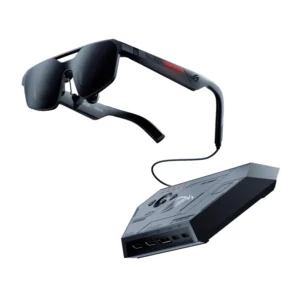
ASUS ROG XREAL R1 AR Glasses 57° FOV Up to 171” 240Hz Virtual Micro-OLED Screen & Audio – Narrow
$999.00 -
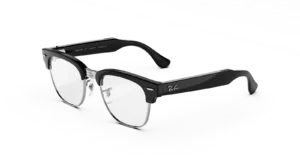
RAY-BAN META Clubmaster (Audio) AI GLASSES STANDARD
Price range: $349.00 through $429.00Select options This product has multiple variants. The options may be chosen on the product page -

Oakley Meta Vanguard AI GLASSES
$499.00Select options This product has multiple variants. The options may be chosen on the product page -
Ray-Ban | Meta Wayfarer (Gen 2) Glasses with AI, Photo, Video, Audio & Messaging – Matte Black/Polarized Gradient Graphite – Standard
$559.99Select options This product has multiple variants. The options may be chosen on the product page
Reviews
There are no reviews yet.