Don't miss our holiday offer - up to 50% OFF!

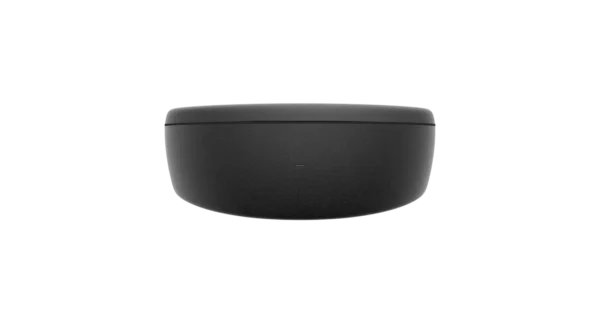
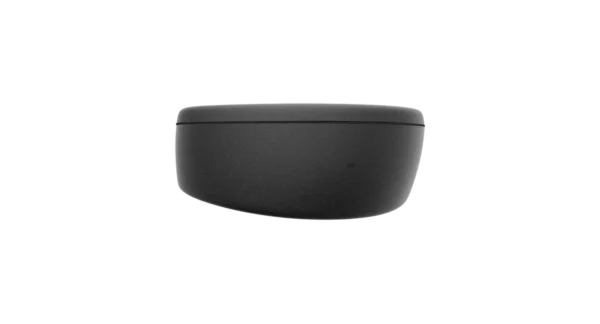
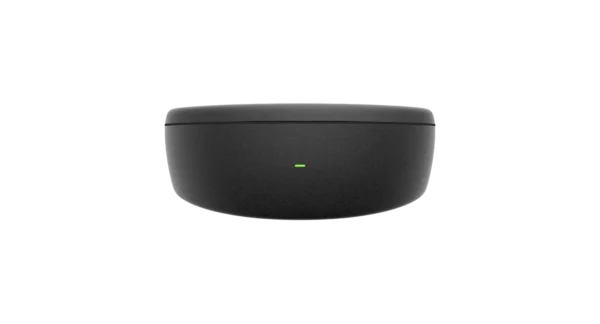
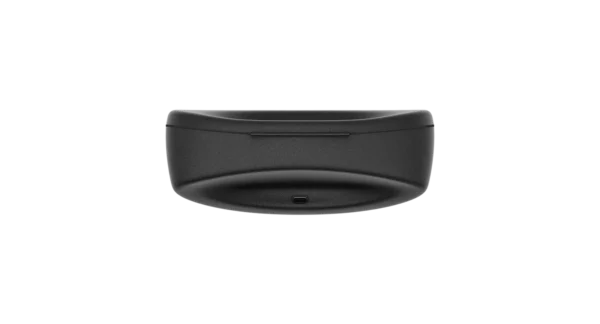
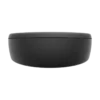
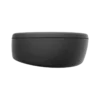
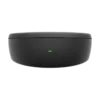
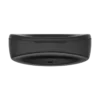
Oakley Meta Vanguard Charging Case
$139.00
Compatible with
Oakley Meta Vanguard
Know before you buy
This is a standalone charging case and does not include glasses. Identical to the Oakley Meta Vanguard Charging Case provided with your glasses purchase.
What’s included
Oakley Meta Vanguard Charging Case
USB-C charging cable not included
Oakley Meta Vanguard Charging Case – Premium Protective Storage and Charging Accessory
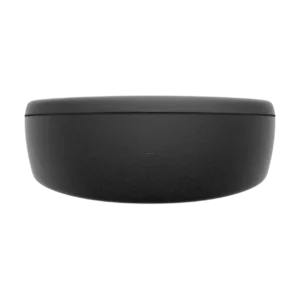
The Oakley Meta Vanguard Charging Case is an essential accessory for keeping compatible smart eyewear protected, organized, and ready for everyday use. Designed around the convenience of modern wearable technology, a dedicated charging case can provide a practical storage solution while supporting the charging routine required by compatible smart glasses.
For users who enjoy combining technology, convenience, and an active lifestyle, reliable accessory storage is an important part of the overall experience. Whether smart eyewear is being carried to work, taken on a weekend trip, or used during outdoor activities, a suitable case can help make transportation and everyday handling easier.
Moreover, a dedicated accessory solution can help reduce unnecessary exposure to dust, scratches, and accidental contact when the glasses are not being worn. As a result, the right storage accessory can contribute to a more organized and convenient wearable technology setup.
At NewViewLens, modern eyewear accessories are presented with an emphasis on practical functionality, product compatibility, and everyday convenience.
Product Highlights
-
Designed for the Oakley Meta Vanguard eyewear ecosystem.
-
Convenient storage for compatible smart glasses.
-
Supports an organized charging routine.
-
Practical accessory for travel and everyday transportation.
-
Helps protect eyewear when it is not being worn.
-
Suitable for technology enthusiasts and active users.
-
Complements a modern smart eyewear collection.
-
Useful for keeping essential eyewear accessories together.
Important compatibility note: Charging functionality, supported charging methods, and compatibility should be verified against the exact Oakley Meta Vanguard model and the manufacturer’s specifications before purchase. A charging case should not be assumed to support every Oakley Meta product.
1. Understanding the Oakley Meta Vanguard Charging Case
1.1 A Practical Accessory for Smart Eyewear
Smart glasses are designed to bring digital convenience into everyday activities. However, their usefulness can be affected when charging accessories are misplaced or when the eyewear is stored without adequate protection.
Consequently, a dedicated case can become an important part of an organized smart eyewear setup.
The Oakley Meta Vanguard Charging Case is intended to serve users looking for a convenient accessory associated with their compatible eyewear. In addition to supporting an organized storage routine, a suitable case can make it easier to transport smart glasses between different locations.
1.2 Why Dedicated Storage Matters
Modern eyewear may include cameras, microphones, electronic components, and integrated smart features. Therefore, appropriate storage should be considered an important part of routine product care.
When glasses are placed inside a suitable protective case, unnecessary contact with other personal belongings can be reduced. Furthermore, a dedicated storage location can help prevent the frames from being left exposed inside bags, backpacks, or travel compartments.
For this reason, an appropriate case is particularly useful for people who regularly carry their smart eyewear throughout the day.
2. Everyday Convenience and Charging Organization
2.1 Keeping Your Accessories Organized
An organized accessory setup can make everyday technology easier to manage. Rather than searching through bags or drawers for charging equipment, users can establish a consistent location for storing their eyewear accessories.
This approach can be particularly useful during busy mornings, business trips, and outdoor activities.
Additionally, dedicated storage can help users maintain a more consistent charging routine, provided that the selected case supports the required charging method.
2.2 Designed Around Modern Wearable Technology
Wearable technology is increasingly being incorporated into daily routines. From capturing memorable moments to accessing connected features, smart eyewear can offer additional convenience without requiring a traditional handheld device for every interaction.
Nevertheless, these features depend on properly maintained equipment and compatible accessories.
A suitable storage and charging solution can therefore contribute to a more convenient overall ownership experience.
3. Extended Battery Support for Active Lifestyles
3.1 Additional Charging Power on the Go
Battery availability is an important consideration when smart eyewear is used throughout the day. Fortunately, the Oakley Meta Vanguard charging system has been designed to provide additional power beyond the glasses’ built-in battery.
According to the manufacturer’s specifications, the charging case can provide up to 36 additional hours of charging on the go. This extended charging capacity can be particularly valuable for users who spend extended periods outdoors, travel frequently, or participate in demanding sporting activities.
Meta Store+1
Rather than depending entirely on access to a wall outlet, additional charging capacity can be carried alongside the eyewear.
3.2 Faster Charging When Time Is Limited
Busy schedules often leave little room for waiting around while electronic devices are being charged. Therefore, fast charging support can make a meaningful difference.
Oakley and Meta have highlighted the ability to charge compatible Vanguard glasses to approximately 50% in just 20 minutes using the charging case. Furthermore, a complete glasses charge is specified at approximately 75 minutes.
About Facebook+1
These capabilities can be useful when a quick recharge is needed before another training session, outdoor adventure, or daily activity.
3.3 Charging Case Recharge Time
The charging case itself also requires periodic recharging. According to Oakley’s published guidance, a full case recharge takes approximately 3.5 hours when a suitable USB-C cable and power source are used.
However, the USB-C charging cable is not included with the original glasses package. Consequently, users should ensure that a compatible cable is available before planning their charging routine.
Oakley® US+1
4. Built for Sports, Travel, and Everyday Activities
4.1 A Useful Companion for Outdoor Training
Oakley Meta Vanguard was developed with high-intensity sports and active lifestyles in mind. Its associated charging case provides additional convenience when the glasses are taken away from home.
For runners, cyclists, fitness enthusiasts, and outdoor explorers, having additional battery capacity available can help reduce interruptions.
Moreover, the case can be kept with other essential equipment when preparing for an activity. This makes it easier to establish a consistent routine for storing and charging smart eyewear.
4.2 Convenience During Travel
Travel accessories should be selected with practicality in mind. Whether a short journey is being planned or a longer trip is approaching, reliable storage can make electronic equipment easier to organize.
The dedicated charging case provides a convenient location for compatible glasses when they are not being used. In addition, its rechargeable battery can provide extra power away from conventional charging points.
For this reason, it can be a useful addition to a travel bag, sports backpack, or everyday accessory collection.
4.3 Keeping Your Smart Eyewear Together
Misplaced accessories can create unnecessary inconvenience. Nevertheless, a designated storage location can make everyday organization easier.
By keeping compatible smart glasses in their dedicated case, users can establish a simple routine for storing, charging, and preparing their eyewear for the next activity.
5. Charging Indicators and Battery Monitoring
5.1 Understanding the LED Indicator
The charging case includes an LED indicator that can be used to check charging status. This provides a convenient way to monitor the condition of the glasses and the case.
Oakley’s guidance identifies the following indicator meanings:
| LED indication | Meaning |
|---|---|
| Solid green | Glasses or case fully charged |
| Solid orange | Charging or case not fully charged |
| Flashing orange | Low case battery |
| Flashing red | Charging error |
The displayed status depends on whether the glasses are docked inside the case.
Oakley® US+1
5.2 Monitoring Through the Meta AI App
In addition to the physical indicator, battery information can be checked through the Meta AI mobile application when compatible glasses are connected.
The application provides access to device information, including the battery status of the eyewear and its charging case.
Consequently, users can check available power before heading out for a workout, travelling, or beginning an extended day of activities.
5.3 Establishing a Consistent Charging Routine
A regular charging routine can help prevent unexpected interruptions.
For example, the glasses can be returned to their case after use, while the case itself can be connected to a USB-C power source whenever its battery needs replenishing.
Furthermore, checking the LED indicator before leaving home can help ensure that the equipment is ready for the next activity.
6. Compatibility With Oakley Meta Vanguard
6.1 Designed for the Vanguard Collection
Compatibility is one of the most important considerations when selecting a replacement charging accessory.
The Oakley Meta Vanguard charging case is intended for compatible Oakley Meta Vanguard smart glasses. Its charging arrangement is designed around the corresponding eyewear, allowing the glasses to be docked in the appropriate position.
However, compatibility with other Oakley Meta collections should not be assumed. Different models can have different physical designs and charging requirements.
6.2 Why Model Compatibility Matters
Purchasing an incompatible charging accessory can lead to unnecessary inconvenience.
Therefore, the exact model should be checked before an order is placed. Particular attention should be given to the product name, model identification, charging contacts, and manufacturer’s compatibility information.
For customers purchasing a replacement, these checks can help avoid selecting an accessory intended for another smart eyewear collection.
7. Product Design and Everyday Handling
7.1 Dedicated Storage for Smart Glasses
A charging case serves more than one practical purpose. In addition to providing charging functionality, it offers a dedicated place where compatible eyewear can be stored when not in use.
This can help reduce exposure to loose objects and unnecessary handling.
Nevertheless, the case should be kept clean and handled appropriately. It should not be treated as waterproof or as protection against every type of impact unless such protection has been specifically confirmed by the manufacturer.
7.2 Supporting an Organized Technology Setup
Modern wearable technology often involves several accessories, including charging equipment, cleaning cloths, replacement components, and connected mobile devices.
When these items are properly organized, everyday use can become more convenient.
A dedicated charging case can therefore be considered an important component of a well-maintained smart eyewear collection.
8. Why Choose an Oakley Meta Vanguard Replacement Charging Case?
8.1 An Essential Replacement Accessory
Charging accessories can become misplaced, damaged, or unavailable when they are needed most. Therefore, having a replacement charging case can be a practical solution for owners who want to maintain their existing smart eyewear setup.
The replacement accessory is particularly relevant when the original case is no longer available or when an additional case is desired for another location.
8.2 Additional Charging Flexibility
An additional charging case can make it easier to maintain access to power in different environments.
For example, one case could be kept with everyday equipment while another is stored with travel or sporting accessories, provided that both are compatible with the eyewear.
Furthermore, additional charging capacity can be useful for users who regularly spend long periods away from home.
8.3 A Thoughtful Gift for Technology Enthusiasts
Accessories can be practical gifts, especially when they support equipment that is already being used regularly.
The Oakley Meta Vanguard charging case can be considered by customers shopping for a compatible smart eyewear owner, whether for a birthday, holiday, sporting occasion, or personal upgrade.
9. Recommended Care and Maintenance
9.1 Keep the Charging Contacts Clean
Charging connections should be kept free from unnecessary dust and debris. Before docking the glasses, users should ensure that the relevant contact areas are clean and dry.
Additionally, excessive pressure should not be applied to the charging connections during handling.
9.2 Store the Case Properly
When the case is not being used, it should be stored in a clean, dry location.
Avoid placing heavy objects on top of it. Similarly, unnecessary exposure to moisture, extreme temperatures, and rough handling should be avoided.
9.3 Use Suitable Charging Equipment
The manufacturer’s recommended charging method should always be followed.
For the Vanguard charging case, USB-C charging is supported. However, an appropriate cable and power source should be used in accordance with the product instructions.
9.4 Avoid Unnecessary Battery Depletion
Checking the remaining battery level periodically can help users plan their charging routine.
In addition, keeping the case charged before extended trips can help ensure that additional charging capacity is available when required.
10. Oakley Meta Vanguard Charging Case Specifications
The following specifications are based on published product information. Exact specifications should be confirmed against the replacement accessory being supplied.
| Specification | Product information |
|---|---|
| Product | Oakley Meta Vanguard Charging Case |
| Model reference | SK-1001360-01 |
| Product type | Smart eyewear charging accessory |
| Compatibility | Oakley Meta Vanguard |
| Additional charging capacity | Up to 36 hours |
| Quick charging | Glasses up to 50% in 20 minutes |
| Case charging connection | USB-C |
| Full case recharge | Approximately 3.5 hours |
| USB-C cable | Not included |
| Primary purpose | Charging and storage |
| Intended use | Compatible Vanguard smart glasses |
Best Buy+2
11. Frequently Asked Questions
11.1 What Is the Oakley Meta Vanguard Charging Case?
It is a dedicated charging accessory designed for compatible Oakley Meta Vanguard smart glasses. It provides a storage location and additional battery capacity for charging the eyewear when required.
11.2 How Much Additional Battery Life Does the Case Provide?
The charging case is specified to provide up to 36 additional hours of charging on the go. Actual battery performance can vary depending on usage and operating conditions.
Meta Store+1
11.3 Can the Charging Case Be Recharged?
Yes. The case can be recharged using a USB-C cable and a suitable power source. A complete recharge takes approximately 3.5 hours.
11.4 Is the USB-C Cable Included?
The USB-C charging cable is not included with the original Oakley Meta Vanguard glasses package. For a separately purchased replacement case, the supplied accessories should be confirmed with the seller before ordering.
Oakley® US+1
11.5 Can I Use This Case With Oakley Meta HSTN?
Compatibility should not be assumed. The Vanguard charging case is designed for the Vanguard collection, so customers should verify the exact model before purchasing.
11.6 How Do I Know When My Glasses Are Charging?
When compatible glasses are correctly docked, the case LED provides charging-status information. The Meta AI application can also display battery information when the glasses are connected.
11.7 How Long Does It Take to Charge Oakley Meta Vanguard Glasses?
A complete charge is specified to take approximately 75 minutes. Additionally, a quick charge can provide approximately 50% battery in 20 minutes.
Oakley® US+1
11.8 Is the Charging Case Suitable for Travel?
Yes. Its additional charging capacity makes it a convenient accessory for travelling, outdoor activities, and everyday transportation.
11.9 Should I Purchase a Replacement Case if My Original One Still Works?
An additional case may be useful if another charging location is desired. However, it is not essential when the original accessory is functioning properly and meets your charging needs.
11.10 Does the Charging Case Protect the Glasses?
The case provides dedicated storage for compatible eyewear. However, it should not be considered a substitute for specialist impact protection or waterproof storage.
12. Who Should Consider This Charging Accessory?
The Oakley Meta Vanguard charging case can be a useful purchase for several types of customers.
-
Oakley Meta Vanguard owners: An appropriate replacement can be obtained when the original charging case is lost or damaged.
-
Athletes: Additional charging capacity can be useful during extended training schedules.
-
Cyclists and runners: A dedicated charging accessory can support an organized equipment routine.
-
Frequent travellers: Additional battery availability can be convenient when travelling away from home.
-
Technology enthusiasts: A spare accessory can be incorporated into an existing wearable technology collection.
-
Gift shoppers: A replacement charging accessory can be a thoughtful practical gift for a compatible eyewear owner.
13. An Important Addition to Your Smart Eyewear Collection
Smart eyewear is most convenient when its essential accessories are properly maintained. Consequently, charging equipment should be considered an important part of the ownership experience.
With additional charging capacity, dedicated eyewear storage, and convenient battery monitoring, the Oakley Meta Vanguard charging case offers practical support for compatible smart glasses.
Whether a replacement is being purchased or an additional charging accessory is being considered, model compatibility should remain the priority.
At NewViewLens, the focus is placed on helping customers discover modern eyewear accessories that combine convenience, functionality, and practical everyday value.
Choose the appropriate charging accessory, maintain your smart eyewear properly, and keep your technology ready for the next adventure.
14. Product Listing Highlights
Product highlights
Website listing content
Oakley Meta Vanguard Charging Case
-
Dedicated charging accessory for compatible Oakley Meta Vanguard glasses.
-
Up to 36 additional hours of charging on the go.
-
Quick charging support for compatible eyewear.
-
USB-C rechargeable case.
-
Convenient storage for everyday use and travel.
-
Designed to complement the Vanguard smart eyewear experience.
-
USB-C cable not included.
-
Compatibility verification recommended before purchase.
Oakley Meta Vanguard Charging Case
16. The Importance of Reliable Charging Accessories for Smart Glasses
16.1 Supporting the Everyday Smart Eyewear Experience
Modern smart eyewear has been developed to provide more than conventional vision correction or sun protection. Through integrated technology, additional functionality can be accessed while a familiar eyewear design is maintained.
However, dependable accessories are needed to support the overall experience. Charging equipment, protective storage, and proper maintenance can all contribute to convenient everyday ownership.
The Oakley Meta Vanguard charging accessory has therefore been positioned as an important component of the compatible eyewear ecosystem.
Furthermore, an appropriate charging solution can help reduce interruptions caused by depleted batteries. This is particularly useful when smart glasses are being used for extended periods.
16.2 Maintaining Access to Portable Power
Access to electricity cannot always be guaranteed during outdoor activities or extended journeys. Consequently, portable charging solutions have become increasingly valuable.
Additional battery capacity can be carried with compatible eyewear, allowing charging to be performed away from a traditional power outlet.
For customers who regularly travel, exercise, or participate in outdoor adventures, this convenience can be especially beneficial.
17. Smart Eyewear for Modern Outdoor Adventures
17.1 Supporting an Active Routine
Outdoor equipment should be selected according to the demands of each activity. Whether cycling, running, travelling, or exploring unfamiliar locations, practical accessories can make equipment easier to manage.
Smart eyewear can be incorporated into these activities while its charging requirements are supported through compatible accessories.
Additionally, dedicated storage can help ensure that electronic eyewear is not unnecessarily exposed to other objects carried inside a backpack.
17.2 Convenience for Long-Distance Travel
Long-distance journeys often require additional preparation. Electronic equipment should be charged, accessories should be organized, and essential items should be made accessible before departure.
A portable charging case can help simplify this process.
Rather than depending entirely on a charging outlet at every destination, additional battery capacity can be carried for compatible glasses.
Moreover, a designated storage location can help prevent unnecessary handling during transportation.
17.3 Supporting Everyday Commuting
Commuting can involve several different environments throughout the day. Smart eyewear may be used during certain activities and stored when it is no longer required.
A dedicated case provides a consistent location for the glasses between uses.
As a result, daily equipment management can become more organized, particularly for individuals who frequently move between work, home, and outdoor environments.
18. Understanding Smart Eyewear Battery Management
18.1 Why Battery Management Matters
Battery management is an important consideration for any electronic wearable device.
Although advanced functionality can improve convenience, battery availability can influence how long certain features remain accessible.
Therefore, a consistent charging routine should be maintained.
Users should also become familiar with the available battery indicators and manufacturer’s recommended charging procedures.
18.2 Avoiding Unexpected Power Interruptions
Unexpected battery depletion can interrupt activities that depend on connected technology.
However, interruptions can be reduced through simple habits.
For example, the remaining battery level can be checked before leaving home. Furthermore, compatible eyewear can be returned to its charging case after use.
These straightforward steps can make everyday device management easier.
18.3 Charging Before Extended Activities
Before beginning a long journey or outdoor activity, both the glasses and their charging accessory should be checked.
This preparation can help ensure that additional charging capacity is available when needed.
Nevertheless, actual battery duration will depend on usage patterns, connectivity, software features, environmental conditions, and battery condition.
19. Storage Practices for Long-Term Accessory Care
19.1 Protecting Your Investment
Smart eyewear can represent a considerable investment. Therefore, proper handling should be encouraged from the beginning.
When the glasses are not being used, they should be placed in an appropriate storage location.
Additionally, unnecessary exposure to pressure, rough surfaces, and loose objects should be avoided.
19.2 Keeping the Interior Clean
Dust and debris can accumulate around frequently used accessories.
Consequently, the case should be inspected periodically and cleaned according to the manufacturer’s recommendations.
A clean, dry microfiber cloth can be used on suitable exterior surfaces where permitted by the product instructions.
Harsh chemicals and excessive moisture should be avoided.
19.3 Responsible Storage Between Uses
When smart eyewear is stored for an extended period, the manufacturer’s battery-storage recommendations should be followed.
Extreme temperatures should be avoided. Similarly, the charging accessory should not be exposed to water unless the relevant protection rating has been confirmed.
These practices can help maintain the condition of the accessory over time.
20. Choosing the Right Oakley Meta Accessories
20.1 Why Compatibility Should Come First
Smart eyewear accessories are not necessarily interchangeable.
Different collections may use different charging arrangements, physical dimensions, and connection systems.
Therefore, product compatibility should be confirmed before an accessory is purchased.
For customers comparing different models, the exact product reference should be checked rather than relying exclusively on similar product names.
20.2 Selecting a Replacement Charging Accessory
When an original charging case has been misplaced or damaged, a replacement may be required.
Before ordering, the following details should be checked:
-
Exact eyewear collection.
-
Compatible model identification.
-
Charging connection requirements.
-
Physical fit.
-
Included accessories.
-
Manufacturer product documentation.
-
Condition of the replacement product.
By checking these details, unnecessary purchasing mistakes can be reduced.
21. The Role of Charging Accessories in Wearable Technology
21.1 Technology That Fits Into Everyday Life
Wearable technology has been developed around the idea of making digital functionality more accessible.
Smart glasses are an example of this approach because additional features can be incorporated into a familiar eyewear format.
However, the overall experience depends on more than the glasses themselves.
Charging equipment, compatible applications, connectivity, and regular maintenance are all important considerations.
21.2 Creating a More Convenient Technology Setup
A well-organized technology setup can save time and reduce unnecessary frustration.
When accessories are stored in consistent locations, they can be found more easily.
Furthermore, charging routines can be incorporated into existing daily habits.
For example, smart eyewear can be returned to its dedicated case after an activity, while the case can be recharged when its battery level becomes low.
21.3 Practical Accessories for Connected Devices
Connected devices are most useful when their supporting accessories are available and properly maintained.
This principle applies to smartphones, wireless headphones, smartwatches, and smart glasses.
Consequently, an appropriate charging accessory should be considered part of the complete wearable technology experience.
22. Oakley Meta Vanguard Charging Case for Different Users
22.1 For Fitness Enthusiasts
Fitness enthusiasts often require equipment that can be managed conveniently throughout different activities.
Additional charging capacity can be helpful when compatible smart eyewear is used during extended training sessions.
Furthermore, dedicated storage can help keep the glasses organized alongside other personal equipment.
22.2 For Professional Users
Professionals who move between meetings, workspaces, and travel destinations may appreciate organized charging accessories.
A dedicated storage solution can help keep smart eyewear accessible when required.
In addition, a consistent charging routine can help reduce interruptions during demanding schedules.
22.3 For Frequent Travellers
Travellers often carry several electronic devices and supporting accessories.
Therefore, convenient storage and portable charging can be particularly useful.
A compatible charging case can help keep smart eyewear organized while additional battery capacity is made available during journeys.
22.4 For Technology Enthusiasts
People interested in wearable technology often appreciate accessories that improve convenience and equipment management.
A dedicated charging solution can complement an existing smart eyewear collection.
Moreover, a replacement or additional case can be considered when greater charging flexibility is desired.
23. Product Quality and Purchasing Considerations
23.1 Selecting a Suitable Product
Before purchasing, customers should ensure that the selected item corresponds to their intended eyewear model.
Product photographs, manufacturer references, descriptions, and compatibility information should be reviewed carefully.
Additionally, the product’s condition should be clearly identified as new, used, refurbished, or replacement stock.
23.2 Understanding What Is Included
Product listings should clearly explain which accessories are supplied.
For example, a charging case should not automatically be assumed to include a USB-C cable or additional charging equipment.
Therefore, the package contents should be checked before an order is completed.
23.3 Making an Informed Purchase
A well-informed purchase can help reduce compatibility issues and unnecessary returns.
Customers should compare product specifications and ensure that the intended charging accessory is suitable for their existing equipment.
At NewViewLens, accurate product information should remain an important part of the shopping experience.
24. Frequently Asked Questions – Extended Edition
Can I Leave My Smart Glasses Inside the Charging Case?
Compatible glasses can be placed in their designated charging case according to the manufacturer’s instructions. However, the case should be stored appropriately and should not be exposed to excessive heat or moisture.
Does the Charging Case Need to Be Connected to Electricity All the Time?
No. The rechargeable battery allows additional charging capacity to be carried. A USB-C power source is required when the case itself needs to be recharged.
Can I Carry the Charging Case in a Backpack?
Yes. It can be transported with everyday personal belongings. Nevertheless, excessive pressure and rough handling should be avoided.
Does the Charging Case Replace the Glasses’ Internal Battery?
No. The glasses retain their built-in battery. The case provides additional charging capacity for compatible eyewear.
Can I Use a Different USB-C Cable?
A suitable USB-C cable can be used when it meets the manufacturer’s charging requirements. The recommended charging instructions should always be followed.
Is the Case Necessary for Using Oakley Meta Vanguard Glasses?
The glasses can be used without keeping the charging case attached to them. However, the compatible case provides a convenient charging and storage solution.
Can I Purchase the Case as a Spare?
Yes, a replacement or additional case can be considered, provided that the exact product is compatible with the intended eyewear.
25. Final Reasons to Consider This Accessory
A reliable accessory setup can make smart eyewear easier to manage.
The Oakley Meta Vanguard charging case combines the practical benefits of dedicated storage and additional charging capacity for compatible eyewear.
Furthermore, its charging indicators can help users monitor battery status, while portable power can provide greater flexibility during everyday activities.
For anyone looking to maintain an organized smart eyewear setup, a suitable replacement charging accessory can be a worthwhile consideration.
Explore modern eyewear accessories at NewViewLens and choose compatible products designed to support your everyday technology experience.
-
Meta Quest VR Headsets, Games, Smart Glasses, Controllers & Meta AI Technology
Discover the Expanding World of Meta Virtual Reality and Smart Technology
Technology has transformed the way entertainment, communication, gaming, and digital experiences are enjoyed. Through immersive virtual reality headsets, intelligent wearable devices, interactive applications, and connected digital platforms, a new generation of experiences has been introduced. Whether you’re exploring virtual environments, enjoying competitive gaming, discovering mixed reality, or experiencing hands-free communication, modern Meta technology provides an exciting range of possibilities.
The development of Meta Quest VR games, advanced smart glasses, artificial intelligence, and immersive accessories has created a connected ecosystem for everyday users, gaming enthusiasts, and technology lovers. Furthermore, different devices have been designed to accommodate various preferences, from standalone virtual reality experiences to PC-connected gaming environments.
For newcomers, the Meta ecosystem can be explored through several product categories, including Oculus headsets, Meta Quest accessories, intelligent sunglasses, replacement controllers, and downloadable applications. Meanwhile, experienced users can discover more advanced features through mixed reality, social gaming, virtual environments, and compatible software.
Whether you’re interested in the Meta Quest 3, Oculus 2, Meta Quest 3S, or the latest generation of wearable technology, the available product selection offers numerous ways to explore digital entertainment.
Explore Meta Quest VR Headsets and Immersive Gaming
Virtual reality has become an important part of modern entertainment. Instead of interacting with a traditional television or computer display, users can enter digitally created environments and participate in experiences that feel more interactive.
Meta Quest headsets have been developed to make these experiences accessible without requiring complicated installation procedures. Depending on the model, standalone functionality, wireless connectivity, mixed reality features, and PC compatibility can be enjoyed.
Meta Quest 3 and Meta Quest 3S
The Meta Quest 3 and Meta Quest 3S provide access to immersive gaming, entertainment, social experiences, and mixed reality applications.
The Quest 3 is designed around advanced mixed reality capabilities, while the more affordable Quest 3S provides another entry point into the platform.
Key features and benefits include:
- Immersive virtual reality entertainment.
- Access to compatible Meta Quest applications.
- Interactive gaming environments.
- Mixed reality experiences.
- Wireless gameplay and movement.
- Compatible accessories and controller options.
- Social entertainment and multiplayer experiences.
- Access to supported PC VR experiences.
For users considering a Meta Quest 3S used headset, the condition of the device, battery performance, included accessories, account compatibility, and seller reputation should be carefully checked before purchasing.
Oculus 2 and Previous-Generation Headsets
The Oculus 2, commonly known as the Meta Quest 2, remains relevant for users interested in compatible virtual reality experiences. Although newer devices have been introduced, existing owners can continue exploring supported games and applications.
Similarly, Oculus headsets have helped introduce millions of users to immersive entertainment. Depending on the hardware, different experiences can be accessed through standalone applications, PC connections, and compatible software.
For PC enthusiasts, Oculus Rift games and compatible desktop virtual reality experiences provide another way to explore immersive entertainment.
Discover Exciting Meta Quest VR Games
Gaming remains one of the biggest attractions of virtual reality technology. Instead of simply watching characters move across a screen, players can interact with virtual environments, manipulate objects, explore new locations, and participate in challenging activities.
From action-packed adventures to social entertainment, the available gaming categories provide something for different interests.
Popular VR Gaming Experiences
The following titles and gaming experiences represent different styles of virtual reality entertainment:
- Beat Saber Oculus: A rhythm-based experience where players interact with musical beats using virtual blades.
- BONELAB VR Game: An experimental physics-driven adventure featuring interactive environments.
- Blaston: A competitive action experience built around movement, timing, and precision.
- Dungeon of Eternity: A cooperative fantasy adventure featuring exploration and combat.
- The Climb 2: An immersive climbing experience featuring challenging environments.
- Battle Talent VR: A physics-based combat experience with interactive weapons and environments.
- Duck Season VR: A distinctive horror-themed gaming experience.
- Ocean Rift: An underwater exploration experience featuring marine environments.
- Vampire Survivors VR: An immersive interpretation of survival-focused gameplay.
- Fun Monkey Horror: A horror-themed virtual reality gaming search category.
- Gang Warfare VR: A search phrase associated with virtual reality action experiences.
- Gun World VR and Gunworld VR: Search terms associated with virtual shooting and weapon-based entertainment.
- Boxing Underdog VR: A reference to boxing-focused virtual reality entertainment.
- VR Poker: A social gaming category combining card games with virtual environments.
Additionally, users searching for scary games VR can discover atmospheric adventures, horror challenges, and suspense-driven experiences.
More Virtual Reality Games to Explore
Other gaming interests include Sabergames, VR Worlds, Tiny Town VR, Table Party, Animal Blocks, Beyond Sandbox VR, Motox VR, and Sam 3D Meta.
The availability of individual titles, regional compatibility, and supported hardware should always be verified through the official Meta Quest Store or the relevant developer.
Meta Quest Controllers and Replacement Accessories
An immersive gaming experience depends on more than the headset itself. Controllers, charging accessories, head straps, batteries, and compatible replacement components can also contribute to comfort and functionality.
Meta Quest controllers have been designed to translate physical movements into digital interactions. Through tracking technology and responsive input systems, players can interact with virtual objects, navigate menus, and participate in supported games.
Meta Quest 3 Controllers
The Meta Quest 3 left controller and right controller are essential components for compatible gaming experiences.
When a controller becomes damaged, lost, or unreliable, a suitable replacement may be required.
Controller-related accessories and searches include:
- Meta Quest 3 left controller.
- Meta Quest 3S controller.
- Quest 2 left controller.
- Quest 2 right controller.
- Oculus controller replacement.
- Quest Pro controller.
- Meta controller accessories.
- Replacement controller components.
Before purchasing an individual replacement, compatibility with the exact headset model should be confirmed. Pairing requirements, regional availability, controller generation, and hardware condition should also be considered.
Improve Comfort With Meta Quest Accessories
Longer gaming sessions can benefit from suitable accessories.
A Meta Quest 3 battery head strap, for example, may provide additional wearing support and extended power capacity, depending on its specifications.
Other useful accessory categories include:
- Replacement charging cables.
- Controller grips.
- Protective carrying cases.
- Headset facial interfaces.
- Battery head straps.
- Charging docks.
- Lens protection accessories.
- Controller replacement components.
For users interested in upgrading their setup, accessory compatibility should always be checked before an order is placed.
Meta Quest Link Software, Quest Casting and PC Connectivity
Virtual reality entertainment can extend beyond standalone headset applications. Compatible PC software and wireless casting features allow users to connect their devices with other screens and supported computers.
Understanding Meta Quest Link Software
Meta Quest Link software is designed to support compatible PC VR experiences. When the correct hardware, software, and connection requirements are met, users can explore additional virtual reality content through a computer.
Depending on the setup, wired or wireless connectivity may be available.
Before installation, users should verify their computer specifications, graphics hardware, operating system, and headset compatibility.
Quest Casting and Streaming
Quest casting provides an opportunity to share headset activity with a compatible phone, browser, or supported display.
This can be particularly useful when friends or family members want to watch gameplay without wearing the headset.
The Oculus stream experience and other supported casting methods can help make virtual reality more social.
However, users occasionally encounter issues such as:
- Quest casting not working on phone.
- Headset not appearing in the casting menu.
- Mobile application connection problems.
- Unstable wireless connections.
- Account synchronization issues.
- Incompatible network settings.
To troubleshoot these problems, the headset and receiving device should be connected to a compatible network. Application permissions, software updates, and account settings should also be checked.
The search phrase horizon.meta/casting is sometimes used when looking for casting assistance. For safety, account access and casting should be managed through verified official Meta services rather than unfamiliar links.
Meta VR App and Connected Digital Services
A compatible mobile application can simplify headset management, device pairing, application discovery, and account administration.
The Meta VR app provides access to supported headset-related features and services. Depending on the device and software version, users may be able to browse applications, manage compatible devices, and access additional account functions.
Downloading Facebook and Managing Meta Accounts
Facebook and Meta services have become increasingly connected through account-management features.
Users searching for downloading Facebook, Facebook support, Facebook Meta glasses, messenger login, or Facebook Connect may be looking for assistance with different parts of the wider ecosystem.
Account Center Meta provides account-management options for supported Meta services.
Through the appropriate settings, users can review connected accounts, security preferences, and other available account controls.
Related search phrases include:
- Meta Business Suite login.
- Facebook support.
- Messenger login.
- Meta verified.
- Meta platforms.
- Meta HQ.
- Meta customer service.
- Meta account center.
- Facebook logos.
- Meta advertising.
- Meta Business Suite.
- Facebook Meta account management.
For account protection, official login pages should always be used. Passwords, verification codes, and recovery credentials should never be shared with third-party websites.
Meta AI Smart Glasses and Ray-Ban Wearable Technology
Beyond virtual reality, intelligent eyewear has introduced another way to interact with connected technology.
Smart glasses combine traditional eyewear styling with integrated digital features. Depending on the model, users may benefit from hands-free photography, video recording, audio playback, voice interaction, and artificial intelligence assistance.
Ray-Ban Meta Gen 2 Sunglasses
Ray-Ban Meta Gen 2 sunglasses combine recognizable eyewear designs with connected technology.
These devices have attracted attention from consumers interested in wearable cameras, smart audio, and AI-powered assistance.
Potential product highlights include:
- Integrated camera functionality.
- Hands-free photo and video capture.
- Open-ear audio features.
- Voice-controlled interactions.
- Smartphone connectivity.
- Compatible Meta AI functionality.
- Everyday eyewear styling.
The Ray Ban Meta Gen 2 collection is particularly relevant to users who want connected technology without carrying an additional handheld camera.
Meta Glasses Gen 2 Wayfarer
The Meta Glasses Gen 2 Wayfarer style brings together classic eyewear design and contemporary smart technology.
Its recognizable frame silhouette can appeal to individuals who prefer traditional sunglasses styling while exploring wearable digital features.
Different frame and lens combinations may be offered, depending on regional availability and product configuration.
Meta Glasses Where to Buy
When researching where to buy Meta glasses, customers should compare authorized retailers, product specifications, frame configurations, warranty coverage, and regional availability.
The same considerations apply when searching for Facebook Meta glasses, Meta sunglasses Oakley, Meta Oakly, or Meta Ray-Ban Gen 3.
Product generations and release availability should be verified before purchase.
Oakley Meta Smart Glasses and Performance Eyewear
Performance-focused eyewear represents another important area of connected wearable technology.
Oakley Meta sunglasses combine sport-inspired styling with smart features designed for users interested in outdoor activities and digital convenience.
Search interest has included Meta sunglasses Oakley, Meta Oakly, Fury Meta, and other performance-oriented eyewear references.
Oakley Meta Vanguard and Related Accessories
The Oakley Meta Vanguard range has generated interest among consumers looking for smart eyewear with a performance-oriented appearance.
Compatible accessories, including protective cases and charging solutions, can help support everyday use.
For example, the Oakley Meta Vanguard Charging Case is an accessory-related search for customers seeking a convenient charging and storage solution.
Before selecting a case or charging accessory, the exact eyewear model and compatibility requirements should be checked.
Kylie Jenner and Meta AI Glasses Searches
Searches such as Meta Glasses Kylie, Meta Starfire Kylie Edition AI Glasses, and Lentes Meta Kylie Jenner reflect interest in celebrity-inspired smart eyewear and fashion-focused technology.
When evaluating these searches, customers should distinguish between officially released products, verified collaborations, promotional concepts, and unofficial third-party listings.
A product should not be considered an official celebrity edition unless its release has been confirmed by the relevant brand.
Mixed Reality Glasses and the Future of Wearable Technology
Mixed reality technology continues to influence the development of digital entertainment and connected eyewear.
Unlike conventional screens, mixed reality experiences can combine digital elements with a user’s physical surroundings.
The search phrase mixed reality glasses companion 2026 reflects growing interest in devices that connect wearable displays, smartphones, AI services, and immersive applications.
Furthermore, developments involving Meta AI Vibes, Meta AI Portal, Meta Glass Display, and other connected technology concepts demonstrate the range of subjects consumers are exploring.
As the technology develops, compatibility, software availability, privacy controls, battery performance, and display quality should remain important purchasing considerations.
Find the Right Meta Technology for Your Setup
Whether you’re upgrading a virtual reality headset, replacing a controller, exploring smart sunglasses, or discovering immersive games, choosing compatible products is essential.
A carefully selected setup can improve entertainment, convenience, and everyday digital interaction.
Explore the available categories:
- Meta Quest VR headsets.
- Oculus gaming accessories.
- Meta Quest 3 and 3S controllers.
- Replacement charging accessories.
- Meta Quest Link software.
- VR games and applications.
- Ray-Ban Meta smart glasses.
- Oakley Meta performance eyewear.
- Meta AI wearable technology.
- Charging cases and protective accessories.
Discover new possibilities through connected technology and choose accessories and devices that complement your everyday needs.
Related products
-
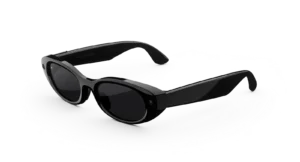
META GLASSES Starfire Kylie Edition STANDARD
Price range: $399.00 through $479.00Select options This product has multiple variants. The options may be chosen on the product page -
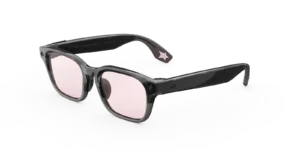
Meta Adventurer LISA Edition AI Glasses with AI, Photo, Video, Audio & Messaging – Moonlit Sky/Blush – Standard
$549.99 -
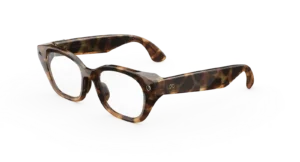
META CAPRI AI GLASSES
$299.00Select options This product has multiple variants. The options may be chosen on the product page -
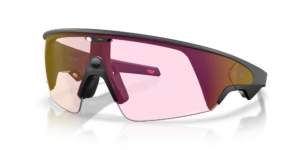
Oakley Meta Vanguard AI GLASSES
$499.00Select options This product has multiple variants. The options may be chosen on the product page
Reviews
There are no reviews yet.