Don't miss our holiday offer - up to 50% OFF!


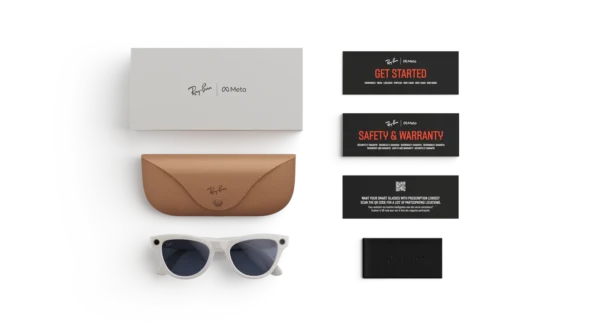
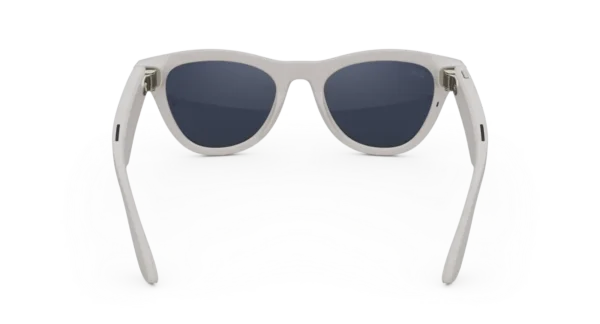
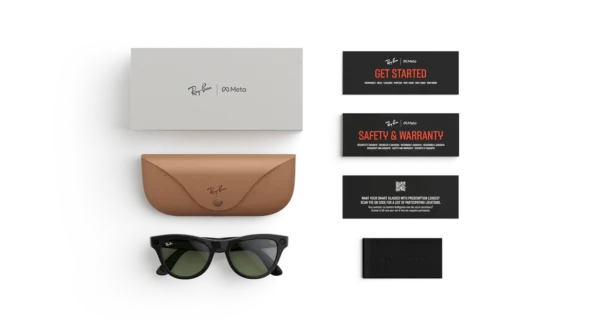
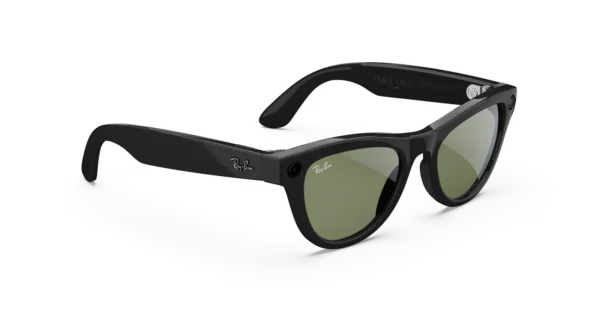
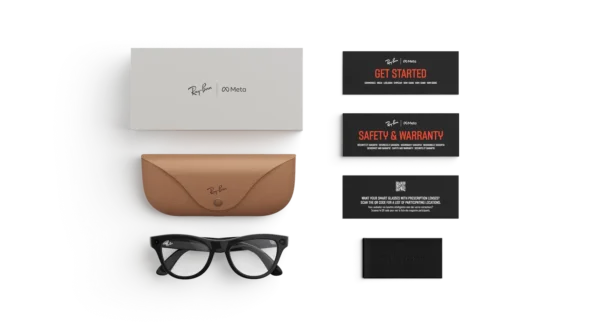

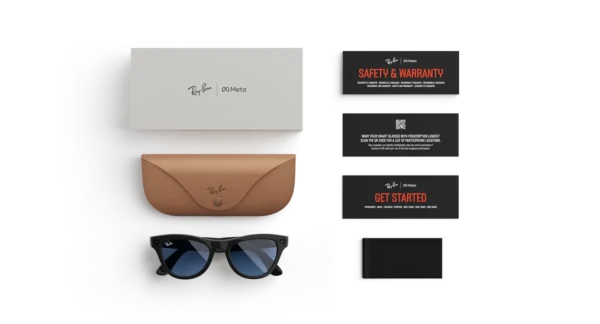
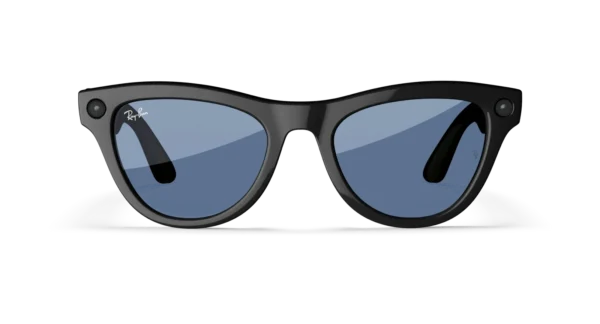

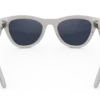
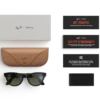
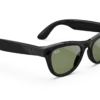
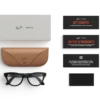

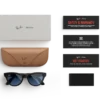
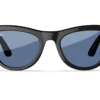
RAY-BAN META Skyler (Gen 1) SMART GLASSES
Price range: $224.00 through $284.00
Discover how AI glasses look on you from the comfort of your own space. With virtual try-on, you can explore every style, color and size. It’s the easiest way to find your perfect fit.
RAY-BAN META SKYLER (GEN 1) SMART GLASSES

Discover a Smarter Way to Experience Everyday Life
Style and innovation have been brought together in the Ray-Ban Meta Skyler (Gen 1) Smart Glasses, where a fashionable eyewear design is combined with connected technology for everyday use. Created for people who appreciate modern accessories without compromising personal style, these smart glasses offer a distinctive approach to capturing moments, listening to audio, and staying connected throughout the day.
Unlike conventional eyewear, additional digital features are integrated into the frame, allowing everyday activities to be experienced in a more convenient way. Whether a memorable trip is being documented, music is being enjoyed while walking, or a quick hands-free photograph is being captured, a more connected experience can be made possible.
Furthermore, the Skyler design offers a contemporary silhouette that can complement a variety of personal styles. The familiar appeal of designer eyewear is retained, while smart features are introduced to support modern routines.
A Fashion-Forward Design with Smart Technology
Contemporary Styling for Everyday Wear
A distinctive frame can make a meaningful difference to an everyday outfit. With its fashionable shape and carefully considered proportions, the Skyler collection has been designed for wearers who appreciate expressive styling and practical accessories.
The frame can be paired with casual clothing, travel outfits, and more polished everyday looks. Consequently, these glasses can be worn as part of a personal style rather than being treated solely as a technology accessory.
Moreover, their versatile appearance makes them suitable for a range of everyday settings, from city walks and social gatherings to holidays and relaxed weekends.
Designer Appeal Meets Digital Convenience
Traditional eyewear is primarily used for vision correction, sun protection, or personal style. Smart eyewear expands these possibilities by introducing connected functions into a familiar accessory.
With compatible features, selected activities can be performed without constantly reaching for a smartphone. For example, photographs can be captured hands-free, supported audio can be played through the glasses, and available voice controls can help simplify selected interactions.
As a result, everyday technology can be incorporated into a familiar routine while a clean, wearable appearance is maintained.
Key Features and Benefits
The Ray-Ban Meta Skyler (Gen 1) Smart Glasses are designed to combine recognizable eyewear styling with useful connected features.
Key product highlights include:
- Fashionable Skyler frame: A distinctive silhouette designed to complement contemporary everyday outfits.
- Hands-free photo capture: Supported camera controls allow moments to be captured without holding a phone.
- Video recording: Short first-person videos can be recorded using the integrated camera, subject to the device’s supported recording capabilities.
- Open-ear audio experience: Compatible audio can be listened to through the glasses while awareness of surrounding sounds can be maintained.
- Phone connectivity: Compatible smartphone features can be accessed through the required companion application and supported device connection.
- Voice interaction: Supported voice commands can be used for selected functions, depending on software, language, region, and account availability.
- Portable everyday accessory: Eyewear and selected smart functions are combined in one wearable product.
- Rechargeable operation: The glasses are powered by an internal rechargeable battery, with charging supported by the appropriate case and accessories supplied for the specific package.
Feature availability may vary by region, software version, smartphone compatibility, and product configuration. Buyers should confirm the precise specifications of the selected unit before purchase.
Capture Everyday Moments More Naturally
Hands-Free Photography
Some moments happen too quickly for a phone to be taken out, unlocked, and positioned. With the integrated camera, supported photographs can be captured from a first-person perspective, helping preserve moments as they happen.
Whether a scenic view is being enjoyed, friends are gathering for a celebration, or an interesting detail is discovered while travelling, hands-free capture can make documentation feel more immediate.
In addition, this approach can be useful when both hands are occupied with another activity. Instead of interrupting the experience to operate a separate device, supported camera controls can be used directly from the glasses.
However, camera use should always be handled responsibly. Permission should be obtained when appropriate, and the privacy of people nearby should be respected.
First-Person Video Recording
Photographs preserve individual moments, while video can capture movement, sound, and the atmosphere surrounding an experience. With supported video recording, the Skyler glasses can be used to document selected activities from the wearer’s perspective.
This can be useful for travel memories, everyday adventures, family occasions, and personal content creation. Additionally, the hands-free format can provide an alternative to holding a smartphone throughout a recording.
Recording duration, resolution, available controls, and storage or transfer options should be verified against the specifications of the particular Gen 1 model.
Listen to Audio Without Traditional Headphones
An Alternative for Everyday Listening
Audio functionality adds another layer of convenience to connected eyewear. Compatible music, podcasts, and other supported audio content can be listened to through the glasses without inserting conventional earbuds into the ears.
This open-ear approach may appeal to people who prefer a less intrusive listening experience during ordinary activities. For example, audio can accompany a walk, a commute, or a relaxed afternoon outdoors.
Nevertheless, listening volume should be kept at a responsible level, especially in environments where traffic, announcements, or other surrounding sounds need to be heard.
Convenient Audio Controls
Supported controls can help users manage selected audio functions without repeatedly handling a smartphone. Depending on the software and connected device, playback and other supported interactions may be managed through the glasses.
Consequently, everyday listening can be incorporated into a routine with fewer interruptions. For the best experience, the relevant companion application should be installed and the glasses should be configured according to the manufacturer’s instructions.
Stay Connected Throughout the Day
Smartphone Integration
Connected eyewear is most useful when it works smoothly with the devices already being used. The Ray-Ban Meta Skyler (Gen 1) Smart Glasses are designed to work with compatible smartphones and the supported companion application.
Once the appropriate setup has been completed, supported functions can be configured and managed through the connected device. Depending on availability, these may include media controls, camera-related settings, voice interactions, and content transfer.
Before purchasing, compatibility should be checked against the smartphone’s operating system and the manufacturer’s current requirements. Certain services and features may not be offered in every country.
Voice-Controlled Convenience
Voice interaction can provide a convenient alternative to manual controls for supported tasks. Rather than navigating every function on a phone, users may be able to access selected capabilities through compatible voice commands.
This can be particularly helpful when carrying bags, walking, or engaging in another activity that makes frequent phone handling inconvenient.
However, voice functionality should not be assumed to include every digital assistant feature. Available commands, languages, and services depend on the product generation, software, region, and account configuration.
Designed for Travel and Everyday Adventures
A Useful Companion on the Move
Travel often involves photography, navigation through unfamiliar places, listening to audio, and staying in touch with other people. By combining eyewear with selected connected functions, the Skyler glasses can support several of these everyday needs.
During a sightseeing trip, a hands-free photograph can help preserve a view. On a relaxed journey, compatible audio can provide entertainment. Meanwhile, the fashionable frame can remain part of an everyday travel outfit.
Furthermore, the compact wearable format can appeal to travellers who prefer practical accessories over carrying several separate devices for simple tasks.
For longer outings, battery life, charging opportunities, storage availability, and local connectivity should be considered before departure.
Everyday Use at Home and Outdoors
The benefits of connected eyewear are not limited to holidays. At home, compatible audio can accompany routine tasks, while hands-free camera functions can help document suitable occasions.
Outdoors, the glasses can be worn as a style accessory while selected smart functions are used when needed. Nevertheless, they should not replace protective equipment designed for specialist sports or hazardous working environments.
Comfort, Fit, and Personal Style
Finding the Right Fit
Comfort is an important consideration when eyewear is worn for extended periods. Frame dimensions, bridge fit, temple length, lens configuration, and individual facial proportions can influence the overall wearing experience.
For this reason, the Skyler frame should be selected with both appearance and fit in mind. Buyers who already wear prescription eyewear should also check whether the exact configuration supports their vision requirements.
A well-fitting frame can make daily wear more enjoyable, although individual comfort will vary.
Pairing Smart Glasses with Your Wardrobe
A versatile accessory should work naturally with the clothes and accessories already owned. The Skyler design can be styled with relaxed weekend clothing, travel outfits, and contemporary everyday fashion.
For a casual look, the glasses can be paired with a simple T-shirt, denim, and comfortable footwear. For a more refined appearance, they can complement a clean shirt, neutral colours, or understated accessories.
Ultimately, personal style remains central to the experience. Smart functionality adds convenience, while the eyewear itself can continue to express the wearer’s preferences.
Product Overview
The following overview summarizes the principal product characteristics. Exact specifications should be confirmed for the particular unit and lens configuration being offered.
- Product name: Ray-Ban Meta Skyler (Gen 1) Smart Glasses
- Product category: Connected smart eyewear
- Frame style: Skyler
- Primary purpose: Everyday eyewear combined with selected digital features
- Camera functionality: Supported hands-free photo and video capture
- Audio functionality: Integrated open-ear audio
- Connectivity: Compatible smartphone connection
- Control options: Supported physical and voice controls
- Power: Rechargeable internal battery
- Setup: Compatible smartphone and required companion application
- Best suited for: Everyday wear, travel, personal content capture, and compatible audio use
Important: Frame colour, lens type, prescription compatibility, included charging case, and other package contents can differ between listings. Only specifications verified for the selected product should be published as confirmed features.
Why Choose the Ray-Ban Meta Skyler (Gen 1)?
A Practical Combination of Style and Technology
Choosing smart eyewear involves more than comparing technical specifications. Appearance, comfort, convenience, compatibility, and the intended use should all be considered.
The Skyler design offers a way to combine recognizable eyewear styling with selected connected features. Instead of carrying a separate accessory for every simple digital task, certain functions can be incorporated into an item that is already worn throughout the day.
Moreover, the hands-free camera and integrated audio can provide practical benefits for people who enjoy recording experiences or listening to content while moving between activities.
Suitable for Different Everyday Routines
Different people may use smart glasses in different ways. Travellers may value first-person photography, while content creators may appreciate a hands-free recording perspective. Others may be more interested in compatible audio and the convenience of supported voice controls.
Because the product combines several functions, its value depends on which features are most useful to the individual buyer.
Before ordering, the exact generation, compatibility requirements, lens configuration, and available features should be checked carefully to ensure the product matches the intended use.
Purchase with Confidence
The Ray-Ban Meta Skyler (Gen 1) Smart Glasses offer a distinctive combination of contemporary eyewear styling and connected functionality. For buyers seeking an everyday accessory with more capabilities than conventional glasses, the product provides an option worth considering.
Before completing a purchase, review the listing photographs, frame and lens details, condition, package contents, warranty terms, and return policy. If prescription lenses are required, confirm compatibility before placing an order.
Explore the Ray-Ban Meta Skyler (Gen 1) Smart Glasses and choose a configuration that fits your style, daily routine, and connected lifestyle.
RAY-BAN META SKYLER (GEN 1) SMART GLASSES
Experience Connected Eyewear in a New Way
Everyday technology continues to evolve, and wearable devices are being designed to fit more naturally into daily routines. The Ray-Ban Meta Skyler (Gen 1) Smart Glasses bring selected digital capabilities into a fashionable eyewear design, providing an alternative to conventional accessories.
Rather than requiring every interaction to begin with a smartphone, certain supported functions can be accessed directly through the glasses. As a result, everyday moments can be captured, compatible audio can be enjoyed, and selected controls can be used with less reliance on handheld devices.
Furthermore, the Skyler design offers an appealing option for people who appreciate modern fashion alongside practical technology. Its combination of familiar eyewear styling and connected features can make it a useful addition to a personal collection of everyday accessories.
Smart Glasses for Modern Lifestyles
Technology That Fits into Everyday Activities
Convenience is often found in small improvements to familiar routines. A photograph can be captured without holding a phone, for example, while compatible audio can be enjoyed during a walk or a relaxed afternoon at home.
With these capabilities incorporated into wearable eyewear, selected activities can be managed in a different way. Additionally, the hands-free format may be appreciated by people who prefer to remain engaged with their surroundings instead of constantly looking down at a screen.
The experience will depend on the functions supported by the particular device and the connected smartphone. Nevertheless, the combination of camera, audio, and connectivity provides several practical ways to use the glasses throughout the day.
An Alternative to Conventional Wearable Devices
Smartwatches, wireless earbuds, and smartphones each provide their own advantages. Smart glasses introduce another approach by combining selected digital functions with an accessory that is already familiar to many people.
For users who enjoy documenting experiences, this format can offer a more immediate perspective. Similarly, those who regularly listen to audio may appreciate having another listening option available without inserting conventional earbuds.
However, smart eyewear is not intended to replace every connected device. Instead, its usefulness lies in providing a complementary option for selected activities.
Hands-Free Content Creation
Capture Content from Your Perspective
Personal content creation has become an important part of travel, entertainment, hobbies, and everyday communication. Photographs and short videos can be used to preserve experiences, share discoveries, or document memorable occasions.
The integrated camera in the Skyler glasses supports a first-person approach to capturing compatible content. Since the device is worn rather than held, the perspective can feel more closely connected to the activity being recorded.
For example, a creator may document a walk through a scenic location, capture a suitable moment during a social gathering, or preserve a view while exploring a new destination.
In addition, the hands-free format can reduce the need to interrupt an activity simply to position a smartphone. The resulting footage will depend on camera capabilities, lighting conditions, movement, and supported recording settings.
A Useful Accessory for Social Moments
Family occasions, celebrations, and informal gatherings often include moments that are difficult to anticipate. When appropriate and with the necessary consent, hands-free capture can provide another way to preserve these experiences.
Moreover, the glasses can be worn as part of an everyday outfit rather than being carried separately until a photograph is needed.
Responsible recording remains essential. People should be informed when appropriate, private spaces should be respected, and local recording laws should always be followed.
Share and Manage Captured Media
After content has been recorded, compatible transfer and sharing options may be available through the required companion application. These options can help users organize photographs and videos and move selected content to supported devices.
The available workflow depends on the software version, smartphone, account, and regional support. Therefore, buyers should consult the current manufacturer instructions before relying on a particular transfer or sharing feature.
Audio Convenience for Busy Days
Enjoy Compatible Music and Podcasts
Audio can make everyday activities more enjoyable, whether it is being used for entertainment, learning, or relaxation. Through supported integrated audio functionality, compatible content can be listened to using the glasses.
A favourite playlist may accompany a walk, while a podcast can provide entertainment during a routine task. In the same way, selected audio content can be enjoyed without carrying a separate pair of conventional earbuds.
Because the design uses an open-ear listening approach, the ears are not occupied by inserted earbuds. However, audio can still distract from important environmental sounds, so careful listening practices remain necessary.
Keep Your Routine Flexible
A useful accessory should adapt to different parts of the day. During one activity, the glasses may be used primarily as eyewear; during another, compatible audio may become more important.
This flexibility can be valuable for people whose routines involve commuting, working on personal projects, meeting friends, and travelling between locations.
Additionally, supported controls can make certain interactions more convenient when frequent phone handling would otherwise interrupt an activity.
Audio Performance and Expectations
Listening quality can be influenced by the surrounding environment, volume, audio content, and individual preferences. Open-ear audio also differs from the sound isolation offered by many in-ear headphones.
Consequently, the glasses may be suitable for casual listening, although users who require strong noise isolation or specialized audio performance may prefer a dedicated headset.
For the best results, the audio functions and control options should be tested according to the manufacturer’s guidance.
Smartphone Connectivity and Setup
Prepare Your Compatible Device
Before connected features can be used, the glasses should be configured with a compatible smartphone and the required companion application. The setup process generally involves following the manufacturer’s instructions, establishing the supported connection, and granting the permissions needed for selected functions.
Once setup has been completed, supported features can be managed through the connected ecosystem.
To help ensure a smooth experience, buyers should verify smartphone operating-system requirements, application availability, and regional compatibility before purchasing.
Manage Supported Features
Depending on the configuration and software, the companion application may be used to manage selected settings, review captured media, and configure available functions.
Furthermore, software updates may introduce improvements or changes to the experience. For this reason, the application and device instructions should be consulted periodically.
It is important to remember that not every feature offered by newer smart-glasses generations is necessarily available on the original Skyler model. Generation-specific specifications should always be used when describing the product.
Connectivity Considerations
Connected functions may depend on a working smartphone connection, application permissions, internet access, or other supported services.
For example, some features may operate locally, while others may require an active internet connection or an available account service. Functionality may also differ between countries.
By checking these requirements before purchase, customers can make a more informed decision and avoid assuming that every advertised feature will be available in their location.
Fashion Meets Everyday Functionality
A Distinctive Eyewear Silhouette
Eyewear is often chosen as much for appearance as for practical use. Frame shape, colour, lens finish, and overall proportions can all influence how a pair of glasses complements an individual’s style.
The Skyler collection provides a fashion-focused design for people who want their technology accessory to look appropriate alongside their regular wardrobe.
Furthermore, its recognizable designer-inspired appearance can help the glasses fit into daily life without requiring a separate, visibly technical accessory.
The exact appearance will depend on the selected frame and lens configuration. Therefore, product photographs and variant descriptions should be reviewed carefully before ordering.
Style for Different Occasions
Versatility is especially useful when an accessory is expected to be worn frequently. The glasses can be styled with casual clothing for everyday errands or paired with a more polished outfit for social occasions.
For travel, they can complement lightweight clothing and practical accessories. Meanwhile, for everyday city wear, they can provide a distinctive finishing touch.
Ultimately, the most suitable configuration is the one that reflects the wearer’s preferences while providing the functions that are genuinely needed.
Choosing the Right Lens Configuration
Lens selection can affect appearance, visual comfort, and suitability for different conditions. Depending on the specific variant, lens options and finishes may differ.
Customers should confirm whether the listing includes the desired lens type and whether the selected configuration meets their needs. Prescription compatibility should also be verified rather than assumed.
Additionally, sunglasses should not be treated as protective eyewear for every activity. Specialist work, sports, or hazardous environments may require equipment designed and certified for those conditions.
Travel and Exploration
Document New Experiences
Exploring a new destination often involves observing landmarks, discovering local culture, and recording memorable scenes. Hands-free photography and supported video recording can provide another way to document those experiences.
The first-person perspective may be particularly appealing when a scene is being experienced directly rather than viewed through a phone screen.
Moreover, compatible audio can accompany travel between destinations, offering an additional entertainment option during suitable activities.
Nevertheless, travellers should consider battery life, charging requirements, connectivity, and the local availability of supported services before departure.
Everyday Convenience on the Move
During a busy day, small conveniences can make a difference. Selected functions can be accessed through the glasses, potentially reducing the number of times a smartphone must be handled.
This may be useful during a walk, while carrying shopping bags, or when moving between suitable activities. However, the glasses should not be operated in a way that compromises attention, especially when crossing roads or navigating traffic.
Safe use should always take priority over recording content or interacting with connected functions.
A Compact Companion for Personal Memories
Travel accessories are often selected according to how easily they fit into an existing routine. Since smart glasses are worn rather than carried in the hand, they can provide an accessible option for people who regularly capture photographs and short videos.
When the glasses are not being worn, they should be stored in the appropriate protective case to reduce the risk of scratches and accidental damage.
For longer journeys, a suitable charging plan can also help keep the device ready for use.
Battery Life and Charging
Understand Everyday Power Requirements
Rechargeable power allows selected connected functions to be used without a permanent wired connection. However, the amount of time available between charges will vary according to usage patterns, settings, connectivity, and battery condition.
Frequent recording, extended audio playback, and repeated connected interactions may affect operating time.
For that reason, customers should consult the official specifications for the particular Gen 1 model rather than relying on battery figures published for a different generation.
Charging and Storage
The glasses should be charged using the appropriate manufacturer-supported charging equipment and instructions. If a charging case is included with the selected package, its compatibility and condition should be verified before use.
When charging is complete, storing the glasses securely can help protect the frame and lenses between activities.
Furthermore, exposure to excessive heat, moisture, or unsuitable charging equipment should be avoided. The manufacturer’s care and charging guidance should always take precedence.
Practical Battery Management
A few simple habits can help support a more convenient daily experience:
- Charge the device before longer outings.
- Reduce unnecessary recording when battery conservation is important.
- Review supported power-saving settings.
- Keep the companion application updated where appropriate.
- Store the glasses securely when not in use.
- Follow the manufacturer’s guidance for battery care.
These practices can help users prepare for everyday use, although actual battery performance will depend on the device and its condition.
Care, Maintenance, and Longevity
Protect the Frame and Lenses
Regular care can help preserve the appearance and usability of smart eyewear. Lenses should be cleaned with an appropriate lens cloth, while unsuitable abrasive materials should be avoided.
When the glasses are not being worn, a protective case can help reduce contact with keys, loose objects, and other items that may cause scratches.
Additionally, the frame should be handled carefully when being put on or removed. Excessive bending or twisting may cause damage.
Keep the Device Clean
Dust, fingerprints, and everyday residue can accumulate during regular wear. Cleaning should be performed according to the manufacturer’s recommendations, especially around electronic components, charging contacts, microphones, and speakers.
Liquids should not be applied directly to electronic openings unless the manufacturer specifically permits the method being used.
For best results, the appropriate cleaning instructions should be reviewed before maintenance is performed.
Follow Storage Recommendations
When the glasses are not being used for an extended period, they should be stored in a cool, dry location within the manufacturer’s recommended conditions.
Extreme temperatures and excessive moisture should be avoided. If the glasses are exposed to unsuitable conditions, the manufacturer’s care guidance should be followed before they are used again.
With appropriate handling, unnecessary wear can be reduced and the product can remain better protected during everyday storage.
Privacy and Responsible Use
Respect the Privacy of Others
Camera-equipped eyewear can make recording convenient, but that convenience comes with responsibilities. People nearby may not expect to be photographed or recorded, especially in private settings.
Before capturing or sharing content, users should consider the circumstances, obtain consent where appropriate, and comply with applicable laws.
Furthermore, the device’s recording indicators and other privacy-related features should be understood before regular use.
Use Connected Features Thoughtfully
Voice controls and connected services can be useful, but their operation may involve permissions, account access, and the processing of certain information.
Users should review the manufacturer’s privacy information, understand available controls, and manage permissions according to their preferences.
Additionally, account security should be maintained through appropriate authentication and careful handling of login information.
Maintain Awareness of Your Surroundings
Smart eyewear should support everyday activities rather than create unnecessary distractions. While walking, cycling, driving, or operating equipment, users should follow local laws and avoid interacting with features when doing so would be unsafe.
Audio volume should also be kept at a level that allows appropriate awareness of the environment.
Responsible use helps ensure that connected convenience remains compatible with personal safety and respect for others.
Who May Benefit from the Skyler Gen 1?
Everyday Technology Users
People who appreciate wearable technology may value the ability to access selected functions through familiar eyewear. The combination of camera, audio, and smartphone connectivity can offer a different approach to everyday digital interactions.
Nevertheless, the overall value will depend on which capabilities are regularly used.
Travellers and Explorers
Travellers may appreciate hands-free content capture and the ability to listen to compatible audio while moving between suitable activities.
However, those planning extended trips should consider charging access, regional service availability, and the restrictions that may apply to recording in particular locations.
Casual Content Creators
For casual creators, the first-person recording perspective can offer an alternative to holding a phone or camera.
It may be useful for documenting selected personal experiences, although dedicated cameras may offer different controls, image quality, stabilization, or recording options.
Fashion-Conscious Buyers
People who prioritize appearance alongside technology may be attracted to the Skyler frame’s distinctive styling.
The best choice should combine an appealing appearance with a comfortable fit, appropriate lens configuration, and realistic expectations about supported functions.
What to Check Before Buying
Before ordering, customers should confirm the details of the exact product being sold.
- Generation: Confirm that the item is the original Gen 1 model.
- Frame and lenses: Check the exact colour, finish, and lens configuration.
- Product condition: Establish whether the unit is new, refurbished, or pre-owned.
- Compatibility: Review the smartphone, operating-system, and application requirements.
- Included accessories: Confirm the charging case and any other items included in the package.
- Battery condition: For pre-owned items, ask about battery performance and charging functionality.
- Warranty: Review the coverage period, exclusions, and applicable regional terms.
- Returns: Read the seller’s return and exchange policy before payment.
- Prescription requirements: Verify compatibility if prescription lenses are needed.
A careful review of these details can help reduce uncertainty and make the purchasing process more straightforward.
Frequently Asked Questions
What are the Ray-Ban Meta Skyler (Gen 1) Smart Glasses?
They are connected eyewear that combines a fashionable frame with supported digital features, including hands-free camera functionality, integrated audio, and compatible smartphone connectivity.
Can photographs be taken without holding a phone?
Yes. Supported photographs can be captured using the integrated camera and available controls, subject to the device’s operating requirements.
Can the glasses record videos?
The device supports video recording within its available capabilities. Recording specifications and limitations should be verified against the official documentation for the Gen 1 model.
Can music be listened to through the glasses?
Compatible audio can be played through the integrated audio system. The listening experience differs from conventional in-ear headphones because audio is delivered through an open-ear design.
Do the glasses need a smartphone?
A compatible smartphone and the required companion application are needed for setup and many connected functions. Exact compatibility requirements should be checked before purchase.
Are all features available in every country?
No. Certain functions may depend on location, language, software version, account eligibility, and service availability.
Can the glasses be used for prescription lenses?
Prescription suitability depends on the exact frame, lens configuration, and available manufacturer or optical options. Compatibility should be confirmed before ordering.
Are the glasses waterproof?
Water resistance should not be assumed. Buyers should consult the official specifications for the precise model and avoid exposing the device to water beyond its documented capabilities.
How should the glasses be stored?
They should be kept in a suitable protective case when not in use and stored away from excessive heat, moisture, and conditions that may damage the electronics or lenses.
Are they suitable for professional video production?
They may be useful for casual first-person recording. However, professional production requirements should be evaluated carefully because dedicated cameras may offer different image quality, manual controls, and recording capabilities.
Final Product Summary
The Ray-Ban Meta Skyler (Gen 1) Smart Glasses combine contemporary eyewear styling with selected connected features for people who want practical technology incorporated into their daily routine.
Hands-free photography, supported video recording, integrated audio, and smartphone connectivity provide several ways to use the glasses beyond conventional eyewear. Meanwhile, the Skyler design offers a fashion-focused appearance that can complement different personal styles.
Although the glasses can add convenience to everyday activities, the final buying decision should be based on verified specifications, compatibility, fit, and intended use. Battery performance, regional feature availability, lens options, and included accessories should all be checked for the exact unit being offered.
Choose the Ray-Ban Meta Skyler (Gen 1) Smart Glasses for a considered blend of personal style and connected convenience, with features selected to complement the way you live, travel, and capture everyday moments.
Meta AI Display Glasses and Smart Eyewear: A Complete Guide to Connected Technology
Discover the Future of Smart Eyewear
Technology is becoming more personal, convenient, and accessible. With Meta AI display glasses, modern smart eyewear is designed to bring digital assistance, hands-free interactions, and connected experiences closer to everyday life. Whether you are exploring AI-powered glasses, comparing Ray-Ban Meta smart glasses, or searching for the latest virtual reality technology, the world of connected devices offers exciting possibilities.
Furthermore, smart eyewear can complement smartphones, social applications, and digital assistants. Depending on the model, selected functions may include hands-free photography, audio playback, voice interactions, communication tools, and AI-assisted experiences. Display-equipped glasses may also provide visual information directly within the wearer’s field of view, although available features vary by device and generation.
For shoppers researching AI Meta glasses, prescription-compatible eyewear, or advanced virtual reality headsets, understanding the differences between product categories is an important first step. The right choice will depend on your preferred features, comfort requirements, connectivity needs, and intended use.
What Are Meta AI Glasses?
Meta AI glasses are connected eyewear products developed to combine traditional glasses design with selected digital capabilities. Depending on the specific model, an integrated camera, microphones, speakers, and voice-controlled software may be provided.
Unlike a conventional pair of glasses, compatible smart eyewear can be used to capture moments, listen to audio, interact with supported AI services, and connect with selected mobile applications. Consequently, these devices may appeal to travelers, content creators, commuters, professionals, and technology enthusiasts.
However, not every pair of Meta smart glasses includes an integrated visual display. Camera-and-audio models should therefore be distinguished from display-equipped smart eyewear and virtual reality headsets.
Meta Glasses: What Do They Do?
The functions available will depend on the exact product and software version. Common capabilities across compatible smart-glasses models may include:
- Hands-free photography: Capture selected moments without holding a smartphone.
- Audio entertainment: Listen to music, podcasts, and other supported audio content.
- Voice interactions: Access compatible voice controls and AI-assisted features.
- Communication: Use supported calling and messaging features.
- Mobile connectivity: Pair compatible eyewear with a supported smartphone and companion application.
- Content creation: Record selected experiences for sharing through supported platforms.
- Prescription options: Choose compatible prescription lenses where the frame and lens configuration support them.
- Everyday styling: Select frame shapes and finishes that complement personal preferences.
In addition, certain features may depend on regional availability, account eligibility, language support, internet access, and application updates. Buyers should check the specifications for their chosen model before purchasing.
Meta AI Display Glasses and Smart Glasses With Display
The growing interest in smart glasses with display technology reflects a desire to access digital information without continually looking down at a phone. Depending on the product design, display-equipped eyewear may present notifications, navigation information, visual prompts, or other supported content.
Nevertheless, display glasses are not all identical. Some products use optical displays, while others rely on cameras, audio systems, or external devices. Therefore, the phrase display glasses should not be assumed to describe every product sold under the smart-eyewear category.
Display Glasses Versus Audio Smart Glasses
Audio-focused eyewear is generally designed around listening, communication, voice interaction, and camera functions where available. Display-equipped models may provide an additional visual interface, subject to the product’s specifications.
Before choosing a device, consider the following factors:
- Whether a built-in display is required.
- The available camera and audio capabilities.
- Battery life and charging requirements.
- Smartphone compatibility.
- Prescription-lens availability.
- Weight, fit, and frame design.
- Privacy controls and recording indicators.
- Regional access to AI services.
By comparing these details, shoppers can identify a product that meets their practical requirements rather than relying on a product name alone.
Ray-Ban Meta Smart Glasses: Style Meets Technology
Ray-Ban Meta smart glasses combine familiar eyewear styling with connected features available on supported models. The range includes several frame designs, allowing buyers to compare appearance, fit, lens options, and available technology.
Popular search terms include Ray Ban Meta Skyler smart glasses, Ray-Ban Meta Headliner, Meta Skyler, Ray-Ban Meta Gen 2 Wayfarer, and metarayband. These searches often reflect different frame preferences, generations, and configurations.
Ray-Ban Meta Skyler Smart Glasses
The Ray-Ban Meta Skyler frame family is an option for shoppers interested in a fashion-oriented silhouette combined with smart-glasses functionality. Depending on the generation and configuration, available options may differ in frame finish, lens type, prescription compatibility, and software features.
When comparing Ray-Ban Meta Skyler smart glasses, check the following:
- Exact generation and model identification.
- Frame color and lens finish.
- Standard versus prescription lens configuration.
- Supported smartphone operating systems.
- Camera, audio, and AI capabilities.
- Charging accessories and included components.
- Warranty coverage and regional availability.
Searches for Meta Skyler, Ray Ban Meta Skyler smart glasses, and prescription Meta glasses may refer to different configurations. Product listings should identify the precise model to prevent confusion between generations.
Ray-Ban Meta Headliner
The Ray-Ban Meta Headliner is another frame style frequently researched by shoppers who want smart functionality in an everyday eyewear design. Its suitability will depend on personal fit, preferred appearance, and the specific lens and hardware configuration offered.
When comparing Headliner and Skyler models, evaluate frame dimensions, bridge fit, lens shape, available finishes, and whether the selected model supports the prescription you need. In addition, buyers should verify whether particular software features are supported in their country.
Ray-Ban Meta Gen 2 Wayfarer
The Ray-Ban Meta Gen 2 Wayfarer search term is commonly associated with buyers comparing later-generation smart glasses and the recognizable Wayfarer style.
Before ordering, verify the product generation, exact model name, included charging case, lens specification, and supported features. The newest generation may offer differences from earlier versions, but availability and capabilities should be confirmed against the official specifications.
Prescription Meta Glasses and Smart Eyewear
Clear vision and everyday comfort remain essential when purchasing smart eyewear. For this reason, shoppers frequently search for prescription Meta glasses, Meta glasses prescription, and Ray-Ban Meta smart glasses with prescription.
Prescription compatibility depends on the particular frame, lens configuration, prescription requirements, and the manufacturer’s supported options. Not every smart-glasses model accepts every prescription.
Choosing Prescription-Compatible Smart Glasses
Before purchasing prescription smart eyewear, consider:
- Your current prescription and lens requirements.
- The manufacturer’s supported prescription range.
- Single-vision or multifocal lens availability.
- Frame fit and long-term comfort.
- Lens material and any required coatings.
- Whether the selected configuration retains the intended smart features.
- Professional fitting and after-sales support.
Furthermore, lens replacement should be performed using a compatible solution that protects the frame and integrated components. If a model’s prescription limits are unclear, consult the manufacturer or an authorized optical professional.
Affordable Smart Glasses and Cheap Meta Glasses
Price is an important consideration when researching cheap Meta glasses or affordable smart eyewear. However, the lowest advertised price does not always represent the best overall value.
Compare the exact generation, included accessories, seller reputation, warranty terms, return policy, and condition of the item. Refurbished and used products should be clearly identified as such. Buyers should also be cautious of listings that use official brand imagery without providing verifiable product details.
A well-informed purchase balances affordability with reliable functionality, suitable lens options, and dependable customer support.
Meta Quest 3 Virtual Reality Headset
Smart eyewear and virtual reality headsets offer different experiences. Whereas everyday smart glasses are designed to fit into ordinary activities, a Meta Quest 3 virtual reality headset is intended for immersive digital environments, interactive games, and supported mixed-reality applications.
The Meta Quest 3 virtual reality platform allows users to explore compatible entertainment, fitness, creative applications, and immersive experiences. Features depend on the headset, installed software, available applications, and accessories.
Quest 3 VR for Gaming and Entertainment
For people exploring Quest 3 VR, Meta Quest 3 virtual reality, or games for Meta Quest 3, the platform provides access to a catalog of compatible experiences.
Depending on availability, users can investigate:
- Immersive single-player adventures.
- Multiplayer and social games.
- Rhythm and music experiences.
- Fitness and movement applications.
- Creative and educational environments.
- Mixed-reality experiences.
- Compatible PC VR content.
However, application availability, prices, and system requirements can change. Check the official Meta Horizon Store and the relevant application listing before purchasing a game.
Meta Quest 3 Cheapest Price
Shoppers searching for the Meta Quest 3 cheapest price should compare the complete package rather than the headline figure alone.
Check the headset’s storage configuration, condition, included accessories, shipping charges, regional warranty, return eligibility, and seller reputation. A discounted headset may represent a good value when the model and condition are clearly disclosed.
Buyers should also distinguish the Meta Quest 3 from other devices, including the Quest 3S and Quest 2. Similar product names do not mean that the headsets have identical specifications or accessories.
Meta Quest 3S, Quest 2, and Other Oculus VR Searches
Searches such as Meta Quest S3, Meta Quest 2 headset, Oculus Quest, Oculus Quest 2, Oculus Quest 3, oculus VR, oculus reaf, oculus, and newest Oculus often reflect comparisons across the Meta Quest product family.
The spelling variations oculas, ocluss, and occulus may also be used by shoppers looking for Oculus-related products and applications.
Comparing Different VR Headsets
When comparing headsets, consider the following characteristics:
- Display resolution and optical design.
- Processing performance.
- Available storage.
- Standalone versus PC-connected operation.
- Mixed-reality capabilities.
- Controller design and tracking.
- Comfort and fit.
- Battery life and charging.
- Compatibility with games and accessories.
The best option depends on your budget and intended activities. A standalone headset may be suitable for convenient gaming, while a compatible PC VR setup may appeal to users seeking access to supported computer-based experiences.
Games for Meta Quest 3 and the Wider VR Gaming World
Virtual reality gaming can provide a more interactive way to explore digital environments. Players can move, interact with objects, and participate in activities designed for supported VR hardware.
Searches for best Oculus games, virtual reality top games, fun virtual reality games, and games for VR headset cover a broad range of entertainment categories.
Gorilla Tag VR Game
Gorilla Tag is a recognizable VR game associated with movement-based multiplayer gameplay. Players use arm movements to navigate virtual environments, making physical interaction a central part of the experience.
Search variations include Gorilla Tag VR game and garilla tag. Before installing the game, verify headset compatibility, age guidance, online interaction settings, and any applicable store requirements.
Hyper Dash
Hyper Dash is a name associated with competitive VR shooter gameplay. Players researching the title should verify its current availability, supported platforms, multiplayer functionality, and installation requirements before making a purchase or downloading it.
Supernatural VR
Supernatural VR is associated with fitness experiences designed for supported virtual reality hardware. Interested users should check regional service availability, subscription requirements, and current headset compatibility.
Other VR Gaming Searches
Terms such as Battle Glide, Wizherd, GamesVR, Aim XR, Down Shot, Place VR, Newtons Playground, Dimensional Double Shift, Shmackle, and Gang Warfare may refer to specific games, projects, or search variations.
Their exact identity and current availability should be verified before a product listing is published. These names should not be presented as confirmed headset features or officially supported titles without reliable supporting information.
Meta Horizon, Casting, and Connected Applications
The Meta Horizon ecosystem is associated with virtual environments, social experiences, and compatible applications. Depending on the device and software version, users may access immersive entertainment, connect with friends, or share supported VR experiences.
Searches such as Meta Horizon/casting, Horizon, Meta Horizon PC, Horizon Meta casting, and horizon.meta/casting.com often indicate an interest in displaying a VR experience on another screen.
How VR Casting Works
Casting allows a supported headset experience to be displayed on a compatible phone, computer, television, or browser-based destination when the relevant feature is available.
The exact process depends on the headset, software version, network configuration, and receiving device. Users should begin with Meta’s official instructions and ensure that both devices meet the required compatibility conditions.
When troubleshooting, verify that the headset and receiving device are connected to an appropriate network, that the correct account is being used, and that any requested permissions have been granted.
Meta Horizon PC and PC VR
PC-connected VR can provide access to compatible computer-based virtual reality applications. However, not every VR title supports every headset or connection method.
Before configuring a PC VR setup, review the computer’s hardware specifications, graphics compatibility, connection requirements, USB or wireless networking needs, and the application’s supported headset list.
Meta Quest Mobile App and Meta Link App
The Meta Quest mobile app is used for supported headset setup and management tasks. Depending on the current software and device, it may assist with pairing, device configuration, application discovery, and account-related functions.
Searches for application Oculus, Meta Link app, Meta Quest Link app for PC, PC Quest 2, and Meta Quest remote desktop app reflect different software and connection needs.
Selecting the Correct Application
Choose the application according to your intended task:
- Headset setup: Use the official mobile application supported by your headset.
- PC VR: Check Meta’s current PC software and compatibility guidance.
- Remote desktop: Verify the supported remote-access product and its system requirements.
- Casting: Follow the official instructions for the specific headset and receiving device.
- Game installation: Use an authorized store or supported application distribution method.
Because application names and installation processes can change, download software from official sources rather than unfamiliar third-party websites.
Meta Quest 2 Troubleshooting and Charging Accessories
Owners of older VR headsets may search for how to reset Meta Quest 2, Oculus Quest 2 charger, or PC Quest 2 when maintaining their equipment.
How to Reset Meta Quest 2
A factory reset removes local data from the headset and restores it to its initial setup state. Before resetting, consider whether a restart or another troubleshooting step could resolve the issue without deleting local information.
A general preparation checklist includes:
- Confirm that you can access the account associated with the headset.
- Check whether important data has been synchronized or backed up where supported.
- Review the official instructions for the exact headset model.
- Follow the manufacturer’s reset procedure.
- Complete the setup process again after the reset.
The exact button combination and menu steps may vary by software version. Follow current official guidance rather than relying on instructions intended for a different headset.
Oculus Quest 2 Charger
When choosing a charger or replacement charging cable, verify connector type, power requirements, product quality, and headset compatibility. A charger should meet the manufacturer’s specifications.
Avoid damaged cables, poorly made adapters, and accessories that do not clearly state their compatibility. Reliable charging equipment can help reduce interruptions during normal headset use.
AI Assistants, Llama 3.1, and Asking Questions
AI-assisted technology is becoming an important part of connected devices and digital applications. Search terms such as how to ask AI a question, Llama 3.1, and Meta AI glasses reflect interest in conversational assistance and language-based interfaces.
How to Ask AI a Question
Useful AI prompts are clear, specific, and provide enough context to establish the intended result.
For example, users can ask an AI assistant to explain a technical concept, organize a travel checklist, summarize permitted information, or help compare product specifications. When an answer concerns product compatibility or current prices, the information should be verified against an authoritative source.
AI features available through smart glasses may differ from those offered by a mobile application or a computer-based service. Not every model supports every AI model, language, or function.
Llama 3.1 and AI Technology
Llama 3.1 is part of Meta’s family of large language models. It is relevant to people researching language-model technology, AI applications, and the wider development of conversational systems.
However, the presence of Meta branding does not mean that every Meta-branded device runs the same model or provides identical AI functionality. Available capabilities depend on the particular product, software implementation, and service configuration.
Privacy, Recording, and Responsible Smart Glasses Use
Smart eyewear may include cameras, microphones, or other connected features. Responsible use requires attention to privacy, consent, and the rules applicable in each location.
Before recording, users should consider whether permission is required and whether other people can reasonably expect privacy. Recording indicators and privacy controls should be used according to the manufacturer’s instructions.
For businesses, creators, and everyday users, responsible practices include:
- Respecting consent and local recording laws.
- Understanding when camera or microphone functions are active.
- Reviewing application permissions.
- Keeping software updated.
- Securing connected accounts.
- Avoiding recording in restricted or sensitive environments.
- Reviewing how recorded content is stored and shared.
These considerations are especially important when smart glasses are used in workplaces, educational environments, public venues, or private settings.
Finding the Right Smart Eyewear or VR Device
Choosing between smart glasses and a virtual reality headset starts with identifying your primary goal.
For everyday audio, photography, and supported AI interactions, a compatible pair of smart glasses may be appropriate. If you need an integrated visual interface, compare products specifically designed with display capabilities. For immersive games and mixed-reality experiences, a compatible Meta Quest headset may be a better fit.
Before completing a purchase, compare the exact model, generation, compatibility, supported applications, prescription options, accessories, warranty, and return policy.
By matching the technology to your needs, you can make a more informed decision and enjoy a connected experience that suits your lifestyle.
| MODEL/COLOR | Shiny Chalky Gray — Clear to Sapphire Transitions®, Shiny Black — G15 Green, Shiny Black — Clear, Shiny Black — Cerulean Blue Transitions® |
|---|---|
| Frame size | Standard |
Related products
-
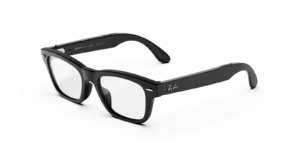
RAY-BAN META Burbank (Audio) AI GLASSES
Price range: $349.00 through $429.00Select options This product has multiple variants. The options may be chosen on the product page -
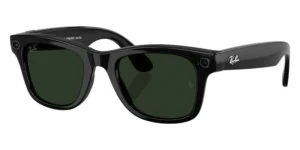
Ray-Ban | Meta Wayfarer (Gen 2) Glasses with AI, Photo, Video, Audio & Messaging – Matte Black/Clear – Standard
Price range: $519.99 through $609.99Select options This product has multiple variants. The options may be chosen on the product page -
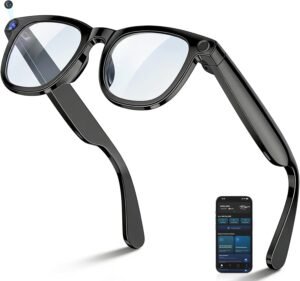
AI Smart Glasses with 8MP Camera, 4K HD Video Recording Glasses Real Time Translation AI Voice Assistant Object Recognition Replaceable Sunglasses Lenses Photochromic
$99.99 -
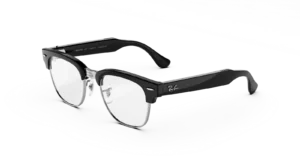
RAY-BAN META Clubmaster (Audio) AI GLASSES STANDARD
Price range: $349.00 through $429.00Select options This product has multiple variants. The options may be chosen on the product page
Reviews
There are no reviews yet.