Don't miss our holiday offer - up to 50% OFF!

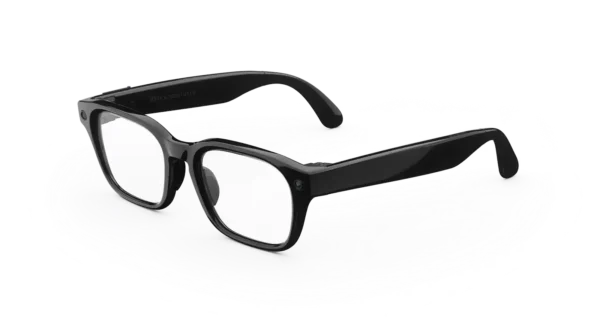
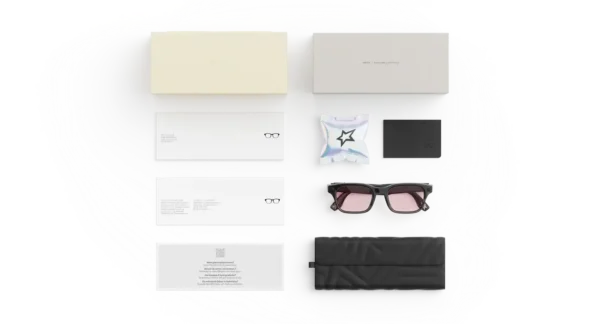
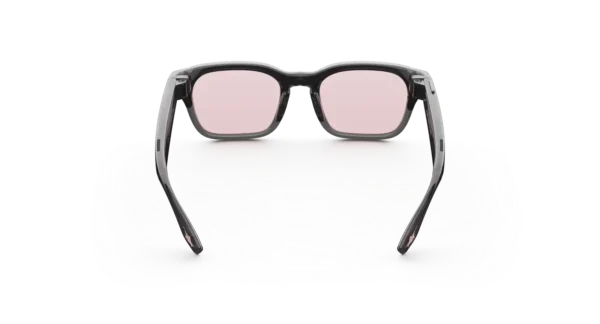
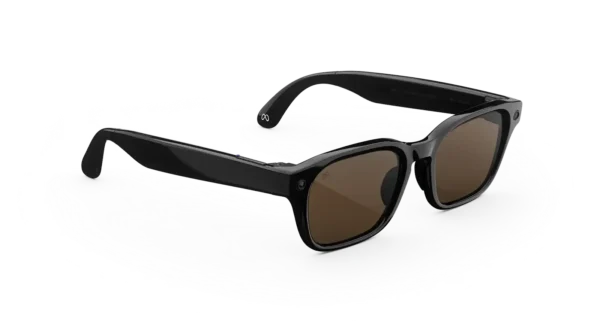
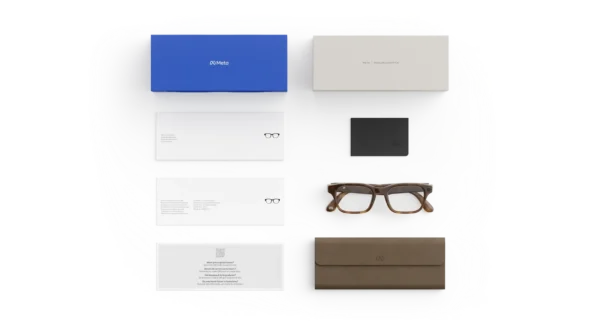

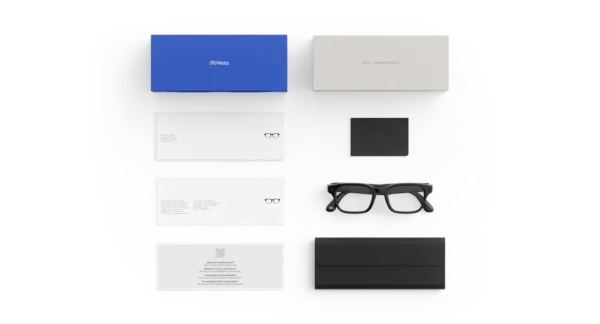

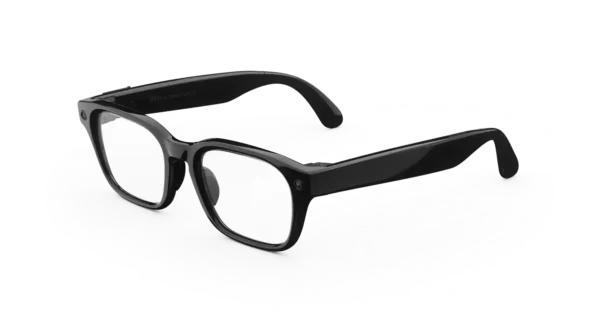
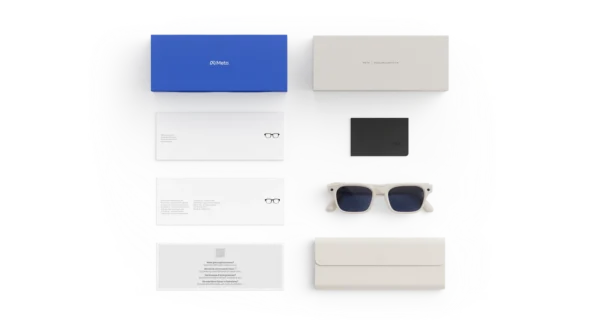
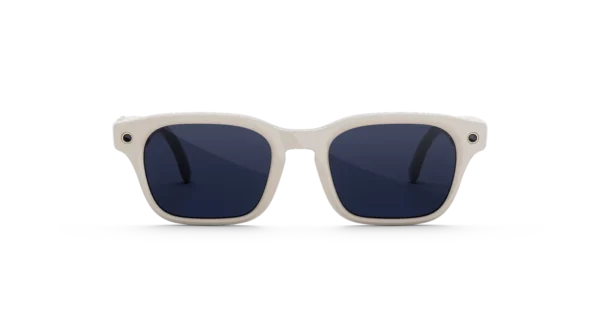
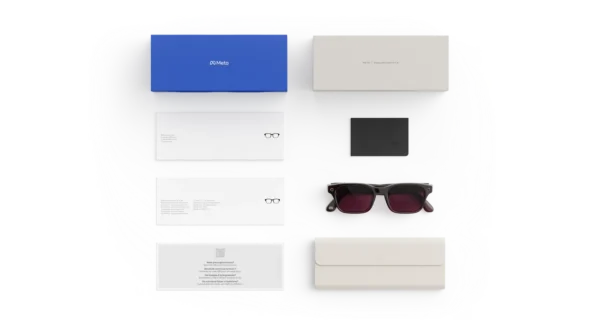
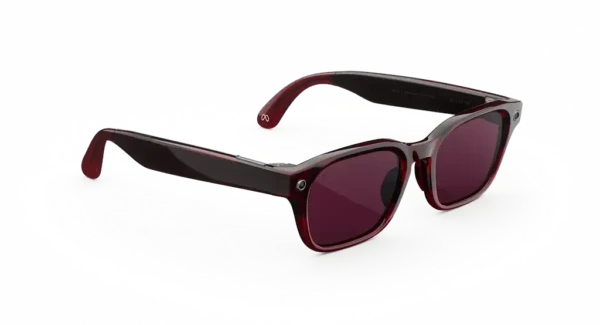
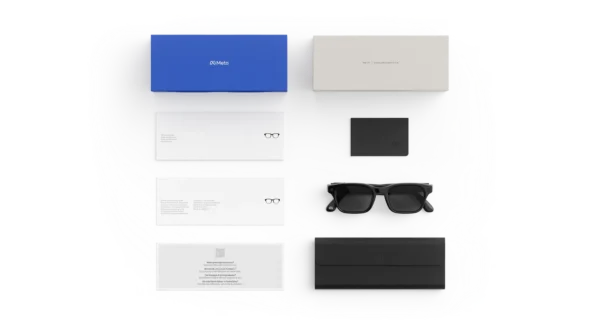

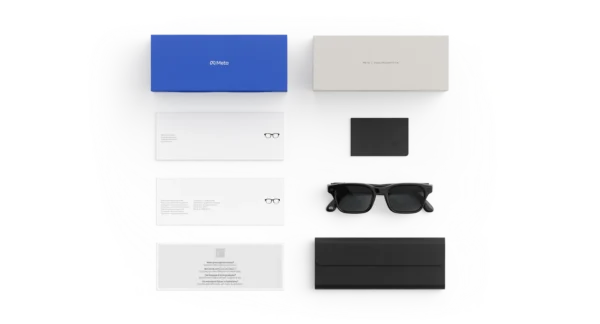
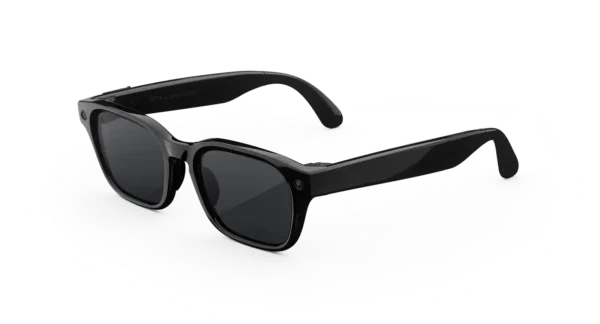
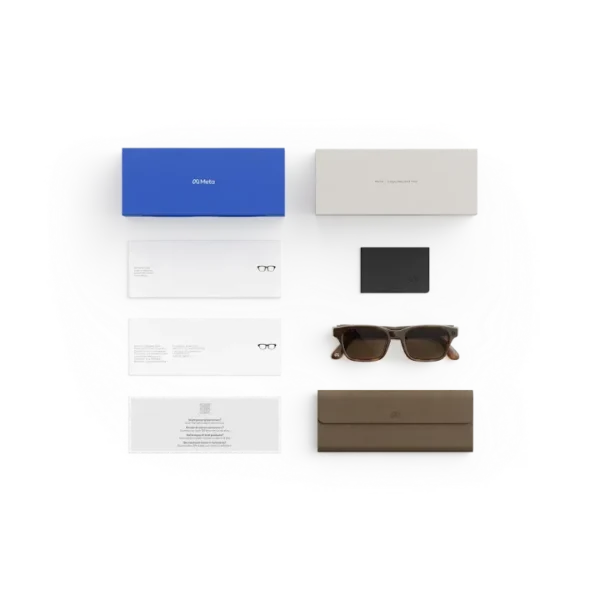
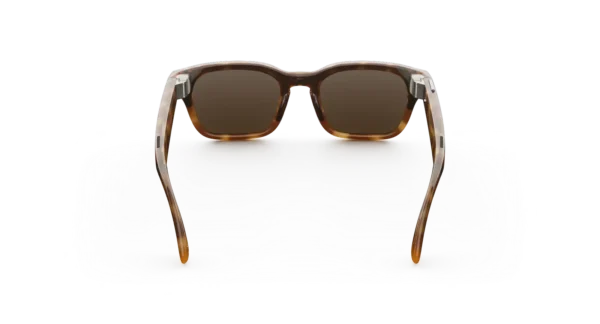
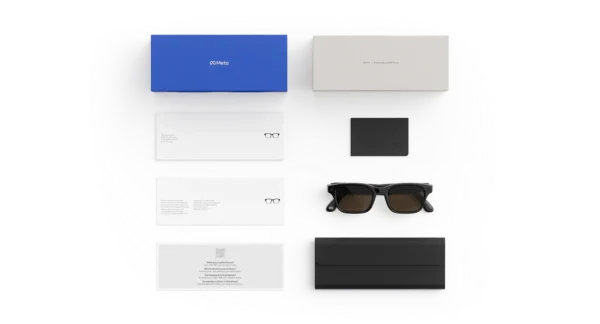
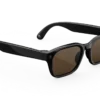



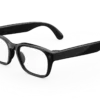

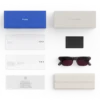
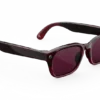
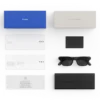

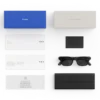
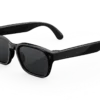
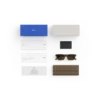
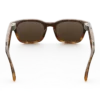
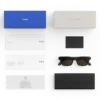
META GLASSES Adventurer
Price range: $299.00 through $399.00
Get smarter answers and everyday help based on what you see and say, hands-free. Your glasses help you move through your day without stopping to search on your phone.
META GLASSES Adventurer – Smart Eyewear for Everyday Exploration
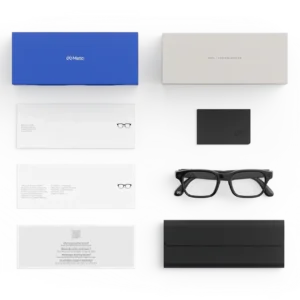
Discover a New Way to Experience Everyday Life
Everyday moments can become more memorable when style, convenience, and modern technology come together. The META GLASSES Adventurer is presented as a smart-eyewear option for people who appreciate contemporary design and want an accessory that complements their daily activities. Whether you are heading outdoors, meeting friends, travelling to a new destination, or enjoying a relaxed afternoon, the right pair of glasses can become an essential part of your personal style.
Moreover, modern eyewear is no longer limited to appearance alone. Customers increasingly look for accessories that fit naturally into their routines while maintaining a comfortable and versatile look. Consequently, this product listing is designed to help shoppers explore the Adventurer edition and understand the considerations that matter when choosing smart glasses.
Rather than following temporary fashion trends, a versatile eyewear design can be selected to complement different outfits and occasions. In addition, its overall appearance may appeal to individuals who appreciate a modern accessory with an adventurous identity.
Why Choose META GLASSES Adventurer?
Choosing new eyewear involves more than selecting a frame that looks attractive. Comfort, fit, lens suitability, everyday practicality, and compatibility with your intended activities should also be considered. Therefore, the Adventurer edition deserves attention from shoppers who want to explore a distinctive smart-glasses style.
A Contemporary Look for Different Occasions
A well-chosen pair of glasses can complement casual clothing, travel outfits, and everyday essentials. Similarly, an adaptable frame style can help create a consistent personal look without requiring a separate accessory for every occasion.
The Adventurer name suggests an outdoors-inspired identity. However, the exact frame shape, available colours, and material specifications should be checked against the particular model offered for sale before purchase.
Product highlights:
- Modern eyewear styling: A contemporary accessory for customers who appreciate a distinctive appearance.
- Everyday versatility: A style to consider for casual activities, travel, and daily wear.
- Personal expression: Eyewear can complement individual preferences and clothing choices.
- Style-conscious design: An option for shoppers seeking an accessory that combines visual appeal with a modern identity.
- Informed shopping: Product specifications can be reviewed before selecting the most suitable configuration.
Designed Around Your Everyday Routine
Busy schedules often require accessories that can move easily between different activities. For example, you might spend the morning running errands, meet friends during the afternoon, and take an evening walk before returning home. In each situation, practical eyewear can contribute to a comfortable and coordinated everyday look.
Furthermore, selecting glasses that suit your routine can make them easier to incorporate into your wardrobe. Frame fit, weight, lens choice, and care requirements should therefore be considered together instead of focusing on appearance alone.
Before ordering, customers should confirm the product dimensions and any available fit information to determine whether the glasses are suitable for their needs.
Explore the Potential of Modern Smart Eyewear
Smart glasses represent an evolving category of wearable technology. Depending on the specific model, smart eyewear may combine conventional glasses styling with connected functions designed to support selected everyday activities.
Nevertheless, available features can differ significantly between manufacturers and product editions. For that reason, shoppers should consult the verified specification list for the exact Adventurer model rather than assuming that every smart-glasses feature is included.
Check Connectivity and Compatibility
For connected eyewear, compatibility is an important consideration. Before purchasing, verify whether the advertised model requires a companion application, a compatible smartphone, a particular operating system, or an account to activate its functions.
Likewise, check the manufacturer’s setup instructions so that the initial configuration can be completed with confidence. If wireless connectivity or voice controls are advertised, their availability and supported languages should also be confirmed.
Understand the Available Camera and Audio Features
Some smart glasses are equipped with cameras, microphones, speakers, or other electronic components. However, these features must not be assumed to be available on every frame or edition.
If the Adventurer model you are purchasing includes a camera, review its documented recording resolution, storage arrangements, and recording controls. Similarly, if audio functions are provided, examine the supported playback and calling features before placing an order.
This approach allows customers to make a purchase based on confirmed capabilities instead of relying on general smart-eyewear descriptions.
Comfort, Fit, and Lens Selection
Eyewear should complement your appearance while meeting your practical requirements. Consequently, fit and lens suitability deserve as much attention as the frame design.
Choose a Suitable Frame Fit
Frame width, bridge dimensions, temple length, and overall weight can influence how glasses feel throughout the day. A frame that is too tight may cause discomfort, whereas an unsuitable fit may allow the glasses to slip during movement.
Whenever measurements are available, compare them with a pair of glasses you already find comfortable. Additionally, review the product photographs and size information before choosing your preferred configuration.
Select Lenses for Your Needs
Lens selection depends on the intended use and the specific options offered with the product. Clear lenses, tinted lenses, prescription-compatible configurations, and light-responsive lenses are not interchangeable features, and availability must be confirmed for the exact model.
For outdoor activities, check whether the selected lenses provide the level of UV protection you require. If prescription correction is needed, confirm lens compatibility with the seller or a qualified optical professional.
Before selecting your glasses, consider:
- Frame measurements: Confirm that the dimensions suit your face.
- Lens type: Choose a configuration appropriate for your intended use.
- Prescription requirements: Verify whether prescription lenses are supported.
- Outdoor suitability: Check the documented UV protection and lens specifications.
- Daily comfort: Consider weight, fit, and how long you expect to wear the glasses.
A Practical Accessory for Travel and Outdoor Activities
Exploring a new city, spending time with friends, or enjoying a weekend away can provide opportunities to express your personal style. A versatile pair of glasses can complement these experiences while remaining useful as part of your everyday wardrobe.
For travellers, however, convenience should be balanced with practical considerations. Protective storage, cleaning supplies, charging requirements for electronic models, and local recording rules may all be relevant, depending on the product’s confirmed features.
Similarly, customers who plan to wear their glasses during outdoor activities should check the frame’s documented durability and the suitability of its lenses. Smart eyewear should not be treated as protective sports eyewear unless the manufacturer explicitly confirms the relevant safety rating.
Everyday Style Without Unnecessary Complications
An accessory is most useful when it suits the person wearing it. Therefore, consider how the Adventurer edition fits into your usual clothing choices, preferred activities, and personal comfort requirements.
Whether your style is understated, casual, or more expressive, choosing an appropriate frame can help create a cohesive appearance. Ultimately, the best option is one that matches your needs and the verified specifications of the product.
Product Care and Maintenance
Regular maintenance can help preserve the appearance of your eyewear. Nevertheless, cleaning and storage instructions may vary according to the frame materials, lens coatings, and electronic components included.
Keep Your Glasses Clean
Use a suitable lens-cleaning cloth and follow the manufacturer’s instructions when removing fingerprints or everyday dust. Avoid abrasive materials that could scratch the lenses, and do not use cleaning chemicals unless they have been approved for the particular lens and frame.
If the model contains electronic components, additional care may be required around charging contacts, microphones, speakers, or other openings.
Store Your Eyewear Safely
When the glasses are not being worn, keep them in an appropriate protective case. This can help reduce exposure to scratches, dust, and accidental pressure.
Furthermore, avoid leaving electronic eyewear in environments where excessive heat or moisture could damage its components. Any charging or battery-storage requirements should be followed according to the manufacturer’s documentation.
What to Check Before Buying
A confident purchase begins with clear product information. Before completing your order, review the listing for the exact model name, frame colour, lens colour, included accessories, warranty terms, and delivery conditions.
For electronic eyewear, it is also advisable to verify battery specifications, charging accessories, connectivity requirements, and supported functions where applicable.
Pre-purchase checklist:
- Confirm the exact META GLASSES Adventurer model and edition.
- Review the available frame and lens configurations.
- Check all advertised smart features against the official specifications.
- Confirm smartphone or application compatibility, if required.
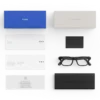
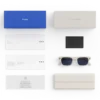
- Review the package contents and charging accessories, if applicable.
- Read the seller’s shipping, returns, and warranty policies.
- Check product availability and the final price before checkout.
These simple checks can help prevent misunderstandings and ensure that your selection reflects your expectations.
Frequently Asked Questions
What are META GLASSES Adventurer?
META GLASSES Adventurer is the product name used for this listing. Its exact design, specifications, and smart functions should be confirmed against the manufacturer’s information or the verified details supplied by the seller.
Are the glasses suitable for everyday use?
Suitability depends on the frame fit, lens configuration, comfort, and features of the exact model. Review the product dimensions and care instructions before deciding whether it matches your routine.
Do the glasses include a camera?
Camera availability should be confirmed in the specifications for the exact edition being sold. Do not assume that a camera is included simply because the product is described as smart eyewear.
Can prescription lenses be fitted?
Prescription compatibility depends on the frame design and lens configuration. Contact the seller or an optical professional to confirm whether your required prescription can be accommodated.
Are the glasses compatible with smartphones?
Compatibility depends on the connected features and software requirements of the specific model. Consult the official compatibility information before purchasing.
How should the glasses be maintained?
Use appropriate lens-cleaning materials, store the glasses in a protective case, and follow any additional instructions for electronic components. Manufacturer-approved care practices should always take priority.
Make Your Next Eyewear Choice with Confidence
A thoughtful eyewear purchase should bring together personal style, practical requirements, and reliable product information. The Adventurer edition offers an opportunity to explore a distinctive eyewear option while considering the fit, lens configuration, and features that matter most to you.
Ultimately, your choice should be guided by the exact specifications of the model, the activities for which it will be used, and the comfort you expect from everyday eyewear.
Explore the available product details, compare the configurations, and select the option that best matches your preferences.
Choose your eyewear with confidence and make every everyday outing an opportunity to express your style.
Meta Quest 3, Meta Quest 3S, and Meta AI Glasses: Explore Immersive Technology
Discover a new world of immersive entertainment, virtual reality gaming, and wearable technology with Meta Quest headsets and Meta AI glasses. Whether you are searching for the Oculus Meta Quest 3, comparing the Meta Quest 3S, exploring the latest Ray-Ban Meta glasses, or upgrading your VR accessories, choosing the right technology can help you create a more engaging digital experience.
Meta’s product ecosystem combines virtual reality, mixed reality, interactive gaming, social experiences, and AI-powered wearable technology. From exploring virtual environments to connecting with friends, compatible devices offer different ways to enjoy entertainment, productivity, and digital interaction.
If you are researching a Meta Quest 3 sale, checking the Meta AI glasses price, or looking for accessories such as a Quest 3 charger, replacement controllers, or a battery strap, this guide will help you understand the available options before making a purchase.
Explore Meta Quest 3 and Meta Quest 3S VR Headsets
Oculus Meta Quest 3: Immersive Virtual and Mixed Reality
The Meta Quest 3, sometimes searched for as the Meta-Quest Three or Oculus Quest Three, is a standalone virtual and mixed reality headset designed for interactive digital experiences. It allows users to explore supported VR games, entertainment applications, and mixed reality experiences without requiring a gaming PC for every activity.
With compatible applications and accessories, the headset can support a range of activities, including virtual exploration, immersive gaming, fitness experiences, and social entertainment.
Product highlights:
- Standalone VR: Enjoy supported experiences without needing a separate computer.
- Mixed reality: Explore compatible experiences that combine digital content with your physical surroundings.
- Interactive controls: Use compatible Meta Quest Touch Plus controllers for responsive gameplay.
- Gaming and entertainment: Browse supported experiences through the Meta Quest Store.
- Expandable setup: Enhance comfort and usability with compatible head straps, charging accessories, and other VR equipment.
Meta Quest 3 512GB Bundle
A Meta Quest 3 512GB bundle may be worth considering if you want additional storage capacity for downloaded games, applications, and other digital content. Bundle contents can vary by seller, so check the product listing to confirm which accessories, games, or subscriptions are included.
When comparing a Meta Quest 3 sale, review the final price, storage capacity, warranty terms, shipping costs, and return policy. These details can help you identify an option that fits your needs and budget.
Meta Quest 3S: An Alternative VR Headset
The Meta Quest 3S offers another entry point into Meta’s current VR ecosystem. Customers researching a Meta Quest 3S used device should pay particular attention to the headset’s condition, battery performance, included controllers, account setup requirements, and seller reputation.
Searches such as Meta 3S, Meta Quest 3S controller, Meta Quest 3S accessories, and Meta Quest 3S used often indicate that shoppers are comparing device bundles or looking for compatible replacement parts.
Before purchasing a used or refurbished Meta headset, verify its functionality and confirm that the seller clearly explains any cosmetic wear, missing components, or warranty limitations.
Buy Meta Quest 3: What to Consider Before Ordering
Compare Prices, Bundles, and Payment Options
If you are planning to buy Meta Quest 3, compare more than the advertised price. A complete purchase comparison should include the headset model, available storage, included accessories, delivery fees, and applicable taxes.
Customers searching for a Meta Quest 3 monthly payment plan should check whether their preferred retailer or financing provider offers installment payments in their country. Eligibility, interest, fees, and repayment periods depend on the provider and location.
Likewise, a Meta Quest 3 sale may feature a headset-only offer, a bundle, or a limited promotional discount. Confirm the terms before ordering so you know exactly what is included.
Refurbished and Pre-Owned Meta Devices
A refurbished Meta headset may offer an alternative to buying new, depending on its condition and the seller’s quality-control process. Listings for refurbished Meta Quest devices and Ray-Ban Meta refurbished glasses should explain whether the product has been tested, repaired, cleaned, or supplied with replacement components.
Consider these checks before purchasing:
- Condition: Look for an accurate description of cosmetic and functional condition.
- Accessories: Confirm that the correct controllers, cables, chargers, and other required components are included.
- Warranty: Review the seller’s coverage and any exclusions.
- Returns: Understand the return window and refund requirements.
- Compatibility: Check that the product works with your intended device, application, and account.
Meta Quest Accessories for a Better VR Setup
Quest 3 Charger and Charging Dock
A compatible Quest 3 charger helps keep your headset ready for your next gaming or entertainment session. Depending on your setup, you may also want to explore a Meta Quest charging dock or a battery pack designed for compatible hardware.
When shopping for a Quest 3 charger, verify the manufacturer’s compatibility recommendations, connector type, charging specifications, and safety information. Avoid assuming that every accessory advertised for an Oculus Quest 2 will work with a Quest 3.
Meta Quest 3 Battery Strap
A compatible Meta Quest 3 battery strap can combine head support with additional battery capacity, depending on the model. This type of accessory may appeal to users who want to extend their sessions without interrupting gameplay as frequently.
Compare fit, weight distribution, battery capacity, charging arrangements, and headset compatibility before selecting a battery strap.
Meta Quest 3 Right Controller and Replacement Controllers
Controllers are an important part of many VR gaming experiences. If you need a Meta Quest 3 right controller, check the exact headset generation and controller model before ordering a replacement.
Other common searches include Meta Quest 2 controllers replacement, Oculus Quest 2 right controller, and Meta Quest Pro controller. These products should not be treated as interchangeable without confirming compatibility.
For the best purchasing experience, review the seller’s product specifications and verify whether the listing includes one controller or a complete pair.
Meta Quest 2 Headstrap and Elite Strap
Users who already own an older headset may be looking for a Meta Quest 2 headstrap or Oculus Quest 2 Elite Strap. These accessories are designed for particular headset generations, so check the stated compatibility before adding one to your cart.
Comfort can make a meaningful difference during longer sessions. Look for adjustable support, suitable padding, secure fitting, and a design that matches your intended use.
Discover the Meta Quest Game Store
Meta Game Store and Free Games
The Meta Quest Store provides access to supported VR applications, games, and entertainment experiences. Depending on the device and region, users can discover free games, paid titles, demos, and subscription-based content.
If you are searching for Meta Quest Store free games, review each game’s compatibility, age rating, required play space, and optional in-app purchases before downloading.
Popular search terms in the VR gaming category include Meta Quest 3 game, Meta Quest Store Bonelab, Gorilla Tag Meta Quest, Pavlov VR, Ghosts of Tabor Meta Quest, Dungeons of Eternity, and Waltz of the Wizard. Availability and compatibility should be confirmed in the official store.
Resident Evil 4 VR and Other Gaming Experiences
Players researching Resident Evil 4 VR Meta Quest 3 should check the official listing for supported headsets and the version available in their region.
Other gaming-related searches, including tracked game, Cave Caves, and VR multiplayer experiences, may help shoppers discover different types of entertainment. However, individual titles can have distinct hardware, account, age, and connectivity requirements.
Steam Link App for Meta Quest
The Steam Link app for Meta Quest can provide a way to access supported PC VR content through a compatible computer and network configuration. Performance depends on the computer’s hardware, network quality, application compatibility, and headset setup.
Before purchasing games or accessories for PC VR, confirm that your system meets the relevant requirements and that your chosen games support your intended setup.
Meta Quest Plus and Subscription Options
Meta Quest Plus is a subscription offering associated with access to selected VR games, subject to its current terms. Customers comparing a Meta Horizon subscription or other digital services should review the current price, renewal schedule, eligibility, available content, and cancellation policy.
Subscription libraries and benefits may change over time. Therefore, check the official service information before making a payment or assuming that a particular game is included.
Meta AI Glasses and New Ray-Ban Meta Models
New Meta Ray-Ban Glasses
New Ray-Ban Meta glasses combine eyewear styling with selected smart features, depending on the model and generation. Features may include a camera, audio functions, voice interactions, and connectivity through supported applications.
Shoppers searching for new Ray-Ban Meta glasses, new Meta Ray-Ban models, Meta frames, and Meta Glass Gen 2 should compare the exact model rather than relying only on a general product name.
What to compare when shopping:
- Frame style: Choose a shape and finish that suit your preferences.
- Lens options: Check whether clear, sun, prescription, or photochromic options are available for the specific model.
- Camera and audio: Verify the features included with the selected generation.
- Connectivity: Review phone compatibility and application requirements.
- Fit: Confirm the available frame sizes and fitting information.
Meta AI Glasses Price
The Meta AI glasses price depends on the model, frame design, lens configuration, market, and retailer. Prescription lenses, special finishes, and additional options may affect the final cost.
If you are comparing Meta prescription glasses, Ray-Ban Meta refurbished products, or newer smart-glasses models, check the exact configuration and warranty before purchasing.
Meta Glasses With Display
Customers researching Meta glasses with display, Meta screen, Meta AI glasses display, and Ray-Ban Meta display glasses should distinguish between products with a built-in display and models that rely primarily on audio, camera, and voice-based features.
A display demo can help explain how information is presented, but a demonstration does not establish that every advertised feature is available on every model. Confirm the manufacturer’s official specifications and regional availability before ordering.
Meta Glass Kylie Jenner and Starfire Kylie Edition
Searches for Meta Glass Kylie Jenner, Starfire Kylie Edition, and Meta glasses with band may reflect interest in specific styles, editions, or accessories. Product names alone do not establish the authenticity of a collaboration or the features of a particular item.
Before purchasing a special edition, verify the manufacturer, exact model number, frame and lens details, included accessories, and seller authorization. This helps you avoid confusing a genuine branded product with an unrelated listing.
Meta AI, Accounts, and Connected Applications
Meta AI and Smart Features
Meta AI is associated with AI-powered features across supported Meta products and services. Depending on the device, application, and country, available functions may include conversational assistance, information requests, and supported interactions with compatible smart glasses.
Customers searching for Meta superintelligence, JEPA, or other AI research terms may also be exploring the broader technology behind intelligent systems. These topics are distinct from the practical specifications of an individual headset or pair of glasses.
If you are asking, “Is Meta AI available in Georgia country in 2026?”, check the current official availability information for Georgia rather than assuming that availability in another country applies there.
Meta Account Support and Account Recovery
A Meta account may be required to access certain devices, applications, purchases, and connected services. If you are searching for Meta account support, Meta account recovery, Meta authentication, or Meta Auth, use the official account and security resources relevant to your situation.
For account safety, use strong authentication, protect your recovery email, and never share verification codes or passwords with another person.
Meta Quest App and Oculus Quest 2 App
The Meta Quest app supports setup and management functions for compatible headsets, subject to current device and software requirements. Users searching for the Meta Quest app, Oculus Quest 2 app, or Meta VR application should download the appropriate official application for their device.
Application names, supported operating systems, and setup steps can change. Verify the current listing and follow the official instructions for pairing and device management.
Meta Horizon Link App for PC and Air Link
Meta Horizon Link and Air Link-related searches are commonly associated with connecting a compatible Quest headset to a PC for supported VR experiences. Requirements can vary according to the software version, headset, computer, and network configuration.
Before troubleshooting, confirm that your headset software, PC software, drivers, and network meet the current requirements.
Meta Support, Returns, and Shopping Confidence
How to Contact Meta Support Live Chat
Customers searching for Meta email support, Meta support phone number 24/7, or how to contact Meta support live chat should begin with Meta’s official support channels. Available contact methods and operating hours can vary by product, account status, and region.
Avoid relying on unverified phone numbers or third-party pages promising guaranteed access to an official support representative.
Meta Quest Refund and Returns
Before requesting a Meta Quest refund, review the applicable purchase terms and return policy. Eligibility may differ between physical hardware, digital games, subscriptions, and purchases made through third-party retailers.
Keep your order confirmation, purchase date, product details, and relevant correspondence available when contacting the appropriate seller or service provider.
Facebook Community Standards and Account Security
Facebook Community Standards explain rules for activity and content on Facebook. Customers researching how to get verified on Facebook, Facebook Messenger, Meta WhatsApp, or Meta account restrictions should consult the relevant official service guidance.
These account and platform topics are separate from VR hardware specifications, but they may be relevant to customers who use several services within the wider Meta ecosystem.
Frequently Asked Questions
Is the Meta Quest 3 worth considering?
The Meta Quest 3 may suit customers interested in standalone VR gaming, mixed reality, and compatible digital experiences. Compare its features, storage, comfort, available games, and price with other headsets before purchasing.
Can I buy a used Meta Quest 3S?
Used devices may be available through third-party sellers. Check the device condition, included accessories, seller reputation, warranty, and return terms before placing an order.
Are Quest 2 controllers compatible with Quest 3?
Do not assume that Oculus Quest 2 controllers, Meta Quest Pro controllers, and Quest 3 controllers are interchangeable. Check the official compatibility information for the exact headset and controller model.
How do I choose the right Meta AI glasses?
Compare the model generation, frame shape, lens configuration, camera and audio features, phone compatibility, and availability in your country. For special editions, verify the precise product identity before purchasing.
Where can I find official Meta product information?
Use the manufacturer’s official websites and support resources to confirm specifications, compatibility, regional availability, account requirements, and warranty terms. For purchases from another retailer, review that seller’s own shipping, refund, and warranty policies.
Find the Right Meta Technology for Your Needs
Whether you are comparing a Meta Quest 3 sale, exploring Meta Quest 3S accessories, searching for a Quest 3 charger, or researching new Ray-Ban Meta glasses, a careful comparison can help you select the right product.
Review the specifications, check compatibility, compare the total cost, and understand the return policy before ordering. With the right information, you can make a more confident choice for VR gaming, mixed reality, smart eyewear, and everyday connected experiences.
Explore available products, compare configurations, and choose the technology that fits your needs.
Meta Quest Accessories, Smart Glasses, VR Gaming, and Connected Technology
Discover More Meta Quest 3 Accessories
Oculus Quest 3 Accessories for Everyday Use
The right accessories can help you create a more comfortable and convenient virtual reality setup. Customers searching for Oculus Quest 3 accessories may be interested in replacement components, improved head support, charging solutions, carrying cases, and other compatible products.
When choosing accessories, consider your primary use. For example, a player who enjoys extended gaming sessions may prioritize comfort and battery capacity, while someone who frequently travels may prefer compact charging equipment and protective storage.
Popular accessory searches include Meta Quest battery pack, Meta Quest 3 battery strap, Meta Quest charging dock, Quest 3 charger, Meta Quest 3 right controller, and Meta Quest Touch Plus controllers.
Accessory shopping checklist:
- Compatibility: Confirm that the accessory supports your exact headset generation.
- Comfort: Look for adjustable components and suitable materials.
- Power: Verify charging specifications and battery compatibility.
- Durability: Review construction details and the manufacturer’s care instructions.
- Value: Compare the complete package, warranty, and included components.
Meta Quest Charging Dock and Battery Pack
A charging dock can provide a convenient location to recharge compatible equipment between sessions. Depending on the design, a dock may support the headset, controllers, or other specified components.
A Meta Quest battery pack can also be useful for customers who want additional power during compatible activities. However, battery capacity, charging speed, connection type, and headset compatibility differ between products.
Before buying a Meta Quest charging dock, check whether the listing includes the necessary charging cables, batteries, controller attachments, and power adapter. These details can affect both convenience and total cost.
Replacement Controllers for Meta Quest Headsets
Controllers are essential for many VR games and interactive applications. If a controller becomes damaged or stops working correctly, identifying the precise model is an important first step.
Search terms such as Meta Quest 3 right controller, Meta Quest 3S controller, Meta Quest 2 controllers replacement, Oculus Quest 2 right controller, and Meta Quest Pro controller refer to products from different device families.
Do not purchase a replacement based on appearance alone. Confirm the headset generation, controller model, supported pairing procedure, and seller’s return conditions before ordering.
Meta Quest 2 and Earlier VR Equipment
Oculus Quest 2 and Meta Quest 2
The Meta Quest 2, formerly commonly known as the Oculus Quest 2, remains a recognizable name in the standalone VR category. Users may continue to search for Oculus Quest 2 accessories, replacement controllers, compatible head straps, and supported games.
Availability and software support can change as products age. Therefore, check the manufacturer’s current compatibility information before buying additional hardware or relying on older setup instructions.
Oculus Quest 2 Elite Strap and Headstrap Options
A Meta Quest 2 headstrap or Oculus Quest 2 Elite Strap may help users customize the fit of a compatible headset. Different designs offer different adjustment systems, support structures, and padding.
Consider how the strap distributes weight, how easily it can be adjusted, and whether it accommodates your preferred gaming position. Compatibility should be verified before purchasing, particularly when comparing accessories designed for different Quest generations.
Oculus Rift Store Gift Card and Digital Purchases
Customers searching for an Oculus Rift Store gift card should verify whether a specific gift card or balance product is currently supported in their region and for their intended account. Older product names and purchasing arrangements may no longer reflect current store policies.
For digital purchases, confirm the applicable account, currency, redemption rules, regional restrictions, and refund terms before completing a transaction.
Meta Quest 3 Games and Virtual Reality Entertainment
Meta Quest 3 Game Selection
A headset becomes more useful when its available games and applications match your interests. The Meta Quest Store offers a range of supported experiences, including action games, fitness activities, puzzles, social environments, and immersive simulations.
Customers researching a Meta Quest 3 game should check the individual game’s supported devices, age rating, multiplayer requirements, and pricing. Some titles may require additional equipment, an internet connection, or a separate subscription.
Gorilla Tag Meta Quest
Gorilla Tag is associated with movement-based multiplayer VR gameplay. Customers searching for Gorilla Tag Meta Quest should check the current official store listing for compatibility, access requirements, and any applicable in-game purchases.
Before playing, review the recommended play-space requirements and ensure that the surrounding area is clear of furniture, pets, and other obstacles.
Bonelab and Physics-Based VR
Bonelab is known for its physics-oriented virtual reality gameplay. If you are looking for Meta Quest Store Bonelab, confirm the current listing and supported headset versions before purchasing.
Experiences involving physical movement may require additional room for safe interaction. Following the game’s instructions and recommended boundaries can help improve the experience.
Pavlov VR and Multiplayer Experiences
Pavlov VR is associated with multiplayer-focused virtual reality gameplay. Players searching for Pavlov VR should check the current edition, compatible platform, online requirements, and available modes.
Multiplayer access can depend on the game version, server availability, account requirements, and regional restrictions. Confirm these details before making a purchase.
Ghosts of Tabor Meta Quest
Ghosts of Tabor is a tactical VR experience centered on survival and extraction-style gameplay. Customers searching for Ghosts of Tabor Meta Quest should consult the official store listing for current compatibility, gameplay details, and system requirements.
Because the game experience may involve online interaction, a stable network connection and compatible software setup can be important.
Dungeons of Eternity
Dungeons of Eternity offers fantasy-themed cooperative VR gameplay. Players researching Dungeons of Eternity should verify the current supported devices, multiplayer functionality, and purchase requirements.
For customers who enjoy cooperative adventures, reviewing gameplay demonstrations and official descriptions can help determine whether the title suits their preferred style of play.
Waltz of the Wizard
Waltz of the Wizard explores magical interactions and immersive experimentation in virtual reality. Users searching for Waltz of the Wizard should check the available edition, supported headsets, and included features.
Game editions and supported functions may change, so rely on the current store listing rather than assuming that every version contains identical content.
Meta Quest Mini Golf Game
A Meta Quest mini golf game may offer a more relaxed alternative to action-oriented VR titles. Depending on the selected game, users may be able to explore virtual courses, practice putting, or participate in multiplayer sessions.
Compare course variety, multiplayer support, accessibility options, and the current device requirements when choosing a title.
Meta Horizon Worlds and Social Experiences
Horizon Worlds and Meta Horizon
Horizon Worlds is part of Meta’s broader social and immersive experience ecosystem. Depending on availability and the supported platform, users may explore virtual environments, interact with others, and discover community-created experiences.
Searches for Horizon Worlds, Horizon.meta, and meta connection can relate to social platforms, account access, or immersive digital environments. These terms do not necessarily refer to the same service or product.
Before signing in, verify that you are using an official website or application and review the account requirements for your region.
Meta Horizon Subscription
A Meta Horizon subscription or related membership may provide access to specified digital benefits, depending on the service and current terms. Check the subscription description carefully to determine which features are included and whether recurring charges apply.
Compare the monthly or annual cost, cancellation process, renewal date, and eligibility before subscribing. Never assume that a particular game or service is included without checking the current offer.
Immersed and Virtual Productivity
Immersed is associated with virtual productivity experiences, including computer-based work in immersive environments. Users interested in working through a headset should check the current application’s features, supported devices, and computer requirements.
For productivity-focused VR, consider display readability, comfort, application compatibility, network performance, and how long you expect to use the headset.
Searches such as Work Meta and work.meta.com may refer to different workplace or account services. Confirm the intended service before following a login or registration process.
Meta Horizon Link, Air Link, and PC Connectivity
Meta Horizon Air Link
Air Link is a wireless connection feature associated with compatible Meta Quest headsets and PC VR experiences. It can allow supported headsets to connect to a suitable computer without a direct USB connection, provided the required software and network conditions are met.
Performance depends on computer hardware, wireless network quality, software versions, and application requirements.
Meta Quest Link Software
Meta Quest Link software supports compatible PC-connected VR configurations. Depending on the setup, a user may connect through an appropriate cable or use a supported wireless method.
Before troubleshooting a connection, confirm that the headset and PC software are updated, the computer meets the required specifications, and the connection method is supported by the particular device.
Steam Link App for Meta Quest
The Steam Link app for Meta Quest can provide access to supported Steam content from a compatible computer. It is especially relevant to users who want to explore PC VR experiences alongside standalone Quest applications.
Before starting, check the official application requirements, network recommendations, computer compatibility, and game support. A standalone Quest game and its PC version may be separate purchases, so verify your library and licensing terms.
Meta Developer Hub and Horizon Developer Dashboard
Meta Developer Hub
Meta Developer Hub is relevant to developers working with supported Meta platforms and devices. Development tools can assist with configuring devices, testing applications, and managing aspects of a development workflow.
Users searching for Meta Developer Hub should consult the current official documentation to confirm supported operating systems, required permissions, and available tools.
Meta Horizon Developer Dashboard
The Meta Horizon Developer Dashboard is associated with managing development projects and settings for supported Meta experiences. Access may depend on the user’s account, organization, project permissions, and applicable developer requirements.
Developers should review current documentation before configuring a project or changing account settings.
JEPA and Meta Superintelligence
JEPA is an acronym associated with joint-embedding predictive architecture, a machine-learning research approach. Searches for JEPA and Meta superintelligence may reflect interest in AI research rather than a specific consumer product.
These research topics should be distinguished from the capabilities of an individual Meta Quest headset or pair of smart glasses. Product features depend on the device, software, and services officially supported at the time of use.
New Ray-Ban Meta Models and Smart Eyewear
Meta Frames and Smart Glasses Design
Meta frames combine eyewear design with selected connected features on compatible smart-glasses models. Shoppers comparing frame styles should consider the shape, size, color, lens options, and fit as well as the available technology.
Searches such as Meta frames, Meta Goasses, Meta Glass Gen 2, and new Meta Ray-Ban models may refer to different generations or product configurations. Check the official model name and product specifications before making a purchase.
Meta Prescription Glasses
Meta prescription glasses can be an option for eligible smart-glasses configurations, depending on the specific frame and lens availability. Customers should verify which prescription ranges and lens treatments are supported by the selected model.
Consider the following details before ordering:
- Prescription compatibility: Confirm the supported prescription range.
- Lens treatment: Review available coatings, tint options, and photochromic choices.
- Frame fit: Check the size and fitting guidance.
- Authorized services: Use an appropriate eyewear provider for prescription requirements.
- Warranty coverage: Confirm which components and lens options are covered.
Ray-Ban Meta Refurbished Glasses
Refurbished smart glasses may offer an alternative to purchasing new, but the value depends on their condition and the seller’s standards.
A Ray-Ban Meta refurbished listing should clearly identify the model, frame condition, lens condition, included charging accessories, battery status where known, and return terms.
Ask the seller whether the glasses have been tested and whether any features or components are defective. Also verify the availability of manufacturer support for the specific purchase.
Meta Glasses With Band
Some wearable technology listings may refer to glasses bundled with a band or another accessory. The term Meta glasses with band is not enough to establish the precise model or the accessory’s function.
Review the exact product description, manufacturer’s specifications, and included-items list before purchasing. This is particularly important when a listing uses broad names that could apply to several products.
Meta AI Glasses Display and Demonstrations
Meta Ray-Ban Display Demo
Customers interested in a Meta Ray-Ban display demo should check whether the demonstration relates to an officially announced product, a retail display, a software feature, or a concept presentation.
A demonstration alone does not confirm that a feature is commercially available in every region. Check the official product specifications and purchase information to establish which functions can actually be used.
Meta AI Glasses Display Features
Searches for Meta AI glasses display and Meta screen reflect interest in wearable interfaces that present information visually. Display availability, controls, supported applications, and regional access may vary between products.
When comparing display-equipped glasses, consider readability, comfort, privacy, battery performance, prescription options, and the software ecosystem. Verify the exact model before assuming that display features are included.
Meta AI Availability and Regional Compatibility
Is Meta AI Available in Georgia Country in 2026?
The availability of Meta AI can depend on the country, device, application version, language, account settings, and rollout schedule.
Customers asking whether Meta AI is available in Georgia in 2026 should consult current official availability information. Availability in the United States or another European country does not automatically establish availability in Georgia.
The same principle applies when checking support for smart glasses, voice features, and AI-powered functions in other markets.
Meta WhatsApp and Facebook Messenger
Meta WhatsApp and Facebook Messenger are messaging services within the broader Meta ecosystem. Their functions, supported devices, and account requirements differ from those of a VR headset or smart glasses.
If you use connected services alongside your wearable device, check the manufacturer’s current documentation for supported integrations. Avoid assuming that every messaging function works on every device or in every region.
Facebook Verification, Ads Library, and Community Standards
How to Get Verified on Facebook
Facebook verification requirements depend on the type of verification being requested and the current rules of the platform. Users may be researching identity verification, account authenticity, or a paid verification offering.
Check the official Facebook settings and current eligibility criteria before applying. Never pay an unofficial third party that promises guaranteed verification.
Facebook Community Standards
Facebook Community Standards describe the platform’s rules for content and conduct. These standards are separate from hardware warranties, VR compatibility, and smart-glasses specifications.
Users researching account restrictions or content decisions should consult the official policy and appeal instructions applicable to their situation.
Facebook Ads Library
The Facebook Ads Library is a resource for researching ads that appear across Meta’s advertising services. It is distinct from the Meta Quest Store and from the purchasing process for physical products.
Businesses researching advertising can use the official resource to review available ad information. Product shoppers should instead focus on the retailer’s product specifications, price, and purchase policies.
Meta Account Recovery and Authentication
Meta Auth and Account Security
Meta authentication processes help protect accounts and control access to supported services. Depending on the account and current security configuration, available verification methods may include supported authentication tools or recovery procedures.
Customers searching for Meta Auth should use official instructions for their particular account. Never share passwords, recovery codes, or one-time authentication codes with someone claiming to offer unofficial assistance.
Meta Account Recovery
If you cannot access your account, begin with the official recovery process for the service involved. The correct steps may depend on whether the issue concerns Facebook, Instagram, WhatsApp, or a Meta account used with a headset.
Keep recovery email access current and review your account’s security settings. If a device is linked to an account you cannot access, follow the official guidance rather than relying on third-party recovery promises.
Meta Email Support and Live Chat
Customers searching for Meta email support, Meta account support, or how to contact Meta support live chat should use the relevant official help center.
Available contact options can vary by product, account type, region, and issue. Be cautious of websites advertising unofficial support phone numbers or requesting payment to restore access to an account.
Meta Quest Website, Device Pairing, and Setup
Meta Quest Website and Official Product Information
The official Meta Quest website is a starting point for reviewing compatible devices, software, games, accessories, and support resources.
Searches for Meta Quest website, Meta Quest com, Meta.com Quest/pairing, and www.meta/device may refer to product information or device setup instructions. Because look-alike addresses can be misleading, verify the destination before entering your account credentials.
Device Pairing and Setup
When setting up a compatible headset, follow the official instructions for installing the required application, signing in, enabling the necessary permissions, and completing device pairing.
If pairing fails, check the headset’s displayed instructions, network connection, application version, and account access. Avoid entering sensitive information into an unfamiliar website.
Meta Quest Refund and Purchase Policies
Before buying a physical headset or digital product, review the applicable purchase and return policy.
Refund eligibility can differ between hardware, games, subscriptions, and purchases made through third-party retailers. Keep your receipt and order confirmation, and contact the seller or service provider responsible for the transaction.
Related Technology Searches and Product Research
Meta Go, Meta Quest Pro, and Other Headset Terms
Searches such as Meta Goasses, Meta Go, Meta Quest Pro controller, Oculus Quest Three, and Mete VR can reflect different devices, legacy product names, or spelling variations.
Do not assume that these terms identify the same product. Compare the official model name, specifications, supported applications, and accessories before choosing a device.
Instagram Video Downloader
Instagram video downloader is a separate search topic rather than a Meta Quest product category. If it is relevant to your website, it should be addressed on an appropriate informational page rather than inserted repeatedly into a headset product description.
Users should respect content ownership, platform rules, and the permissions applicable to any content they save.
Dina Powell McCormick and General Meta Research
Dina Powell McCormick is a person-related search term rather than a headset model or smart-glasses accessory. Similarly, general searches such as Meta .com, Meta co, and мета can have multiple meanings depending on the user’s intent.
These terms are better suited to relevant informational pages than to a product listing intended to help customers compare VR hardware and smart glasses.
Frequently Asked Questions About Meta Products
What should I compare when shopping for Meta Quest 3?
Compare the price, storage capacity, included accessories, available games, comfort, warranty, and return policy. If you plan to connect to a computer, also check the PC VR requirements.
Can I use a Quest 3 charger with other Meta headsets?
Compatibility should be confirmed using the specifications for the exact charger and headset. Check the required power, connector, and manufacturer guidance rather than relying on the product name alone.
What should I know before purchasing refurbished Meta glasses?
Check the exact model, frame and lens condition, functionality, included accessories, warranty, and return policy. Confirm that the product is genuine and that the seller accurately describes its condition.
Are all Meta AI glasses equipped with a display?
No assumption should be made based on the general term Meta AI glasses. Features depend on the specific model and generation. Check the official specifications for the exact product you are considering.
Where can I find Meta Quest games?
Browse the official Meta Quest Store and check each game’s supported devices, age rating, pricing, and any additional requirements.
How can I protect my Meta account?
Use strong authentication, keep recovery information up to date, and access your account through official websites and applications. Never share passwords or verification codes with unofficial support contacts.
Choose Your Next Meta Technology Upgrade
From Meta Quest 3 and Meta Quest 3S headsets to replacement controllers, charging docks, gaming accessories, and Ray-Ban Meta smart glasses, understanding product differences can make shopping easier.
Review compatibility, verify product authenticity, compare the full cost, and read the seller’s warranty and return policy before completing your order.
Find the headset, accessory, or smart-glasses configuration that matches your needs, and make your next technology purchase with confidence.
| Frame color|Lens color | Classic Black — Clear, Classic Tortoise — Clear, Classic Black — Brown, Classic Tortoise — Brown, Classic Black — Grey, Classic Black — Clear to Grey Transitions®, Merlot — Clear to Ruby Transitions®, Linen — Clear to Sapphire Transitions®, Moonlit Sky — Blush |
|---|
Related products
-
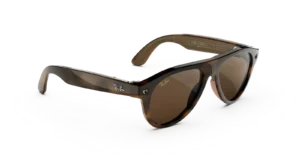
RAY-BAN META Aviator (Gen 3) AI GLASSES STANDARD
Price range: $449.00 through $579.00Select options This product has multiple variants. The options may be chosen on the product page -
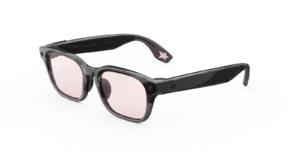
Meta Adventurer LISA Edition AI Glasses with AI, Photo, Video, Audio & Messaging – Moonlit Sky/Blush – Standard
$549.99 -

Oakley Meta Vanguard AI GLASSES
$499.00Select options This product has multiple variants. The options may be chosen on the product page -
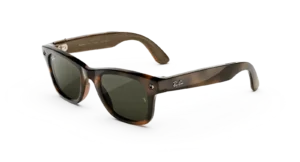
RAY-BAN Wayfarer (Gen 3) AI GLASSES
Price range: $449.00 through $529.00Select options This product has multiple variants. The options may be chosen on the product page
Reviews
There are no reviews yet.