Don't miss our holiday offer - up to 50% OFF!




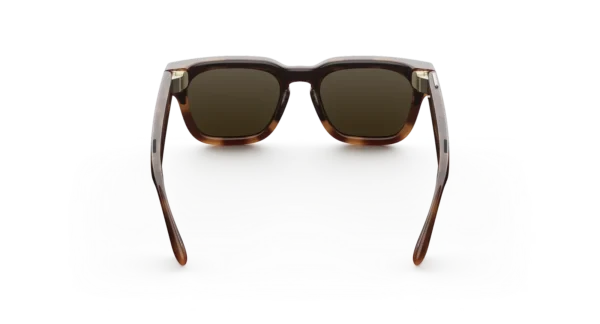
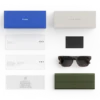

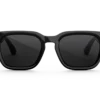
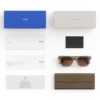

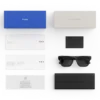

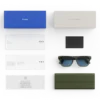

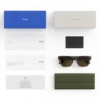
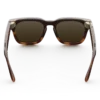
META GLASSES Fury
Price range: $299.00 through $379.00
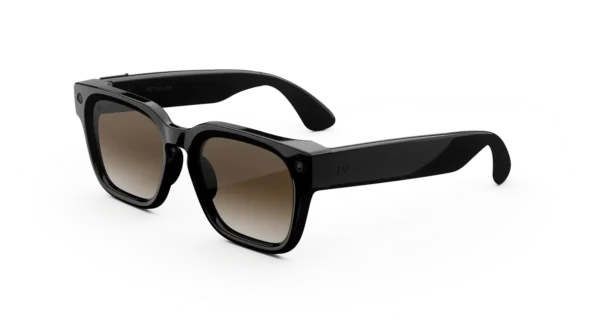
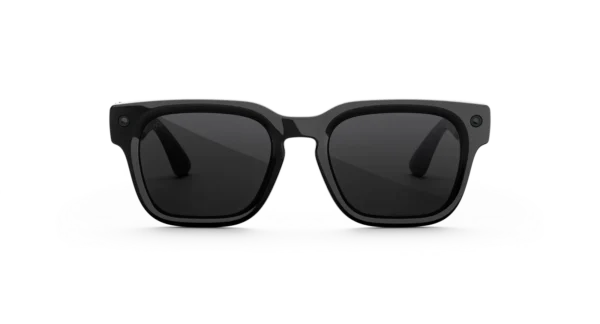
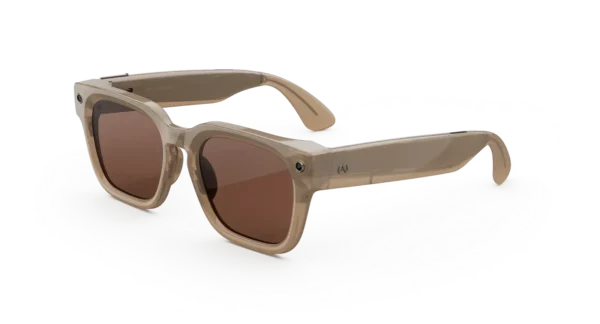
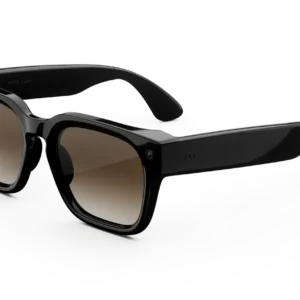
A modern square frame with a comfortable, customizable fit for those who prefer a bolder look that combines everyday style with seamless functionality.
Meta Glasses Fury – Smart AI Glasses for Modern Living
Discover a New Way to Experience Everyday Life
Style and technology have been brought together in a distinctive eyewear design with the Meta Glasses Fury. Created for people who appreciate contemporary fashion and convenient digital tools, these smart glasses offer an alternative to constantly reaching for a smartphone. Everyday moments can be captured, audio can be enjoyed, and supported AI features can be accessed through a wearable design.
Moreover, the bold square silhouette provides a confident appearance that can complement casual outfits, modern streetwear, and everyday essentials. Whether a day is spent exploring a new city, meeting friends, travelling, or creating social content, these glasses are designed to fit naturally into a variety of routines.
At NewViewLens, the focus is on helping customers discover eyewear that balances personal style with practical technology. Consequently, this model may appeal to shoppers who want more from their everyday accessories without sacrificing a familiar glasses-inspired appearance.
A Bold Design That Makes an Impression
Contemporary Square Frames
A distinctive square frame gives this model its recognizable character. Clean lines and a structured silhouette create a modern look, while the balanced proportions can be paired with a wide range of clothing styles.
In addition, the design has been developed for everyday versatility rather than a single occasion. It can be worn during a commute, on a weekend outing, or while spending time with friends. As a result, one accessory can support both personal expression and everyday convenience.
The overall appearance is intended for individuals who appreciate eyewear that feels modern, functional, and visually distinctive.
Comfort for Everyday Wear
Comfort is an important consideration when choosing smart eyewear. For this reason, the frame design, bridge fit, and temple length should be reviewed carefully before an order is placed.
The standard Meta Fury configuration is listed with a 51 mm lens width, a 22 mm bridge, and 150 mm temple arms. However, individual fit can vary according to face shape and personal preference. Customers are encouraged to compare these measurements with glasses they already wear comfortably.
Furthermore, the available frame and lens combinations should be checked before checkout to ensure that the selected version matches the intended use.
Capture Everyday Moments Hands-Free
Integrated Camera Technology
Memorable experiences are not always planned. A beautiful landscape, an interesting street scene, or a spontaneous gathering can appear when a phone is not immediately available.
With the integrated ultra-wide camera, compatible moments can be captured directly from the glasses. The listed camera resolution is 12 megapixels, while supported video recording options include 3K Ultra HD at 30 frames per second.
Additionally, the hands-free format can be useful when documenting a walk, sharing an experience, or recording a first-person perspective. Rather than interrupting every moment to reach for another device, users can access supported capture controls through the glasses.
Designed for Everyday Content Creation
For creators, convenience can make a meaningful difference. A first-person recording may provide a more natural view of a place or activity than footage captured while holding a phone.
Similarly, photographs can be taken during travel, outdoor adventures, and social occasions. Captured content can then be managed and shared through supported devices and applications.
Nevertheless, recording quality depends on lighting, movement, selected settings, and other environmental conditions. For the best experience, users should review the camera options available for their particular model.
Enjoy Audio Without Traditional Headphones
Open-Ear Listening
Integrated open-ear speakers provide another way to enjoy compatible audio. Music, podcasts, and supported calls can be played without covering the ears with conventional headphones.
As a result, these glasses can offer a convenient alternative for people who prefer a less intrusive listening setup during everyday activities. Audio can accompany a walk, a commute, or a relaxed afternoon without requiring a separate headset.
However, open-ear listening is not a replacement for paying attention to the surrounding environment. Volume should be kept at a sensible level, particularly near traffic, while cycling, or in other situations where environmental awareness is essential.
Clearer Communication
An integrated microphone system supports voice interactions and compatible calls. The six-microphone configuration listed for this model is designed to support communication and voice input.
Consequently, supported conversations can be managed through the glasses when they have been paired with a compatible smartphone and configured correctly. This can be especially useful when carrying a phone is inconvenient.
Actual call quality may vary depending on network conditions, wind, background noise, device compatibility, and software availability.
Smart Assistance for Everyday Tasks
Access Supported Meta AI Features
Digital assistance can be more convenient when it is available through a wearable device. Compatible Meta AI features can allow users to ask questions, explore information, and interact with supported functions using voice-based controls.
For example, assistance may be useful when seeking information about a place, asking about an object, or looking for ideas while travelling. Supported visual AI functions can also provide additional context about what the wearer is viewing.
Availability is important, however. AI features can differ by country, language, application version, account eligibility, and software updates. Customers should therefore confirm which functions are supported in their region before purchasing.
Voice and Touch Controls
Hands-free interaction is one of the practical advantages of connected eyewear. Supported voice commands and touch controls allow selected functions to be operated without repeatedly unlocking a smartphone.
In everyday use, this can help make simple tasks feel more convenient. Nevertheless, available commands and controls may depend on the connected device, application settings, and software version.
Battery Performance and Storage
Rechargeable Power
The listed battery performance for the Meta Fury is more than eight hours of use under suitable conditions. Actual endurance will depend on recording frequency, audio playback, connectivity, AI activity, and other usage patterns.
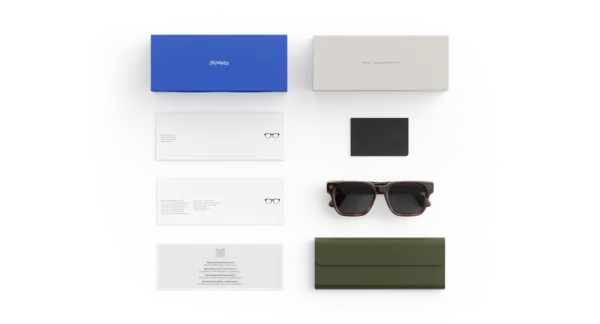
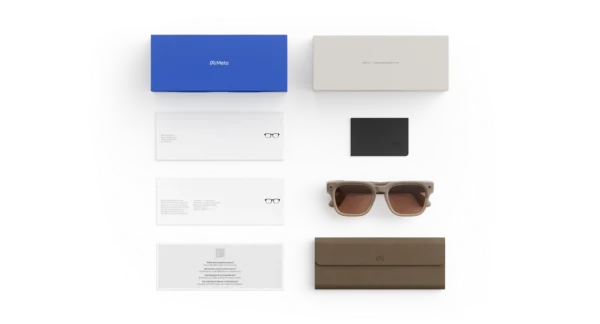
A charging case is supplied with the standard retail configuration, allowing the glasses to be recharged while away from a power outlet. Depending on the version and manufacturer specifications, the case can provide additional charging capacity for extended use.
For people who spend long periods away from home, this arrangement can make it easier to keep the glasses ready for everyday activities. Charging time and total endurance should still be checked against the specific package and current manufacturer guidance.
Built-In Storage
The listed internal storage capacity is 32 GB. This space is used for supported media and device functions, allowing photographs and video clips to be stored without immediately transferring every file.
The number of recordings that can be retained will depend on resolution, clip duration, file format, and software requirements. Therefore, actual storage capacity available for personal content may differ from the total advertised amount.
Connectivity and Device Compatibility
Wireless Connection
Wi-Fi and Bluetooth connectivity allow the glasses to communicate with compatible devices and supported services. The listed specifications include Wi-Fi 6 and Bluetooth connectivity.
Before use, the glasses should be configured with the required companion application and a compatible smartphone. The available features may differ between operating systems and software versions.
For the smoothest setup, customers should verify their phone’s operating system, regional availability, and application requirements before completing a purchase.
A Connected Everyday Experience
Once the necessary setup has been completed, supported functions can be accessed through the connected ecosystem. Photos and videos can be managed, settings can be adjusted, and compatible AI tools can be explored through the relevant application.
However, not every feature operates independently of a smartphone or internet connection. Some functions may require connectivity, account access, permissions, or an active service.
Lens Choices for Different Preferences
Select a Suitable Lens Configuration
Lens selection plays an important role in comfort, appearance, and practical use. Depending on availability, Meta Fury configurations may include different tint options, clear lenses, and compatible light-responsive lenses.
The right choice depends on where and how the glasses will be worn. For example, a darker lens may suit bright outdoor conditions, while a clear lens may be preferable for indoor environments or particular everyday applications.
Transitions-style lenses may adjust their tint in response to changing light conditions, depending on the specific lens technology selected. Customers should review the exact product listing because lens availability and performance are not identical across every configuration.
Prescription Compatibility
Some configurations of Meta Glasses are designed to support prescription lenses. However, compatibility depends on the particular frame, prescription range, lens type, and availability in the customer’s region.
Anyone who requires corrective eyewear should verify that their prescription can be accommodated before ordering. Professional optical advice may also be helpful when selecting the most appropriate lens configuration.
Privacy and Responsible Use
Be Considerate When Recording
Wearable cameras offer convenience, but responsible use remains essential. People nearby should be treated with consideration, and permission should be obtained whenever recording rules, personal expectations, or local laws require it.
Users should become familiar with the camera indicators, privacy controls, and recording settings before capturing content in public or private spaces. Recording should be avoided wherever it is prohibited or inappropriate.
Protect Personal Information
Connected eyewear can interact with accounts, applications, wireless networks, and personal media. Accordingly, users should review application permissions and account security settings during setup.
It is also advisable to keep device software updated and use secure account credentials. These practices can help support a more informed and responsible connected-device experience.
Who Should Consider Meta Glasses Fury?
For Everyday Technology Enthusiasts
People who appreciate wearable technology may value the combination of a familiar eyewear format and connected digital features. The design allows supported functions to be incorporated into everyday routines without requiring a separate handheld camera for every task.
For Travellers and Explorers
Travelling often involves discovering places, meeting people, and collecting memories. Hands-free photography and video may be useful for capturing a first-person perspective while exploring a new destination.
However, travellers should confirm regional AI availability, wireless requirements, and local recording regulations before relying on particular features.
For Social Content Creators
Creators who regularly document daily experiences may appreciate the convenience of a wearable camera. Short recordings can be captured from the wearer’s perspective, providing another creative option alongside a smartphone or conventional camera.
For professional production, lighting, framing, recording duration, and output requirements should still be considered carefully.
For People Who Prefer Integrated Audio
Those who want access to supported calls, music, and podcasts without traditional headphones may find open-ear audio appealing. The experience is designed around convenience, although it should not replace appropriate hearing protection or environmental awareness.
Product Highlights
- Distinctive frame: A bold square silhouette designed for a contemporary look.
- 12 MP ultra-wide camera: Capture supported photographs from a first-person perspective.
- 3K video recording: Record compatible video at supported resolutions and frame rates.
- Open-ear speakers: Listen to compatible audio without conventional headphones.
- Integrated microphones: Support voice input and compatible calls.
- Meta AI integration: Access supported assistance features where available.
- Wireless connectivity: Wi-Fi and Bluetooth support for compatible devices.
- 32 GB storage: Store supported media and device content.
- Rechargeable design: Built-in battery with a compatible charging case.
- Lens options: Select from available configurations to suit individual preferences.
- Everyday versatility: Designed to combine eyewear styling with connected functionality.
Technical Specifications
| Feature | Listed specification |
|---|---|
| Product | Meta Glasses Fury |
| Frame shape | Square |
| Lens width | 51 mm |
| Bridge width | 22 mm |
| Temple length | 150 mm |
| Camera | 12 MP ultra-wide |
| Maximum listed video resolution | 3K Ultra HD at 30 fps |
| Other listed video modes | 1080p+ at 30/60 fps; 720p+ at 120 fps |
| Audio | Integrated open-ear speakers |
| Microphones | Six |
| Storage | 32 GB |
| Wireless connectivity | Wi-Fi 6 and Bluetooth |
| Battery life | More than 8 hours under specified usage conditions |
| Charging | Compatible charging case |
| Smartphone compatibility | Check current iOS and Android requirements |
| Prescription options | Verify availability for the selected configuration |
Specifications are based on published product listings and may vary by model, lens configuration, software version, and region. The supplied package and manufacturer’s current documentation should be treated as the final reference.
Why Shop at NewViewLens?
Choosing smart eyewear should involve more than selecting a frame that looks appealing. Compatibility, lens options, product authenticity, and clear purchasing information are also important.
At NewViewLens, customers can explore eyewear options with a focus on practical features and informed product selection. Before placing an order, shoppers are encouraged to review the exact model, included accessories, available lens configuration, shipping information, and applicable warranty terms.
Clear product details can help customers make a decision that better suits their needs, whether they are purchasing for personal use or choosing a thoughtful gift.
Frequently Asked Questions
1. What are Meta Glasses Fury?
They are smart glasses combining a square eyewear design with a camera, integrated audio, microphones, wireless connectivity, and supported AI features.
2. Can photographs be taken without holding a phone?
Yes. Supported photographs can be captured using the integrated camera and available controls, allowing hands-free photography.
3. Can videos be recorded?
Yes. The listed recording options include 3K Ultra HD at 30 frames per second, alongside other supported video modes.
4. Can music be played through the glasses?
Compatible audio can be played through the integrated open-ear speakers, subject to device setup and service availability.
5. Do the glasses support voice assistance?
Supported voice interactions and Meta AI features are available, although particular functions may depend on location, language, software, and account eligibility.
6. Are prescription lenses available?
Prescription compatibility depends on the selected configuration and the supported prescription range. Confirm the specific option with the retailer or an optical professional before ordering.
7. How long does the battery last?
Published specifications indicate more than eight hours of use under specified conditions. Recording, audio, connectivity, and other activities can affect actual battery life.
8. Is a charging case included?
The standard listed package includes a compatible charging case. Package contents should be confirmed for the exact item being purchased.
9. Are the glasses compatible with every smartphone?
No. A compatible operating system, companion application, and supported device are required. Current compatibility requirements should be checked before purchase.
10. Can the glasses be used anywhere?
Physical use depends on the setting, while AI features and connected services may be restricted by regional availability. Local privacy and recording laws must also be observed.
Make Everyday Moments More Connected
A contemporary frame, integrated camera, open-ear audio, and supported AI tools make the Meta Fury an interesting option for customers exploring wearable technology. By combining selected digital functions in an eyewear-inspired design, it offers another way to capture experiences and access connected features throughout the day.
For shoppers seeking a balance of personal style and everyday convenience, the most suitable configuration will depend on fit, lens preferences, smartphone compatibility, and regional feature availability.
Explore the Meta Glasses Fury at NewViewLens and choose the configuration that best matches your style and everyday needs.
A Closer Look at Wearable Technology and Everyday Convenience
Modern technology is increasingly being integrated into products that are already part of everyday life. Eyewear is one example of this development, as traditional frame designs can now be combined with cameras, audio systems, wireless connectivity, and intelligent digital assistance.
The Meta Glasses Fury concept brings these possibilities together in a wearable format intended to complement an active and connected lifestyle. Rather than requiring every interaction to begin with a phone screen, supported functions can be accessed directly through the glasses.
Furthermore, this approach can make certain activities feel more natural. A photograph can be taken while exploring a destination, a compatible audio track can be enjoyed during a walk, and supported voice functions can be accessed when hands-free interaction is useful.
Nevertheless, the overall experience depends on the exact hardware configuration, software support, and services available to the user. Understanding these factors helps shoppers make informed decisions before investing in smart eyewear.
Designed for a Connected Lifestyle
Technology That Fits Into Daily Routines
Digital accessories are most useful when they complement existing habits. For instance, people who frequently travel, document experiences, or listen to audio may appreciate having several functions integrated into one wearable device.
The glasses can provide another way to interact with compatible technology without making a smartphone the centre of every activity. In addition, the familiar eyewear format allows the product to be incorporated into everyday outfits.
During a typical day, users may move between work, social activities, travel, and leisure. A connected accessory can support some of these routines, although the usefulness of each feature will depend on individual requirements.
Consequently, the best purchasing decision should be based on practical needs rather than specifications alone.
A Different Approach to Mobile Convenience
Smartphones remain valuable tools for communication, navigation, photography, and entertainment. However, reaching for a phone repeatedly can interrupt an activity or make certain tasks less convenient.
Wearable technology offers an additional option. Supported voice commands, integrated controls, and hands-free recording can reduce the need to hold another device during selected activities.
For example, a traveller may prefer a first-person photograph while walking through a scenic location. Similarly, someone listening to a podcast may appreciate having audio available without carrying a separate pair of headphones.
Even so, these glasses should be viewed as a companion to compatible devices rather than a complete replacement for a smartphone.
Camera Features for Creative Exploration
First-Person Photography
Photography is often about capturing a moment before it disappears. A wearable camera can offer a different perspective because the image is captured from the wearer’s point of view.
This format may be useful during sightseeing, casual gatherings, outdoor exploration, and other activities where a spontaneous image is preferred. Moreover, it can provide an alternative to conventional handheld photography when a phone is inconvenient to use.
The final image will still depend on lighting, movement, camera positioning, and available settings. Therefore, users seeking highly controlled commercial photography may continue to prefer dedicated cameras and professional equipment.
Video for Social Media
Short-form video has become a common way to document personal experiences and share creative ideas. A wearable camera can provide first-person footage that complements conventional recordings.
For content creators, this may be particularly helpful when documenting a walk, a travel experience, or an everyday activity. The hands-free format can also allow both hands to remain available for appropriate tasks.
However, recording limits, available resolutions, frame rates, and transfer options should be checked for the exact device configuration. Platform requirements may also influence how footage is edited and published.
Managing Captured Content
After images or clips have been recorded, supported media can be transferred and managed through the relevant companion application and compatible devices.
A consistent file-management routine can help prevent important content from becoming difficult to locate. For example, photographs may be organised into albums, while longer recordings can be reviewed before being shared.
Additionally, available storage should be monitored when recording frequently. Removing unwanted clips and transferring important files can help maintain space for new content.
Audio Designed Around Convenience
Listening Throughout the Day
Audio is part of many daily routines, from enjoying music during a break to listening to spoken content while travelling. Integrated open-ear speakers provide an alternative to traditional headphones by keeping the ears uncovered.
This approach may appeal to users who prefer a lightweight listening experience without placing earbuds inside their ears. Nevertheless, sound leakage, background noise, and listening conditions can affect the overall experience.
For that reason, the environment should be considered before audio is played. Quiet indoor settings may provide a different experience from crowded streets or windy outdoor locations.
Calls and Voice Interaction
Compatible calling features can be useful when a phone is stored in a pocket or bag. With supported microphones and wireless connectivity, selected calls and voice interactions can be handled through the glasses.
However, communication quality can be influenced by mobile reception, background noise, wind, and the connected smartphone. For important conversations, users should choose an environment that supports clear communication.
In addition, the relevant permissions and connectivity settings must be configured correctly before calling features can be used.
Exploring AI-Assisted Features
Everyday Information and Assistance
Artificial intelligence is being introduced into more personal devices, with the aim of making selected tasks easier to access. When supported, voice-based assistance can help users ask questions and retrieve information without typing every request.
For example, a user may seek general information about an unfamiliar subject or request help with a simple everyday task. Available visual assistance may also provide information related to objects or scenes, depending on the model and supported services.
These capabilities should not be assumed to work identically in every market. Language support, account eligibility, internet connectivity, application versions, and regional restrictions can all affect availability.
Accordingly, customers should review the current manufacturer information before relying on a particular AI function.
Understanding the Limitations of AI
AI-generated information can be helpful, but it should not automatically be treated as accurate or complete. Important decisions should be checked against reliable sources, especially when they involve safety, finances, legal requirements, or health.
Similarly, users should consider whether a voice request or recording could expose private information. Appropriate settings and responsible habits can help make connected technology easier to manage.
The most useful approach is to treat digital assistance as a supplementary tool rather than an unquestionable authority.
Frame Selection and Personal Style
Matching Eyewear With Your Appearance
Eyewear can influence the overall appearance of an outfit. A square frame often creates a structured visual effect, which can complement casual clothing, contemporary fashion, and minimalist styling.
The best frame is ultimately the one that feels comfortable and suits the wearer’s preferences. Face shape, bridge fit, temple length, lens dimensions, and personal style should all be considered before a purchase is made.
Furthermore, product images should be reviewed carefully because frame colours and finishes can appear different under varying lighting conditions or on different screens.
Choosing Lenses for Practical Use
Lens selection can influence both appearance and everyday usability. Clear, tinted, and light-responsive options serve different preferences, and availability depends on the precise model and configuration.
For outdoor activities, shoppers should check the lens’s intended use and its stated UV protection rather than assuming that every tinted lens provides the same protection. For indoor use, lens clarity and visual comfort may be more important.
Anyone who requires corrective lenses should confirm prescription compatibility with the retailer or an optical professional.
Battery Management for Better Everyday Use
Understanding Battery Performance
Battery endurance is affected by how frequently connected features are used. Continuous recording, frequent audio playback, wireless activity, and AI interactions can all influence how long a charge lasts.
Consequently, published battery figures should be interpreted as estimates obtained under specified conditions rather than guaranteed results for every user.
A charging case can help extend use between access to power outlets, provided that the supplied case is compatible and adequately charged.
Practical Charging Habits
A few simple habits can help support reliable everyday operation:
- Recharge the glasses when the battery level becomes low.
- Keep the charging contacts clean and free from debris.
- Use compatible charging accessories recommended by the manufacturer.
- Store the device according to the manufacturer’s temperature and care guidance.
- Check for available software updates when troubleshooting unusual battery behaviour.
- Avoid exposing the glasses or charging case to conditions outside their stated operating limits.
These steps can help reduce avoidable charging problems. However, battery capacity will naturally change with age and usage.
Connectivity, Setup, and Compatibility
Preparing the Device for First Use
Before the glasses are used, the relevant setup process should be completed through the official companion application. Depending on the model, this may involve pairing the device, signing in to an account, reviewing permissions, and installing available updates.
Customers should also confirm that their smartphone meets the current operating-system requirements.
Once setup is complete, supported features can be explored gradually. Starting with basic functions such as pairing, media capture, and audio playback can make it easier to understand the device before using more advanced tools.
Resolving Common Connection Issues
If the glasses fail to connect, several basic checks may help:
- Confirm that Bluetooth is enabled on the compatible smartphone.
- Check that the glasses have sufficient battery charge.
- Ensure that the required companion application is installed and updated.
- Review the application’s permissions and device settings.
- Follow the manufacturer’s official pairing or reset instructions if necessary.
A connection problem does not always indicate a hardware fault. Software updates, permission settings, and temporary wireless interference can also affect performance.
For persistent problems, official manufacturer support should be consulted before attempting procedures that could affect stored settings or paired devices.
Privacy, Security, and Responsible Recording
Respecting Other People’s Privacy
A wearable camera can make recording more convenient, but convenience should be balanced with consideration for others. People may have different expectations about being photographed or recorded, particularly in private spaces.
Where consent is required or appropriate, it should be obtained before recording. Users should also follow local laws and the rules of venues, workplaces, schools, and other locations.
Moreover, recordings should not be used to harass, embarrass, or expose other people without justification.
Protecting Accounts and Personal Media
Connected eyewear may rely on an account, companion application, wireless connection, and cloud-based services. As a result, basic account-security practices are important.
Strong, unique passwords and appropriate account-protection settings can reduce the risk of unauthorised access. Users should also review which permissions are granted to the application and understand how captured content is stored and shared.
Before selling, gifting, or transferring ownership of a device, the manufacturer’s recommended procedure for removing personal information and disconnecting accounts should be followed.
Caring for Your Smart Glasses
Cleaning the Frame and Lenses
Regular cleaning can help maintain the appearance of eyewear. A clean microfiber cloth and suitable lens-cleaning method should be used according to the manufacturer’s instructions.
Harsh household cleaners, abrasive materials, and unapproved solvents should be avoided because they may damage lens coatings, frame finishes, or electronic components.
The camera area and charging contacts should also be kept free of debris. Care should be taken to avoid pushing moisture into openings or applying excessive pressure to sensitive components.
Storage and Protection
When the glasses are not being worn, they should be stored in their compatible case or another protective location recommended by the manufacturer.
Excessive heat, prolonged exposure to direct sunlight, and unsuitable storage conditions may affect electronic components and battery performance. Furthermore, the glasses should not be assumed to be waterproof unless the exact model carries a verified water-resistance rating.
A little routine care can help preserve the appearance and usability of the device over time.
Comparing Smart Glasses With Conventional Eyewear
Traditional glasses primarily serve visual correction, sun protection, or personal styling, depending on their lens configuration. Smart eyewear adds connected functions such as media capture, audio, and selected digital assistance.
This additional functionality can be useful, but it also introduces new considerations. Battery charging, software compatibility, privacy settings, and device maintenance become part of ownership.
For shoppers who simply need corrective lenses, conventional eyewear may remain the more suitable choice. Conversely, customers who value supported wearable technology may appreciate having selected digital functions integrated into their glasses.
The right option depends on priorities, budget, comfort, and intended use.
Shopping Considerations Before Ordering
Confirm the Exact Product Version
Product names and frame styles can sometimes be used inconsistently across third-party listings. Before purchasing, confirm the manufacturer’s exact model name, product identifier, available frame colours, lens configuration, and included accessories.
This step is especially important when comparing products that look similar but have different camera systems, AI capabilities, or compatibility requirements.
Review Warranty and Return Conditions
Before placing an order, customers should review the seller’s warranty, returns policy, delivery terms, and any conditions that apply to opened or customised eyewear.
Prescription products may be subject to different return rules from standard items. Likewise, electronic products may have specific requirements for warranty claims and troubleshooting.
Clear information should be available before checkout so that customers can understand their rights and responsibilities.
Frequently Asked Questions – Additional Information
Can these glasses replace a smartphone?
No. They provide selected wearable features but do not replace all the functions of a smartphone. Certain services, setup steps, and media-management tasks still require a compatible phone or application.
Are they suitable for travel?
They may be useful for supported photography, audio, and other connected functions during travel. However, battery endurance, regional AI access, recording rules, and connectivity should be considered before departure.
Can they be worn during exercise?
Suitability depends on fit, the activity, environmental conditions, and the manufacturer’s guidance. They should not be assumed to be appropriate for every sport or high-impact activity.
Do the glasses work without an internet connection?
Some local functions may remain available, while online AI services and other connected features may require internet access. The precise behaviour depends on the selected model and software.
Can recordings be shared online?
Supported media can generally be transferred through the relevant application and compatible devices. Before publishing, users should review platform requirements and obtain any necessary consent from people who appear in the content.
Are they suitable for professional photography?
They may provide useful first-person footage and casual photographs. Nevertheless, dedicated cameras may offer greater control over lenses, exposure, framing, and other settings required for specialised production.
What should be checked before purchase?
Customers should confirm model identity, frame measurements, lens options, smartphone compatibility, regional feature support, package contents, warranty conditions, and return terms.
The Value of Informed Product Selection
Wearable technology is most valuable when it solves a practical problem or supports an activity that matters to the user. For some people, hands-free media capture may be the main attraction. For others, audio convenience, connected assistance, or the design itself may be more important.
A careful review of the available specifications can help establish whether the product matches those expectations. In addition, understanding its limitations can prevent misunderstandings about battery performance, compatibility, and regional services.
At NewViewLens, the goal is to help customers evaluate eyewear based on clear product information and individual requirements.
Final Thoughts
The Meta Glasses Fury sits within the growing category of connected eyewear, where familiar frame styling is combined with selected digital capabilities. Its appeal comes from the possibility of accessing photography, audio, and supported AI features through a wearable design.
Nevertheless, a successful purchase depends on more than appearance. Fit, lens configuration, device compatibility, privacy, battery expectations, and after-sales support should all be considered.
For shoppers seeking a contemporary accessory with connected functionality, reviewing these factors provides a stronger foundation for making the right choice.
Explore the available options at NewViewLens, compare the specifications carefully, and select the eyewear configuration that suits your everyday needs.
Meta Smart Glasses, Meta Quest VR Headsets, Accessories & Virtual Reality Gaming
Discover the World of Meta Technology
Technology continues to transform how people communicate, play, work, and explore digital environments. Through smart eyewear, immersive gaming, virtual reality headsets, and artificial intelligence, Meta has helped introduce new ways to connect everyday experiences with digital innovation.
Whether you are exploring Meta Quest VR headsets, searching for compatible gaming accessories, comparing Ray-Ban Meta smart glasses, or discovering immersive virtual reality games, choosing the right products can make your experience more enjoyable and convenient.
From the versatile Meta Quest 3S to advanced wearable technology, a wide selection of devices and accessories is available for different interests, lifestyles, and entertainment preferences. Furthermore, the growing ecosystem of applications and connected services allows users to personalize their experiences according to their individual needs.
Our collection is designed to help customers explore modern virtual reality equipment, smart eyewear, charging solutions, replacement controllers, head straps, and gaming accessories. Product specifications, compatibility information, and supported features should always be reviewed before a purchase is completed.
Explore Meta Quest VR Headsets and Accessories
Virtual reality has introduced new possibilities for interactive entertainment, fitness, social experiences, and digital exploration. With a compatible headset, users can enter virtual environments, interact with digital objects, and enjoy games that extend beyond traditional screens.
The Meta Quest family offers options for newcomers and experienced VR enthusiasts alike. Depending on the model, users may access standalone virtual reality experiences, supported PC VR content, fitness applications, and multiplayer games.
Meta Quest 3S: An Accessible Virtual Reality Experience
The Meta Quest 3S is designed to bring immersive virtual reality experiences to a broad range of users. Its standalone design allows compatible applications to be enjoyed without requiring a dedicated gaming computer for every experience.
Before selecting a headset, buyers should consider comfort, display characteristics, available storage, battery life, controller design, and software compatibility.
Useful accessories can also improve the experience. For example, an adjustable head strap may provide a more secure fit, while a compatible charging accessory can simplify everyday use.
Customers researching how to set up Meta Quest 3S can begin by charging the headset, powering it on, and following the on-screen instructions. The official Meta Horizon mobile app may be required for initial setup, account configuration, and device pairing, depending on the current software requirements.
For account security, setup should be completed through official Meta applications and websites. Never share passwords or verification codes with untrusted third parties.
Meta Quest 2 Accessories for Everyday Comfort
Although newer headsets are available, Meta Quest 2 accessories remain relevant to users who continue to enjoy their existing devices.
Common accessory categories include:
- Replacement head straps and comfort upgrades.
- Compatible charging cables and power adapters.
- Protective carrying cases and storage solutions.
- Replacement controller components.
- Facial interface accessories and hygiene covers.
- Compatible battery-enhanced head straps.
- Lens protection and headset cleaning products.
An Oculus Quest 2 Elite Strap or compatible third-party alternative may be considered by users seeking a different fit. Likewise, an Oculus Quest 2 head strap with battery can provide additional power capacity when the specific accessory is designed for the headset.
Before purchasing replacement components, confirm the exact headset generation, connector type, and compatibility requirements.
Meta Quest 3S and Quest 3 Charging Solutions
Reliable charging accessories are essential for maintaining an enjoyable VR routine. Compatible charging cables, adapters, charging stations, and battery-enhanced head straps can help users prepare their devices for longer sessions.
Customers searching for an Oculus Quest 3 charger, a Meta Quest 3 battery pack, or a Meta Quest 3 head strap with battery should verify the supported model and power specifications.
A battery pack may extend operating time, but actual performance depends on battery capacity, headset usage, software activity, and the accessory’s output.
For households with multiple VR users, organized charging stations and protective storage can also help keep equipment accessible between gaming sessions.
Meta Quest Controllers and Replacement Parts
Controllers provide the physical interaction needed for many virtual reality games. They allow users to point, grab, move, select menus, and perform actions within supported digital environments.
Replacement options may be useful when a controller becomes damaged, develops tracking issues, or requires a compatible component.
Relevant searches include Meta Quest 3 controllers left and right, Oculus Quest 3S controllers, Meta Quest 2 left controller replacement, Meta Quest controller replacement, and Meta Quest 2 controller replacement parts.
However, controller compatibility varies by headset generation. Buyers should confirm whether the replacement is intended for Quest 2, Quest 3, Quest 3S, or another supported model before ordering.
Explore Virtual Reality Games and Digital Entertainment
Virtual reality gaming creates opportunities for interactive storytelling, physical movement, exploration, and social play. Instead of simply watching a screen, players can interact with supported environments through head movement, hand tracking, and motion controllers.
The Meta VR Store offers a range of compatible applications and games, although availability may differ by region, device, age rating, and software requirements.
Popular VR Game Categories
Different gaming categories appeal to different players. Action games can provide fast-paced challenges, while simulation experiences allow users to explore activities in a more interactive environment.
Popular categories include:
- Adventure and exploration games.
- Multiplayer and social VR experiences.
- Sports and fitness applications.
- Horror and suspense games.
- Boxing and combat simulations.
- Racing and action experiences.
- Casual games and virtual mini golf.
Customers searching for virtual reality games for VR should consider the headset they own, their preferred gaming style, and whether a title requires a connected PC or additional accessories.
Gorilla Tag and Social VR Experiences
Gorilla Tag is a well-known movement-based multiplayer experience in which players use arm movements to navigate virtual environments.
Searches such as Gorilla Tag game, Meta Quest Gorilla Tag, and Gorilla Tag mods often reflect interest in multiplayer gameplay, customization, and community-created content.
Users should review the game’s current rules and platform requirements before installing modifications. Unofficial downloads may introduce security risks or lead to account restrictions.
Walkabout Mini Golf and Virtual Sports
Walkabout Mini Golf provides a virtual take on recreational mini golf, with courses and multiplayer features designed for compatible VR platforms.
For users interested in Meta Quest golf, the experience can provide an alternative to traditional console gaming. It may also offer a convenient way to socialize with friends in a virtual setting.
Before purchasing a game, check its supported devices, multiplayer requirements, and any additional costs associated with downloadable content.
Thrill of the Fight and Fitness Gaming
Fitness-oriented VR experiences combine interactive gameplay with physical movement. Boxing simulations such as Thrill of the Fight can provide an engaging way to practice virtual boxing mechanics.
Users should allow sufficient space for movement, secure the headset properly, and follow the application’s safety guidance. Exercise intensity should be adjusted to personal ability, and breaks should be taken whenever discomfort develops.
Horror Games and Immersive Experiences
Horror titles use sound, visual effects, environmental storytelling, and interactive gameplay to create suspense.
Players exploring Five Nights at Freddy’s VR, Big Scary VR, or other frightening virtual reality games should check each title’s current compatibility and age rating.
The experience can feel particularly intense when spatial audio and immersive visuals are combined. As a result, new users may prefer shorter sessions while becoming familiar with VR movement and controls.
Batman on Meta Quest
Batman-themed VR experiences offer opportunities to explore action, detective gameplay, and immersive storytelling in supported virtual environments.
Customers searching for Batman Meta Quest 3 or Meta Quest 3S Batman should confirm the exact game edition, supported headset models, and any bundle-specific conditions before making a purchase.
Game availability, promotional bundles, and included content can change over time.
Ray-Ban Meta Smart Glasses and Wearable AI
Smart eyewear combines traditional glasses design with digital features such as hands-free photography, audio playback, calls, and supported artificial intelligence functions.
Ray-Ban Meta smart glasses are designed for people who want selected connected features in an everyday eyewear format. Depending on the model and region, supported capabilities may include capturing photos and videos, listening to audio, answering calls, and interacting with Meta AI.
Customers should review the exact model’s specifications before purchasing, because camera features, available AI functions, lens options, and software support may vary.
Can Meta Glasses Be Prescription?
Many shoppers ask whether Meta glasses can be prescription eyewear. Certain Ray-Ban Meta models and configurations support prescription lenses, but availability depends on the frame, lens type, prescription requirements, market, and authorized retailer.
Customers should confirm prescription compatibility with an authorized eyewear provider before ordering.
Lens options may include clear, sun, polarized, or Transitions lenses where supported. Not every frame and lens combination is available in every region.
Ray-Ban Meta Transition Lenses
Transitions lenses are designed to adjust their tint in response to changing light conditions. Depending on the selected lens technology, they may become darker in brighter conditions and return toward a clearer appearance in lower light.
Shoppers researching Ray-Ban Meta Transition lenses should verify the specific generation, frame compatibility, available colors, and current lens options.
The right lens configuration can make smart eyewear more practical for daily use, especially for customers who move between indoor and outdoor environments.
Ray-Ban Meta Display Technology
Searches for Ray-Ban Meta glasses display, Meta Ray-Ban Display, Meta’s Ray-Ban Display, Meta Raybands Display, and Meta AI Display may refer to different products or display-related concepts.
Not all Ray-Ban Meta glasses include an integrated visual display. Traditional camera-and-audio models should not be confused with separate display-equipped products or newer wearable devices.
Before purchasing, check the official product description for display availability, supported features, regional release information, and compatibility requirements.
Meta Artificial Intelligence and Smart Eyewear
Artificial intelligence can make supported wearable devices more interactive. Depending on availability, Meta AI features may assist with voice-based questions, contextual information, supported language tasks, and other functions.
The experience depends on the device, connected smartphone, software version, account settings, and regional service availability.
Customers should also review privacy settings before using cameras, microphones, or AI-powered functions. Permission requirements and recording indicators should be respected, particularly when other people may be captured in photos, videos, or audio.
Refurbished Meta Glasses
Refurbished smart glasses may provide an alternative for shoppers seeking a lower-cost purchase. However, the condition of the frame, lens quality, battery performance, included accessories, warranty coverage, and return policy should be carefully evaluated.
When purchasing refurbished eyewear, customers should also confirm whether the device can be activated with their account and whether the seller provides clear information about its previous use.
A transparent product listing can help buyers make a more informed decision.
Meta Quest Software, Apps, and Device Setup
Software plays an important role in connecting VR hardware with games, applications, accounts, and compatible devices.
The official Meta Horizon app is commonly used for headset setup and managing supported Meta Quest experiences. Available functions may vary with device generation and software updates.
Download the Meta Quest App
Customers searching for download Meta Quest app or Meta Quest VR app should use the official app store on their compatible smartphone.
The app may support initial headset setup, device management, application discovery, and other features depending on the current release.
To get started:
- Open the official app marketplace on your smartphone.
- Search for the Meta Horizon app.
- Verify the publisher and install the legitimate application.
- Sign in using the appropriate Meta account.
- Follow the on-screen instructions to pair and configure the headset.
Avoid unofficial installation links that request unnecessary account credentials or payment details.
Meta Quest Login and Account Management
A Meta account is used to access supported devices, applications, purchases, and connected services.
Users searching for Meta Quest log in, Meta log in Facebook, Meta login with Instagram, or Meta account manager should ensure that they are using the appropriate official login page and account recovery process.
Account sign-in requirements can vary, and Facebook or Instagram integration should not be assumed to be mandatory for every Meta product.
For security, use a strong password, enable available account-protection features, and review active sessions when suspicious activity is suspected.
Meta Quest Developer Mode
Developer Mode is intended for supported development workflows, testing, and installing applications through authorized development methods.
Users searching for Meta Quest developer mode or Meta developer app should review the current official developer documentation and account requirements.
Developer features may require additional setup, eligibility checks, or device authorization. They should not be enabled through unknown third-party services that request login credentials.
Quest Link and PC VR
Quest Link allows supported Meta Quest headsets to connect to a compatible computer for supported PC VR experiences. Depending on the setup, a suitable USB connection or supported wireless configuration may be used.
Customers researching Quest Link, Questlink, VRDesktop, or the Oculus Debug Tool should confirm their computer specifications, graphics hardware, software versions, and network conditions.
The Oculus Debug Tool is intended for advanced troubleshooting and performance configuration. Incorrect settings may affect stability or visual quality, so adjustments should be made carefully.
Casting and Streaming from Meta Quest
Casting allows supported VR content to be displayed on a compatible phone, computer, television, or browser-based destination.
Searches for Meta Quest stream, Horizon casting, meta.horizon/casting, oculus.com casting, and horizon.meta.com may relate to viewing headset activity on another screen.
The exact casting process depends on the current Meta software, connected devices, account permissions, and network configuration.
For the safest experience, use official Meta instructions and ensure that the headset and receiving device meet the required conditions. Avoid entering account details on unfamiliar websites that imitate official device-pairing pages.
Meta Pay and Digital Account Services
Meta Pay is a payment service designed to support eligible transactions across supported Meta services and participating platforms. Availability, supported payment methods, and transaction options can vary by country and product.
Customers searching for what is Meta Pay or Meta Pay customer service should consult official Meta payment support resources to verify the available features and resolve account-specific concerns.
Never share payment verification codes with someone claiming to provide unofficial technical support.
Meta Verified and Subscription Information
Meta Verified is a paid subscription offering that may include account verification and additional benefits for eligible accounts, depending on the platform and region.
People researching Meta Verified cost should check the current subscription price displayed in their own eligible account. Pricing may vary by country, platform, subscription type, and available promotional terms.
Before subscribing, review the renewal conditions, included features, eligibility rules, and cancellation process.
Suspended Facebook Accounts and Community Guidelines
Account restrictions can affect access to social networking features and connected services. Users searching for an app to unlock a suspended Facebook account should be cautious of third-party tools promising instant restoration.
There is no universally reliable external app that can legitimately unlock every suspended account. The appropriate route is to use the official account review, appeal, and recovery processes provided by Meta.
Similarly, Instagram Community Guidelines explain the standards expected of users on Instagram. Customers should review the official policies and account-status information when access is restricted.
Avoid services requesting passwords, recovery codes, or payment in exchange for guaranteed account restoration.
Product Selection, Compatibility, and Customer Confidence
Selecting connected technology requires more than comparing prices. Compatibility, supported features, warranty conditions, software availability, and reliable customer service can all influence the long-term value of a purchase.
Whether you are shopping for VR headsets, smart glasses, replacement parts, or charging accessories, reviewing the product listing carefully can help prevent compatibility problems.
Our goal is to make it easier to compare technology categories and identify equipment suited to your needs. Product details should be verified against the manufacturer’s specifications, especially when different generations share similar names.
Explore the available collection to discover virtual reality equipment, connected eyewear, gaming accessories, and other technology designed to support modern digital experiences.
Meta Portal and Connected Home Technology
Connected technology has changed the way people communicate with friends, family members, and colleagues. Meta Portal devices were developed to provide video calling and communication features through compatible connected displays. Their availability and support status may differ from newer Meta products, so customers should verify current service information before purchasing a device.
People searching for Meta Portal, Meta G, or other legacy Meta hardware should distinguish between historical product names, current offerings, and third-party accessories. Not every product associated with the Meta name remains available for purchase or receives ongoing software support.
When choosing connected home equipment, consider application compatibility, supported calling services, privacy settings, camera controls, and the manufacturer’s published support information.
Smart Displays and Connected Communication
Smart displays can provide a convenient interface for video calls, digital communication, and selected connected services. However, supported features depend on the particular hardware and software ecosystem.
Before buying a refurbished or discontinued device, confirm whether its essential services still operate in your region. This step can help prevent disappointment and make it easier to compare older products with currently supported alternatives.
Meta Quest Store and Digital Gaming Purchases
The Meta Quest Store provides access to supported virtual reality games, applications, entertainment experiences, and selected productivity tools. Its catalogue may include free applications, paid games, subscriptions, and downloadable content.
Customers searching for Meta VR Store, Meta Quest 3 Store, Meta Quest Store, Meta Quest Store gift cards, or Meta Store Bonelab are often looking for ways to discover new experiences or purchase digital content.
Availability can vary by country, headset generation, account eligibility, and developer distribution choices. Therefore, checking the official store listing before completing a purchase is recommended.
Meta Quest Store Gift Cards
Digital gift cards can be a convenient option for people who want to give a VR enthusiast access to eligible digital content. However, gift card availability, redemption conditions, currency, and account-region restrictions should be confirmed before purchasing.
Customers should use authorized sellers and follow the official redemption instructions. Unverified offers promising unusually large discounts may involve invalid codes or fraudulent transactions.
Discovering Bonelab and Other VR Games
Bonelab is an example of an interactive VR title that appeals to players interested in physics-based gameplay and experimental environments.
When researching Meta Store Bonelab, customers should review the official game listing for supported headsets, age guidance, content descriptions, and software requirements.
Other games may emphasize exploration, puzzle solving, multiplayer interaction, combat, or fitness. Comparing these features helps buyers select experiences that match their interests and comfort levels.
Meta Quest Pro and Premium Accessories
Premium VR equipment can provide additional convenience for users who spend significant time in virtual environments. Accessory selection should be based on comfort, charging requirements, compatibility, and intended usage rather than product names alone.
Meta Quest Pro Charging Dock
A compatible Meta Quest Pro charging dock can help organize supported equipment and simplify charging between sessions. Before purchasing a dock, verify whether it supports the specific headset, controllers, battery configuration, and included charging components.
Some charging solutions are designed for a particular hardware generation and may not work with other Quest devices.
Meta Quest Pro Controllers
Meta Quest Pro controllers are associated with supported tracking and interaction features in compatible Meta Quest configurations. They should not be assumed to work with every Quest headset or software release.
Customers interested in Pro controllers for Meta Quest should check the official compatibility information before ordering.
For an efficient shopping experience, compare the complete product specifications, included accessories, warranty conditions, and return policy.
Head Straps, Comfort Upgrades, and Battery Accessories
Comfort is an important part of enjoying longer virtual reality sessions. A secure fit can help reduce unwanted movement and improve the overall experience.
Available accessories may include adjustable straps, padded supports, battery-enhanced headbands, facial interfaces, and protective storage solutions.
Choosing a Meta Quest 2 Strap
A Meta Quest 2 strap can provide an alternative to the original headband. Different designs may offer adjustments to fit, weight distribution, and ease of removal.
When comparing an Oculus Quest 2 Elite Strap with other options, examine the headset attachment method, material quality, adjustment range, and manufacturer’s compatibility claims.
A comfortable strap should fit securely without being tightened excessively.
Battery-Enhanced Head Straps
An Oculus Quest 2 head strap with battery or a Meta Quest 3 head strap with battery may help extend usage time when the accessory is compatible with the headset.
Battery performance depends on capacity, power output, device settings, and the demands of the applications being used.
Customers should follow the manufacturer’s charging and storage instructions and avoid damaged batteries or unverified electrical accessories.
Meta Smart Glasses and Wearable Technology
Wearable technology brings digital features into everyday accessories. Smart eyewear can combine conventional frame designs with cameras, microphones, speakers, and supported AI services.
Meta smart glasses are designed to provide selected connected functions without requiring users to hold a smartphone for every task. Depending on the model, supported features may include hands-free media capture, audio playback, calls, and voice interactions.
Understanding AI Glasses
The search term AI眼镜 means AI glasses in Chinese and may be used by shoppers researching smart eyewear across different markets.
AI glasses are not all identical. Certain models focus on camera capture and audio, while others may provide displays, translation features, or additional sensors.
Before purchasing any wearable device, compare its supported languages, battery life, connectivity requirements, privacy controls, and regional software availability.
Meta AI Display and Display-Equipped Eyewear
Searches such as Meta AI Display, Meta Ray-Ban Display, and Meta’s Ray-Ban Display may refer to display-equipped eyewear or interest in visual interfaces for wearable technology.
The presence of a display should always be verified for the specific model. A traditional smart-glasses frame with cameras and audio should not be advertised as having an integrated screen unless the manufacturer confirms that feature.
Customers should also review lens options, frame dimensions, prescription support, and compatibility with their preferred accessories.
Wearable Sensors and Health-Related Technology
Some wearable technology incorporates sensors intended to measure movement or other physical signals. Electromyography, commonly abbreviated as EMG, measures electrical activity associated with muscle activation.
The phrase “EMG electromyography testing wearable smartwatch hardware” may relate to research into wearable sensors, human-computer interaction, or specialized health-monitoring equipment.
EMG-enabled hardware is not a standard feature of every smartwatch or pair of smart glasses. Buyers and researchers should verify the device’s actual sensor specifications, intended use, and any relevant regulatory information before relying on measurements.
Meta Accounts, Login Support, and Device Pairing
A reliable account setup process is important for accessing digital purchases, connecting devices, and managing personal settings.
Users searching for Meta login, Meta Quest login, Meta login with Instagram, or Meta account manager should begin with the official login and account-management services relevant to their device.
Meta Quest Device Setup and Pairing
Searches such as Meta Quest device, Meta.com/device, www.metaquest/device, Oculus.com pairing, and auth.meta.com/device may relate to headset activation, pairing, or account authorization.
For safety, navigate to official Meta support instructions directly rather than trusting unfamiliar links shared in comments or messages. Website addresses and setup procedures can change, so the current instructions for the specific headset should be followed.
Never provide a password, payment details, or authentication code to a third party claiming to activate a device on your behalf.
Managing Connected Accounts
Some Meta services may support account connections or shared sign-in experiences involving Facebook, Instagram, or other eligible services.
The Meta account manager and related account settings can help eligible users review supported account connections, privacy options, and security settings.
The exact options available depend on account configuration, region, age requirements, and current platform policies.
Family Center and Parental Supervision
Families may use supported supervision tools to manage eligible experiences, review certain settings, and support safer online participation.
Customers searching for a Family Center Meta invitation code should use the official invitation or supervision process. Avoid third-party websites that request account credentials in exchange for an invite code.
Parents and guardians should review the available age settings, privacy controls, content restrictions, and communication options for the specific platform being used.
Meta Developer Tools and Virtual Reality Software
Developers can use supported software tools to create, test, and optimize interactive applications for compatible Meta Quest devices.
The Meta developer ecosystem may include documentation, development utilities, device configuration guidance, and application distribution resources.
Meta Developer App and Developer Mode
The Meta developer app and associated development tools may be used for supported device setup and testing workflows.
Users searching for Meta developer app or Meta Quest developer mode should review the latest official developer documentation to confirm current account requirements and device-authorization steps.
Development settings should only be changed when necessary for a legitimate testing or application-installation purpose. Unofficial utilities that request account credentials should be avoided.
Oculus Debug Tool and PC VR Performance
The Oculus Debug Tool is associated with advanced configuration and troubleshooting for supported PC VR environments.
Performance depends on the computer’s graphics processor, processor, available memory, connection quality, headset settings, and application requirements.
Before changing advanced settings, record the original configuration so that it can be restored if necessary. For routine users, default settings and official troubleshooting guidance are often the most suitable starting point.
Meta Horizon App on PC
The Meta Horizon ecosystem supports different social, entertainment, and device-related experiences depending on the current software offering.
Searches for Meta Horizon app PC, Horizon.meta.com, and meta.horizon may reflect interest in web-based services, desktop experiences, or virtual social environments.
Because services and application names can change, users should confirm the current product name and official download source before installing software.
Facebook and Meta Brand Assets
Brand-related searches are common among designers, publishers, website owners, and marketing professionals. However, finding an image online does not automatically grant permission to use it commercially.
Meta Logo PNG and Facebook Logo Files
Searches such as Meta logo PNG, logo Facebook, and logo for Facebook may refer to brand assets needed for website layouts, presentations, social media graphics, or marketing materials.
When using brand assets, obtain files from official brand-resource pages whenever possible. Review the applicable guidelines for logo proportions, clear space, color treatment, background contrast, and permitted applications.
Avoid modifying protected logos in ways that could create confusion about the identity of a company or imply an endorsement that has not been granted.
Meta Brand Rights Protection
Meta brand rights protection concerns the appropriate use and protection of brand names, logos, and other intellectual property.
Businesses and content creators should distinguish between authorized brand use, nominative references, licensed assets, and uses that may infringe another party’s rights.
A product description may refer accurately to a compatible Meta Quest accessory without claiming that the accessory is manufactured or endorsed by Meta. Where applicable, trademarks should be identified correctly and third-party products should be described transparently.
Before publishing a logo or branded promotional image, review the relevant trademark and brand-use guidelines. When legal certainty is needed, seek advice from a qualified professional.
Shopping for Meta Products and Accessories Online
Buying technology online is easier when product listings provide accurate descriptions, clear photographs, transparent pricing, and reliable support information.
Customers exploring Meta Quest headsets, Ray-Ban Meta eyewear, charging accessories, controller replacements, or VR games should compare product specifications and confirm availability before placing an order.
What to Check Before Buying
- Compatibility: Confirm the precise headset, glasses model, or accessory generation.
- Features: Review supported functions instead of relying solely on a product title.
- Condition: Determine whether the product is new, refurbished, or pre-owned.
- Included items: Check whether cables, controllers, batteries, or other components are included.
- Warranty: Review the seller’s warranty and manufacturer-support terms.
- Returns: Confirm the return window, eligibility requirements, and applicable costs.
- Regional support: Verify software availability, account requirements, and language support.
Taking these steps can help reduce incorrect purchases and improve customer confidence.
Meta Store Locations and Retail Availability
Searches for Meta Store Burlingame and other Meta Store locations may indicate an interest in viewing products in person or finding local purchasing options.
Retail availability and store operations can change. Customers should verify the location, opening hours, current product stock, and whether demonstrations or fitting services are offered before visiting.
For smart eyewear, in-person assistance may be particularly useful when frame fit, prescription compatibility, and lens options need to be assessed.
For VR equipment, a retailer may be able to clarify which accessories are compatible with a specific headset. However, availability should always be confirmed directly with the retailer.
Meta Product Support and Customer Service
Technical support is an important consideration when choosing connected devices. Buyers may need help with activation, charging, account access, controller replacement, software installation, or warranty questions.
Meta Quest Support
Customers looking for Meta Quest 3S support, Meta Quest phone number, or Meta Quest device assistance should use the official support channels for their region and product.
Support contact methods can vary. A publicly listed phone number should not be assumed to apply to every country or account issue.
When contacting support, prepare the product model, software version, purchase documentation, and a clear description of the issue. Never include passwords or full payment credentials in a support request.
Troubleshooting Common Problems
If a headset cannot be paired, check that the official app is installed, the headset has sufficient battery power, Bluetooth is enabled where required, and both devices meet the current setup requirements.
For controller problems, check the batteries or charging status, inspect the controller for visible damage, and follow the official re-pairing instructions.
If a device cannot access an application, verify software compatibility, account status, regional availability, and the application’s current requirements.
Choosing the Right Meta Technology for Your Lifestyle
Different products serve different purposes. A standalone VR headset may suit users who prioritize gaming and immersive entertainment, while smart eyewear may be more appropriate for hands-free media capture and connected audio.
Accessories can improve comfort and convenience, but they should be selected according to the device already owned.
By comparing features, compatibility, support, and total cost, shoppers can make more informed decisions and select technology that fits their everyday needs.
Explore the available collection of virtual reality headsets, gaming accessories, smart eyewear, charging solutions, and related technology to find the products that best match your interests.
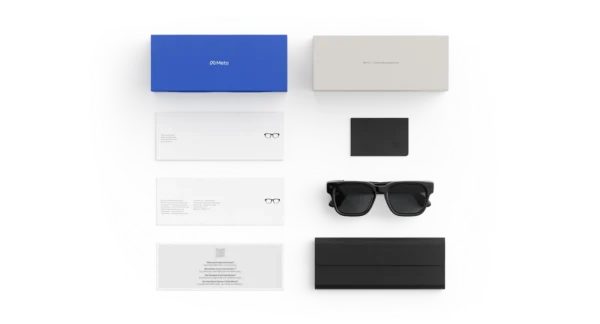
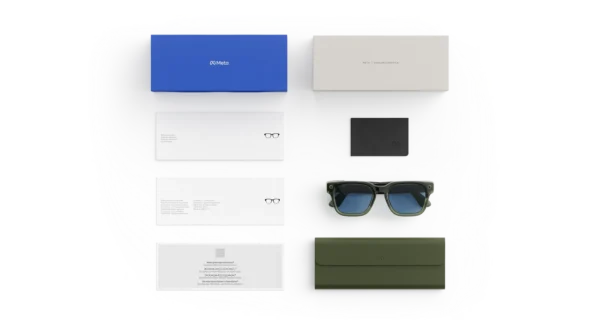
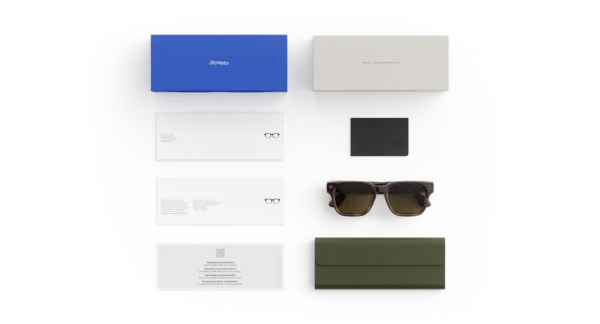
| Frame colo|Lens color | Classic Black — Brown Gradient, Mahogany — Green, Racing Green — Light Blue Atlantic, Classic Black — Grey, Sandstone — Dark Amber, Classic Black — Clear to Grey Transitions®, Mahogany — Clear to Grey Transitions® |
|---|---|
| Frame size | Standard |
Related products
-
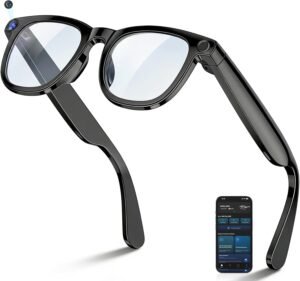
AI Smart Glasses with 8MP Camera, 4K HD Video Recording Glasses Real Time Translation AI Voice Assistant Object Recognition Replaceable Sunglasses Lenses Photochromic
$99.99 -
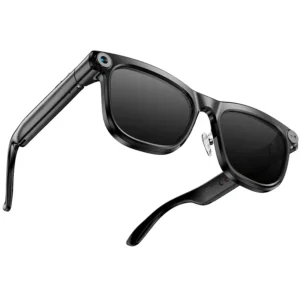
KAIGEER | AI Smart Glasses (Gen 1) with 13MP Camera Real-Time Translation Bluetooth Calls & WiFi – Shiny Black
$99.00 -

Oakley Meta Vanguard AI GLASSES
$499.00Select options This product has multiple variants. The options may be chosen on the product page -
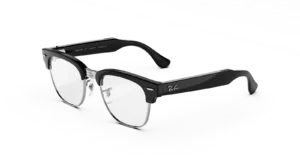
RAY-BAN META Clubmaster (Audio) AI GLASSES STANDARD
Price range: $349.00 through $429.00Select options This product has multiple variants. The options may be chosen on the product page
Reviews
There are no reviews yet.