Don't miss our holiday offer - up to 50% OFF!



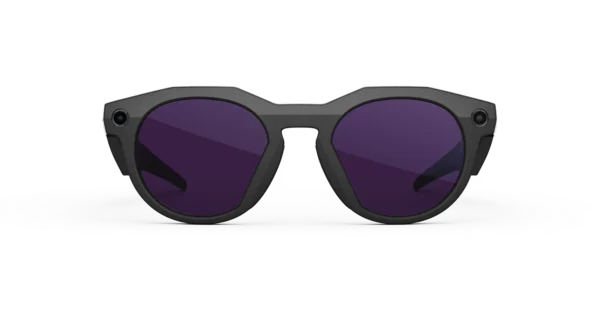
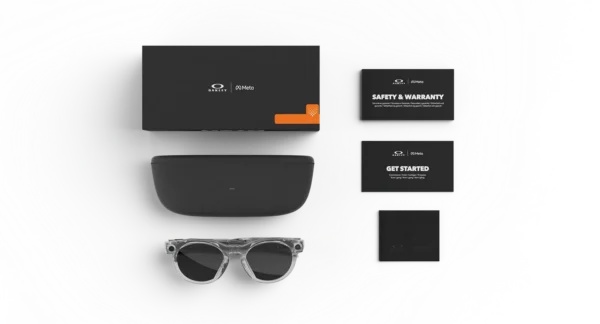
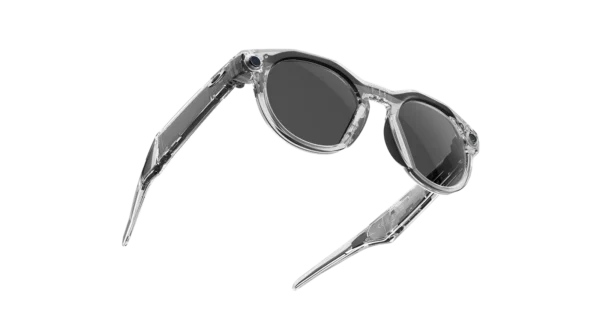
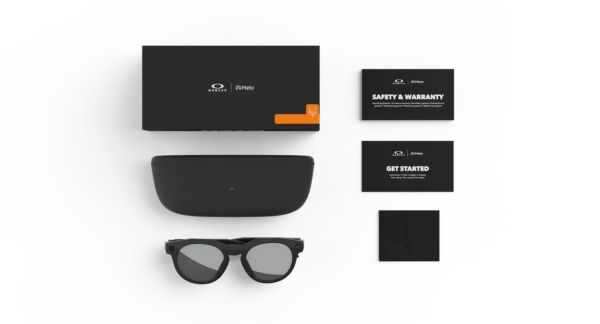

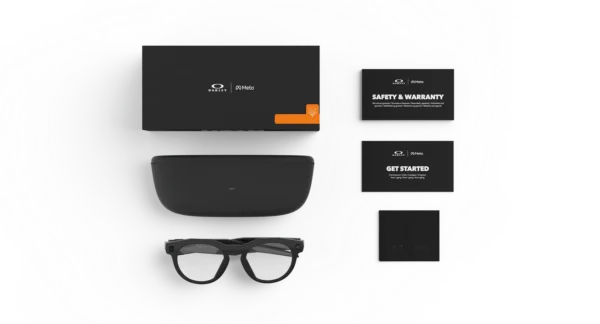
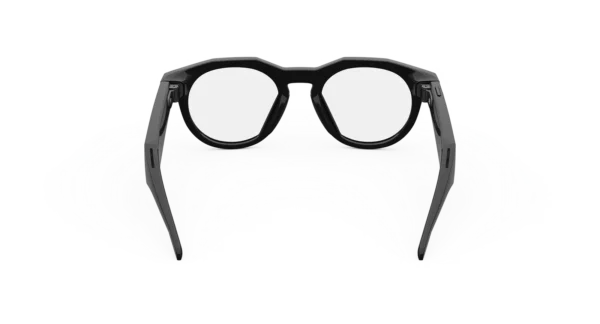
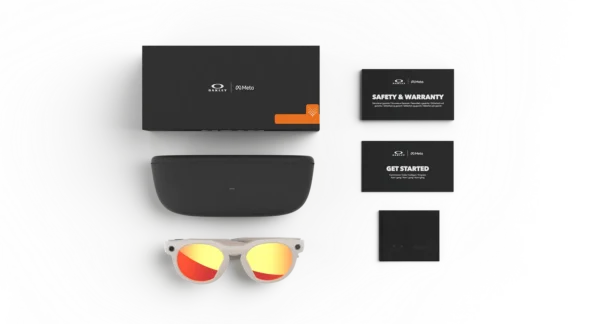
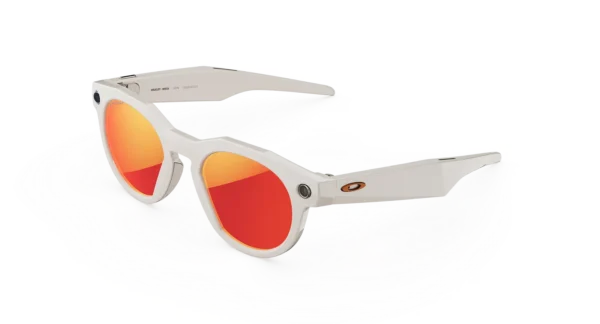
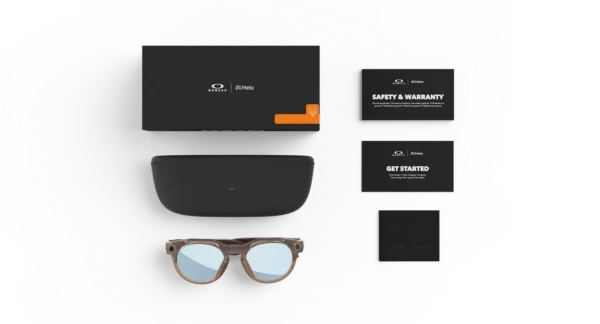



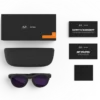
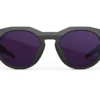
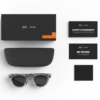

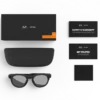

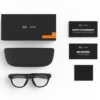
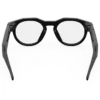
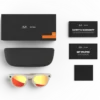
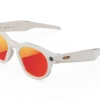
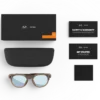

OAKLEY META HSTN SMART GLASSES
Price range: $399.00 through $479.00
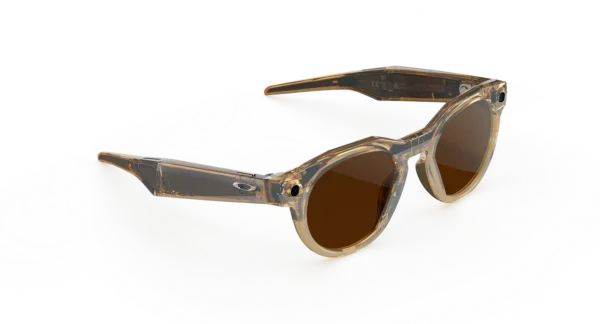
Oakley Meta HSTN is designed for athletes and fans alike. Capture your unique POV with a built-in hands-free camera and keep your music and podcasts playing with AI-enhanced audio. Have a question? Get answers on the go with Meta AI—just say, “Hey Meta.
OAKLEY META HSTN SMART GLASSES
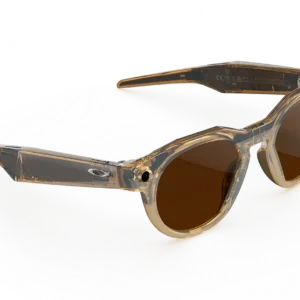
Discover a Smarter Way to Experience Everyday Life
Technology is becoming more personal, practical, and seamlessly integrated into everyday routines. With the Oakley Meta HSTN Smart Glasses, modern eyewear is combined with connected features designed for people who appreciate innovative design, hands-free convenience, and an active lifestyle.
Rather than requiring you to carry another device in your hand, these smart glasses are designed to bring selected digital experiences closer to where you naturally look. Whether you are exploring a new destination, enjoying outdoor activities, spending time with friends, or capturing memorable moments, the experience is intended to feel intuitive and convenient.
Furthermore, the distinctive Oakley-inspired styling offers a contemporary alternative to conventional smart devices. The glasses combine an expressive frame design with integrated technology, making them suitable for customers who want their accessories to reflect both personal style and practical functionality.
For individuals who value design, connectivity, and everyday versatility, this eyewear provides an opportunity to experience technology in a different way.
A Distinctive Design Built Around Modern Lifestyles
Recognizable Oakley Styling
A strong visual identity has always been an important part of performance-inspired eyewear. With this model, a bold silhouette is paired with a modern aesthetic, creating a look that can complement casual clothing, travel outfits, and active everyday wear.
The frame is designed to stand out without requiring additional accessories. Consequently, it can be incorporated into a range of personal styles, from relaxed weekend clothing to contemporary urban fashion.
Moreover, the integrated technology is designed to work within the eyewear itself. This approach helps bring digital functionality into a familiar accessory rather than making it feel like a separate piece of equipment.
Smart Technology Integrated Into the Frame
Traditional smart devices often require you to look down at a screen, hold a phone, or interrupt an activity to interact with digital content. By contrast, connected eyewear can provide selected functions through built-in hardware and compatible software.
Depending on the feature being used, hands-free interaction can make certain everyday tasks more convenient. For example, compatible voice features may help users access supported assistance, while integrated cameras can provide a way to record moments from a first-person perspective.
As a result, the experience can be particularly appealing to people who enjoy exploring new technology while maintaining a relatively simple everyday setup.
Advanced Camera Features for Hands-Free Content Creation
Capture Moments From Your Perspective
Memorable experiences can happen when you least expect them. Whether you are walking through a busy city, spending time outdoors, or sharing an exciting moment with friends, having a convenient way to capture what you see can be valuable.
The integrated camera system is designed to support hands-free content capture, allowing compatible photos and videos to be recorded without constantly reaching for a smartphone. Consequently, everyday experiences can be documented with greater convenience.
This perspective can be useful for travel diaries, casual lifestyle videos, outdoor adventures, and social content. Additionally, the glasses can help make spontaneous recording feel more natural when compared with setting up a separate camera for every moment.
However, recording capabilities, image quality, video duration, and supported modes should be checked against the exact model and regional specification before purchase.
Share Your Experiences More Conveniently
Creating content does not always require a large camera or complicated recording equipment. With compatible smart eyewear, selected moments can be captured directly from your point of view and transferred through supported software.
Furthermore, compatible smartphone integration can help organize captured content and support sharing workflows, depending on the applications and services available in your region.
For creators who prefer authentic everyday footage, this approach can offer a different perspective. Rather than repeatedly positioning a handheld device, you can concentrate more naturally on the experience itself.
Important: Always respect the privacy of other people and follow applicable recording laws. Use the camera indicator and recording features according to the manufacturer’s instructions.
Hands-Free Audio for Everyday Convenience
Listen While Staying Connected
Audio is an important part of a connected lifestyle. Whether you are listening to music, following compatible audio content, or receiving supported notifications, integrated audio functionality can reduce the need to keep separate accessories immediately accessible.
The experience is intended to fit into everyday activities, including walking, travelling, and spending time outdoors. In addition, hands-free operation can make selected interactions more convenient when carrying a phone is impractical.
For customers who prefer a streamlined everyday setup, combining eyewear and selected audio features can help reduce the number of separate devices they need to manage.
Voice Interaction and Compatible Digital Services
Voice-enabled technology offers another way to interact with supported smart features. Instead of navigating multiple menus, users may be able to issue compatible voice commands or access supported assistant functions.
Depending on software availability and regional compatibility, these capabilities may assist with selected everyday tasks, information requests, or device controls.
Nevertheless, voice functions are not necessarily identical across countries, languages, or software versions. An internet connection, paired smartphone, account, or compatible application may also be required for certain features.
Before purchasing, review the current compatibility information for your location to determine which functions are available to you.
Designed for Active and Everyday Wear
A Contemporary Option for Outdoor Enthusiasts
Modern eyewear needs to complement different activities without compromising personal style. The Oakley Meta HSTN combines a recognizable sports-inspired appearance with connected functionality, creating an option for people who enjoy spending time outside.
For example, the glasses may be suitable for casual walks, sightseeing, social gatherings, and everyday travel. Their integrated features can also appeal to people who enjoy recording their surroundings or interacting with compatible digital services while on the move.
However, smart glasses should not automatically be treated as protective sports eyewear for every activity. Check the lens specification, fit, and safety guidance before using them for cycling, high-impact sports, or other demanding environments.
Comfort and Personal Fit
Comfort is influenced by frame dimensions, head shape, lens selection, and how long the glasses are worn. Therefore, choosing the right fit is an important part of the purchasing process.
Before ordering, review the manufacturer’s measurements and compare them with eyewear you already wear comfortably. If you use prescription lenses, confirm whether the exact configuration supports your prescription requirements.
Additionally, consider the intended environment. A suitable lens option for bright outdoor conditions may differ from one preferred for indoor use or changing light.
Connectivity and Smartphone Integration
A Connected Experience
Smart eyewear becomes more useful when its hardware and software work together. Compatible smartphone applications can provide setup instructions, device management, media transfer, and access to supported features.
The exact setup process may vary according to your phone, operating system, region, and current software version. Consequently, it is advisable to check compatibility before completing your order.
Once configured, supported functions can provide a convenient connection between your eyewear and your existing digital routine.
What to Check Before You Buy
For a smoother ownership experience, consider the following requirements:
-
Smartphone compatibility: Confirm that your device supports the manufacturer’s current application.
-
Regional availability: Check whether the desired assistant and connected services are supported where you live.
-
Internet access: Some connected features may require a data connection.
-
Account requirements: Certain services may require an eligible account or additional permissions.
-
Software updates: Feature availability may change as compatible software is updated.
-
Media storage and transfer: Review how captured content is saved, transferred, and managed.
By checking these details in advance, you can make a more informed purchasing decision and avoid unexpected limitations.
Battery Life and Charging Considerations
Power for Everyday Use
Battery performance is an important consideration when choosing connected eyewear. Camera use, audio playback, voice interaction, wireless connectivity, and environmental conditions can all affect operating time.
As a result, actual battery life may differ from advertised estimates. People who record frequently or use multiple connected features throughout the day may need to recharge more often than those who use the glasses occasionally.
The supplied charging accessories and compatible charging case should be checked against the exact product package being offered by the retailer.
Make Charging Part of Your Routine
For dependable everyday use, charging the glasses and their compatible case as recommended by the manufacturer can help ensure that power is available when needed.
Furthermore, reviewing the charging instructions before first use can help prevent confusion about battery indicators, charging connections, and normal charging behaviour.
Battery capacity, charging time, and usage estimates should be verified against the official specifications for the exact variant rather than assumed to be identical across all configurations.
Lens Options and Personal Style
Find a Look That Suits You
Eyewear is both a practical accessory and an expression of personal style. Frame and lens combinations can influence the overall appearance of the glasses, making colour selection an important part of the buying process.
Depending on the available configuration, shoppers may be able to choose from different frame colours and lens options. However, availability can vary by retailer, market, and product version.
When comparing options, consider how the glasses will be used most frequently. Bright outdoor environments, everyday commuting, and indoor settings may call for different lens characteristics.
Check Lens Specifications Carefully
Lens appearance alone does not establish its complete performance characteristics. Therefore, review the stated UV protection, light transmission, tint, and any special coating details supplied for the selected configuration.
If you need prescription lenses, verify compatibility with the exact smart-glasses model before ordering. Not every lens configuration necessarily supports every prescription or replacement-lens option.
Privacy, Security, and Responsible Use
Understand Camera and Microphone Permissions
Connected eyewear can make capturing content and accessing digital services more convenient. At the same time, cameras, microphones, and connected applications require thoughtful use.
Before using the device, review the manufacturer’s privacy information and understand which features may process information through connected services. Check the available permissions and settings so that they reflect your preferences.
Moreover, remember that recording rules vary by location. In workplaces, educational environments, private venues, and public spaces, additional restrictions may apply.
Manage Your Data Thoughtfully
Users should understand how captured media is transferred, stored, shared, and deleted. Account security is also important, particularly when connected services are used across multiple devices.
For greater control, consider using strong account credentials, reviewing application permissions periodically, and sharing recordings only with appropriate audiences.
These simple precautions can help make connected eyewear a more responsible addition to everyday life.
Who Are These Smart Glasses For?
The Oakley Meta HSTN may appeal to several types of customers, depending on their priorities and the available feature set.
Everyday Technology Enthusiasts
People who enjoy exploring connected devices may appreciate the combination of familiar eyewear and selected smart features. Rather than carrying a separate device for every task, they can explore supported functions through a wearable accessory.
Travel and Lifestyle Creators
For people who enjoy documenting everyday experiences, hands-free capture can offer an alternative perspective. Travel memories, walks, and casual social moments can be recorded when the feature is appropriate and permitted.
Style-Conscious Shoppers
Customers who value expressive eyewear may be drawn to the contemporary, sports-inspired appearance. A range of available frame and lens combinations can also help shoppers select a look that complements their wardrobe.
People Seeking Everyday Convenience
Individuals who want selected audio, camera, and connected features in a wearable format may find smart eyewear worth considering. Nevertheless, its suitability will depend on personal fit, regional support, battery expectations, and the functions actually used.
Product Highlights
-
Distinctive design: A modern frame aesthetic inspired by Oakley’s established eyewear styling.
-
Integrated camera: Supports compatible hands-free photo and video capture.
-
Connected audio: Provides access to supported audio functions without relying exclusively on separate headphones.
-
Voice-enabled features: Offers supported hands-free interactions, subject to software and regional availability.
-
Smartphone connectivity: Enables compatible setup, device management, and media workflows.
-
Everyday versatility: Designed to complement a variety of casual and lifestyle settings.
-
Multiple configurations: Available frame and lens options depend on the selected model and retailer.
-
Privacy-conscious operation: Recording indicators and manufacturer-provided controls should be used responsibly.
-
Wearable technology: Brings selected digital functions into a familiar eyewear format.
Why Consider the Oakley Meta HSTN?
Choosing smart eyewear involves more than comparing a list of technical specifications. The overall experience also depends on comfort, appearance, ease of use, and whether the integrated features suit your daily routine.
This model brings those considerations together in a design intended for people who appreciate modern eyewear and connected technology. In addition, its hands-free approach may appeal to users who want to capture experiences or access supported functions without repeatedly reaching for a phone.
Ultimately, the best choice is the configuration that meets your practical requirements, offers a comfortable fit, and supports the services you intend to use.
Frequently Asked Questions
What are Oakley Meta HSTN Smart Glasses?
They are connected eyewear that combines an Oakley-inspired frame with integrated smart features. Depending on the supported configuration and software, these may include camera, audio, voice interaction, and smartphone-connected functions.
Can I take photos and record videos?
The integrated camera supports compatible photo and video capture. Specific recording modes, image quality, and recording limits should be confirmed in the current official specifications.
Do they connect to a smartphone?
Compatible smartphone integration is part of the connected experience. However, supported operating systems, applications, and regional requirements should be checked before purchase.
Can I listen to music?
Supported audio features may allow compatible listening experiences. Available services and controls depend on the software, device compatibility, and region.
Are prescription lenses supported?
Prescription compatibility depends on the exact model and lens configuration. Confirm the available options with the manufacturer or an authorised eyewear specialist before ordering.
Are they suitable for sports?
The sports-inspired design does not automatically make every configuration appropriate for every sport. Review the lens and frame specifications, safety guidance, and activity-specific requirements before use.
How long does the battery last?
Battery life depends on the model specification, usage patterns, connectivity, and environmental conditions. Consult the manufacturer’s published estimates for the exact variant.
Are all smart features available worldwide?
No. Some features or connected services may vary by country, language, account eligibility, and software version. Check local availability before making a purchase.
Upgrade Your Everyday Eyewear Experience
Discover a different approach to connected technology with eyewear designed to combine contemporary style and practical digital features. From compatible hands-free capture to selected audio and voice-enabled functions, the experience is intended to complement the way you move through everyday life.
Choose the frame and lens configuration that best suits your needs, review the compatibility requirements, and explore whether this connected eyewear fits your routine.
Explore the Oakley Meta HSTN Smart Glasses today and bring a new perspective to your everyday essentials.
Experience the Next Generation of Connected Eyewear
Digital technology is increasingly being incorporated into products that people already use every day. From wireless audio devices to wearable accessories, convenience is becoming an important part of modern product design. The Oakley Meta HSTN Smart Glasses reflect this shift by combining contemporary eyewear styling with selected connected features.
Rather than being designed solely as a fashion accessory, this model brings together several functions intended to complement everyday activities. For example, compatible camera features can support hands-free content creation, while integrated audio capabilities can provide another way to enjoy supported digital experiences.
Furthermore, the combination of wearable design and connected functionality may appeal to people who prefer practical technology that does not require a separate handheld device for every interaction.
A More Natural Approach to Wearable Technology
The most useful technology is often the technology that fits naturally into an existing routine. With connected eyewear, familiar activities such as walking, travelling, and spending time with friends can be complemented by selected digital features.
Instead of constantly switching between different devices, users may be able to access compatible functions through the glasses and their connected smartphone. Consequently, everyday interactions can become more convenient when the appropriate features are available.
However, the experience will depend on individual preferences, device compatibility, software support, and the specific configuration purchased.
Hands-Free Photography for Everyday Adventures
Capture Life as You See It
Photography is frequently used to preserve moments that might otherwise be forgotten. Nevertheless, reaching for a smartphone or adjusting a separate camera can sometimes interrupt an experience.
Integrated camera technology provides another option. When supported recording features are available, users can capture selected moments from their natural point of view without having to hold a camera in front of them.
This approach may be useful for:
-
Documenting holidays and sightseeing trips.
-
Recording casual outdoor adventures.
-
Capturing everyday activities and personal projects.
-
Creating first-person lifestyle content.
-
Preserving spontaneous moments with friends and family.
Additionally, hands-free recording can provide a different visual perspective from conventional smartphone photography. Even so, the final result will depend on the camera specification, lighting conditions, movement, and recording settings.
Content Creation Without Complicated Equipment
Creating engaging content does not always require a professional camera setup. For everyday creators, a wearable camera can provide an alternative for recording compatible photos and videos.
Moreover, the ability to capture selected moments while remaining engaged with an activity may be useful for travel diaries, informal demonstrations, and lifestyle content.
However, users should verify recording duration, resolution, frame-rate options, and media-transfer requirements before relying on the glasses for a particular project.
For professional production, dedicated cameras may still be preferable when advanced manual controls, interchangeable lenses, or specialised recording formats are required.
Connected Audio for Work, Travel, and Leisure
Enjoy Supported Audio Features
Audio technology has become an important part of daily routines, whether people are listening to music, accessing digital content, or interacting with connected services.
Integrated audio features can provide an alternative to carrying separate listening accessories. Depending on the available functionality, this may offer added convenience during suitable everyday activities.
For instance, compatible audio controls can help simplify certain interactions while travelling or moving between tasks. Nevertheless, users should remain attentive to their surroundings, particularly near roads, traffic, and other potential hazards.
Everyday Communication and Voice Controls
Voice interaction can be helpful when using a touchscreen is inconvenient. Where supported, compatible voice features may allow selected commands or requests to be handled without directly operating a smartphone.
In addition, hands-free interaction can complement other connected functions, potentially making certain everyday tasks easier to manage.
Available commands and services may vary by language, region, account eligibility, and software version. Therefore, the manufacturer’s current documentation should be consulted to establish which functions are supported in your market.
Design, Materials, and Everyday Wearability
A Distinctive Frame Profile
Frame design plays an important role in how eyewear looks and feels. The HSTN style offers a contemporary, expressive silhouette intended to complement casual outfits and modern streetwear.
Furthermore, its recognizable Oakley design language can appeal to people who prefer eyewear with a stronger visual identity rather than a minimalist appearance.
The frame is also intended to accommodate integrated technology within the overall design. This helps create a product that looks like wearable eyewear while offering selected digital capabilities.
Finding the Right Fit
Comfort should be considered before any eyewear purchase, especially when the glasses will be worn for extended periods.
When comparing available variants, review the frame dimensions, bridge fit, temple length, and lens configuration. If possible, compare those measurements with a pair of glasses that already fits comfortably.
In addition, consider the weight and balance of the frame. The inclusion of electronic components can influence how eyewear feels compared with a conventional pair.
A suitable fit should remain secure without creating excessive pressure around the nose, temples, or ears.
Lens Choices for Different Preferences
Lens selection can influence both the appearance and practicality of eyewear. Depending on the configuration offered, shoppers may find different tints, finishes, and frame combinations.
Before choosing a lens, consider the environments in which the glasses will be used most frequently. Bright outdoor conditions, changing daylight, and indoor environments can create different requirements.
Importantly, lens tint alone does not establish UV protection or suitability for a particular activity. Check the official lens specifications for those details.
Smart Glasses for Travel and Exploration
Keep Your Experiences at the Centre
Travelling often involves discovering new places, meeting people, and recording memories. Connected eyewear may provide a convenient way to document selected moments while leaving your hands available for other activities.
For example, a traveller may use compatible camera functions to record a scenic walk or capture a spontaneous moment during a sightseeing trip.
Furthermore, integrated audio and supported voice interactions may complement certain travel routines, depending on local service availability and connectivity.
However, these glasses should not be assumed to provide every navigation, translation, or travel-assistance feature. Check the capabilities of the exact model and its supported applications before relying on them abroad.
Useful for Everyday Urban Life
Connected eyewear can also fit into ordinary city routines. Walking between destinations, exploring a new neighbourhood, or meeting friends may provide opportunities to use selected hands-free features.
At the same time, responsible use remains essential. Camera and audio functions should never distract users from traffic, road crossings, or other surroundings that require attention.
For public transport and crowded environments, it is also important to respect other passengers’ privacy and any applicable recording restrictions.
Compatibility, Setup, and Device Management
Preparing Your Glasses for First Use
Before using connected features, review the manufacturer’s setup instructions for the exact product version. The initial process may involve charging the device, installing a compatible application, pairing a smartphone, and granting the necessary permissions.
Once the setup has been completed, supported features can be configured according to personal preferences.
For a smoother experience, check the following:
-
Confirm smartphone and operating-system compatibility.
-
Install the official application from an authorised source.
-
Follow the manufacturer’s pairing instructions.
-
Review camera, microphone, and Bluetooth permissions.
-
Check whether an account or internet connection is required.
-
Install compatible software updates when appropriate.
Because supported functions can change, current manufacturer guidance should take priority over older setup tutorials.
Maintaining a Reliable Connection
Wireless connections can be affected by distance, interference, software issues, and device settings. If a feature is unavailable, checking Bluetooth status, application permissions, and software updates may help identify the cause.
Additionally, restarting the relevant devices or repeating the manufacturer’s pairing process may resolve certain connection problems.
Nevertheless, troubleshooting steps should be followed according to the official support instructions for the exact model.
Battery Management and Long-Term Convenience
Understand Your Usage Requirements
Battery life is influenced by how frequently the camera, audio system, wireless connectivity, and other features are used. Consequently, two people wearing the same model may experience different operating times.
Someone who frequently records videos may need to recharge more often than someone who mainly uses occasional connected features.
For this reason, battery estimates should be treated as guidance rather than a guarantee of identical performance under every condition.
Practical Charging Habits
To help maintain dependable operation, use compatible charging accessories and follow the manufacturer’s instructions.
In addition, avoid exposing the device to temperatures or environmental conditions outside the recommended operating range.
When preparing for a long journey or outdoor activity, checking the charge level beforehand can reduce the likelihood of losing access to connected functions at an inconvenient time.
Exact charging times, battery specifications, and included accessories should be confirmed with the retailer’s listing for the selected configuration.
Privacy and Responsible Digital Experiences
Recording With Consideration
Hands-free cameras provide convenience, but responsible recording remains important. Before taking photos or videos in shared spaces, consider the privacy expectations of people nearby.
Some locations prohibit recording entirely or require consent. These restrictions may apply to workplaces, private venues, educational institutions, and other controlled environments.
Furthermore, the manufacturer’s recording indicators and privacy controls should be used as instructed. Users should not attempt to bypass privacy safeguards.
Protecting Connected Accounts
When eyewear is connected to applications or online services, account security becomes part of responsible ownership.
Use strong, unique passwords where applicable, protect account recovery methods, and review connected-device permissions periodically.
Likewise, consider where media is stored and which services can access it. Understanding the relevant privacy settings can help users make informed choices about personal content.
How to Choose the Right Configuration
Selecting connected eyewear involves balancing design, functionality, comfort, and price.
Consider Your Primary Use
If your main priority is everyday content creation, pay particular attention to camera specifications and the supported media workflow.
Alternatively, if you primarily want wearable audio and voice interaction, examine the available listening features and compatibility requirements.
For shoppers who value appearance above all else, frame colour, lens style, and fit may be the most important factors.
Compare the Details Before Ordering
Before making a final decision, confirm:
-
The exact model and product generation.
-
Frame colour and lens configuration.
-
Camera and audio specifications.
-
Smartphone and application compatibility.
-
Battery and charging details.
-
Prescription-lens support, if required.
-
Warranty coverage and return eligibility.
-
Included accessories and package contents.
Reviewing these details can help reduce uncertainty and ensure that the selected product matches your expectations.
Frequently Asked Questions: Buying and Ownership
Are these glasses different from ordinary sunglasses?
Yes. In addition to their eyewear design, compatible smart features can include camera capture, audio functionality, and connected digital services. Exact capabilities depend on the model and software configuration.
Can I use the glasses without my phone?
Some functions may work independently once configured, while other capabilities may require a paired smartphone, an application, an internet connection, or an eligible account. Check the manufacturer’s documentation for individual features.
Can captured photos and videos be shared online?
Compatible media-transfer and sharing workflows may be available through supported applications. The exact process depends on software support, device compatibility, and the social platform being used.
Are the glasses waterproof?
Do not assume that the device is waterproof. Check the official environmental-resistance specification and usage instructions before exposing it to rain, splashes, or water.
Can I wear them all day?
Suitability depends on personal comfort, fit, usage patterns, and the conditions in which the glasses are worn. Taking breaks when necessary and choosing the correct frame size may improve the overall experience.
Are they suitable for prescription wearers?
Prescription options depend on the specific model and supported lens configuration. Confirm compatibility with the manufacturer or an authorised eyewear professional before purchasing.
Can I use them internationally?
Basic hardware functions may be available in multiple locations, but connected services can differ by country, language, and account eligibility. Check regional restrictions before travelling.
What should I do if a feature stops working?
Consult the official troubleshooting instructions, verify application permissions, check for software updates, and confirm that your smartphone remains compatible. If the issue continues, contact the manufacturer’s support service.
Final Thoughts: A New Perspective on Everyday Eyewear
Connected eyewear offers a different way to bring selected digital experiences into everyday life. By combining a distinctive frame with supported camera, audio, and software features, the Oakley Meta HSTN presents an option for people who value both personal style and wearable technology.
Whether your interests include travel, casual photography, connected audio, or exploring new consumer technology, the most important consideration is how the available functions fit your needs.
Review the model specifications, compare the available lens options, and confirm compatibility before ordering. With the right configuration, connected eyewear can become a practical addition to a modern everyday setup.
Explore the available options and choose the configuration that suits your style, routine, and technology preferences.
Meta Quest 3S VR Headset – Immersive Virtual Reality Gaming and Entertainment
Discover a New World of Virtual Reality
A new dimension of digital entertainment can be experienced with the Meta Quest 3S VR headset, a standalone virtual reality system designed for interactive gaming, immersive entertainment, and mixed-reality experiences. Whether you are entering a virtual battlefield, exploring imaginative environments, or connecting with friends inside a digital world, an engaging experience can be enjoyed without requiring a traditional gaming computer.
Designed for beginners and experienced VR enthusiasts alike, the Meta Quest 3S provides access to a growing ecosystem of virtual reality games, entertainment applications, and social experiences. Furthermore, its standalone design allows compatible content to be enjoyed without a wired connection to a PC. For users seeking additional flexibility, supported PC VR experiences can also be accessed through compatible connection methods.
From action-packed adventures to relaxing virtual environments, a wide variety of activities can be explored. Consequently, the headset can serve as an entertainment system for gaming, fitness, social interaction, and immersive media.
Important: Product condition, storage capacity, included accessories, warranty coverage, and regional availability should be confirmed before purchasing. A used Meta Quest 3S should be clearly identified as pre-owned, while refurbished products should be described according to the seller’s actual inspection and restoration process.
Key Features and Benefits
- Standalone VR gaming: Enjoy compatible virtual reality experiences without a gaming PC.
- Immersive gameplay: Explore virtual environments designed for movement, interaction, and exploration.
- Mixed-reality experiences: Experience supported applications that combine digital content with your physical surroundings.
- Extensive game library: Discover compatible titles through the Meta Quest ecosystem.
- Wireless freedom: Play supported games without being physically connected to a computer.
- Optional PC VR connectivity: Access supported PC VR content through compatible software and hardware.
- Social entertainment: Connect with friends and explore supported multiplayer experiences.
- Flexible accessories: Enhance comfort and usability with compatible head straps, charging accessories, controller accessories, and prescription lens inserts.
Meta Quest 3S: A Practical Choice for VR Enthusiasts
What Makes the Meta Quest 3S Appealing?
Virtual reality has become more accessible as standalone headsets have reduced the need for complicated gaming setups. The Meta Quest 3S builds on this convenience by combining interactive entertainment with mixed-reality capabilities in a compact headset.
Unlike a traditional console, which presents games on a television, this VR system places the player inside a digital environment. Head movement and compatible controllers allow virtual spaces to be explored more naturally. As a result, games can feel more interactive, while supported applications can provide new ways to learn, socialize, exercise, and watch entertainment.
For first-time buyers, the platform offers an introduction to modern VR without requiring a separate gaming PC. Meanwhile, existing VR users can explore newer applications, multiplayer games, and compatible accessories.
Used Meta Quest 3S: What Should You Check?
A used Meta Quest 3S may offer a more affordable entry into virtual reality. However, the condition of the headset should always be assessed carefully.
Before completing a purchase, consider checking the following:
- Display condition: Look for visible scratches, unusual marks, or other damage.
- Lens clarity: Confirm that the lenses are clean and free from damage that could affect viewing.
- Controller functionality: Test the buttons, tracking, triggers, and battery compartments.
- Battery performance: Ask about battery condition and charging behavior.
- Headset fit: Inspect the facial interface, strap, and adjustment components.
- Charging equipment: Verify whether the required power adapter and charging cable are included.
- Account setup: Confirm that the device can be configured with your own account.
- Factory reset: Ensure the previous owner’s personal information has been removed.
- Return policy: Review the seller’s return terms and any available warranty.
A pre-owned device should not automatically be advertised as refurbished. The term refurbished should be reserved for products that have undergone the inspection, testing, repair, or restoration process represented by the seller.
Meta Quest 3S VR Gaming and Entertainment
Explore a Diverse Library of VR Games
The Meta Quest platform provides access to a range of games across action, adventure, fitness, simulation, rhythm, and multiplayer categories. Depending on the title, players may use motion controllers, hand tracking, or other supported input methods.
For action enthusiasts, virtual environments can offer a more physical and interactive experience than conventional gaming. Rhythm games introduce music-driven challenges, while social titles create opportunities to meet other players and participate in shared activities.
Popular titles and experiences associated with the broader Quest ecosystem include:
- Beat Saber: A rhythm-based game in which players slash incoming blocks in time with music.
- Gorilla Tag: A movement-focused multiplayer experience featuring distinctive locomotion mechanics.
- Among Us 3D / Among Us VR: Social deduction gameplay adapted for immersive environments, with availability depending on the specific edition and platform.
- Arizona Sunshine 2: A virtual reality action adventure centered on a zombie-filled world.
- Blade & Sorcery: Nomad: A physics-driven fantasy combat experience available on supported Quest devices.
- Contractors: A tactical multiplayer shooter available in supported VR formats.
- SUPERHOT VR: An action game built around movement and time-based combat mechanics.
- Population: One: A battle royale VR experience whose current availability and service status should be checked before purchase.
- Gun Raiders: A multiplayer action game featuring fast movement and competitive combat.
- Iron Rebellion: A mech-focused combat experience designed around piloting and controlling powerful machines.
Game compatibility, pricing, online services, and availability can change. Therefore, each title should be checked in the official store before it is advertised as playable on a particular headset.
Meta Quest Beat Saber and Rhythm Gaming
Music and movement can be combined through rhythm-based VR experiences. Beat Saber is one of the best-known examples, challenging players to match their movements to incoming patterns while following a musical track.
The immersive presentation can make rhythm gaming feel more physical and engaging. Moreover, adjustable difficulty settings can allow different skill levels to be accommodated.
Before buying a game, check whether it must be purchased separately, whether downloadable content is available, and whether the desired version supports your specific headset.
Blade & Sorcery and Interactive Combat
Fantasy combat experiences can be explored through supported titles such as Blade & Sorcery: Nomad. Weapon handling, movement, and physics-based interactions are central elements of this type of gameplay.
Similarly, tactical games and action adventures can provide different forms of immersion. However, individual game requirements and performance characteristics should be verified rather than assumed to be identical across all Quest headsets.
Meta Quest 3S and PC VR Connectivity
Using Meta Quest Link With a PC
Some users prefer standalone gaming, while others want access to compatible PC VR titles. Meta Quest Link provides a way to connect supported headsets to a compatible computer for supported VR experiences.
Depending on the hardware and software configuration, a wired Link connection or supported wireless PC VR method may be available.
Before setting up PC VR, confirm that your computer meets the requirements of the intended game. Graphics processing power, memory, operating system compatibility, network quality, and available storage can all affect the experience.
The Meta Quest Link PC app is associated with the PC connection experience. Official downloads and current instructions should be obtained through Meta’s official support resources.
Searches for terms such as “meta quest 3 download PC,” “meta quest PC app,” “quest link,” and “meta quest link PC app” commonly reflect this setup process. Nevertheless, the correct software and procedure should be confirmed using current official documentation.
Casting Meta Horizon and Sharing Your VR Experience
Casting allows supported VR content to be displayed on a compatible phone, computer, television, or other supported destination. This can be useful when friends or family want to watch a player explore a virtual environment.
The precise procedure depends on the device, destination, network configuration, and current software interface. In general, the headset and receiving device may need to be connected to the same compatible network, with the required permissions enabled.
Search terms such as “casting Meta Horizon,” “Oculus Cast,” and “Meta Horizon app” are often associated with sharing a VR session. The exact options available should be checked in the current application and device settings.
Meta Quest Prescription Lenses and Visual Comfort
Prescription Lens Inserts for Meta Quest 3S
People who wear prescription glasses may prefer compatible prescription lens inserts for VR use. These accessories can provide vision correction without requiring conventional glasses to be worn inside the headset.
However, Meta Quest 3S and Meta Quest 3 accessories should not be assumed to be interchangeable. Their optical systems and physical designs differ, so compatibility must be confirmed for the exact headset model.
Before ordering prescription inserts, check:
- The exact headset model.
- The supported prescription range.
- Whether single-vision or other lens options are offered.
- The manufacturer’s fitting instructions.
- Any restrictions involving frame shape or lens coatings.
- The supplier’s return and warranty policies.
Searches for “prescription lenses for Meta Quest 3,” “Meta Quest prescription lenses,” and “Meta Quest 3 prescription lens inserts Zenni official” reflect demand for customized visual accessories. Any claim of official status, manufacturer approval, or exact compatibility should be supported by the supplier’s current product documentation.
Comfort During Longer Sessions
A comfortable fit can make VR sessions more enjoyable. Headset positioning, facial-interface design, strap adjustment, and suitable room lighting can all influence usability.
Users should take regular breaks and follow the manufacturer’s safety guidance. If a headset causes persistent discomfort, dizziness, eye strain, or nausea, the session should be stopped.
Charging Accessories and Replacement Controllers
Meta Quest 3 Power Adapter
A suitable power adapter helps keep a compatible headset charged between sessions. When shopping for a replacement or spare adapter, check the device’s charging specifications and the accessory manufacturer’s compatibility information.
A listing should clearly state whether the adapter is included, sold separately, or supplied as part of a bundle. Charging accessories for one headset generation should not automatically be represented as identical to those for another.
Meta Quest 3 Right Controller Replacement
A replacement right controller may be useful if an original controller has been lost or damaged. However, compatibility should be confirmed before ordering, particularly when comparing accessories intended for the Meta Quest 2, Quest 3, and Quest 3S.
Check the controller’s exact model, regional availability, included battery or accessories, pairing instructions, and return policy. A replacement controller should not be advertised as compatible with every Quest headset unless that compatibility has been verified.
Setup, Applications, and Device Management
www.meta.com/setup and Meta Quest Setup
New headset owners commonly search for setup instructions before using their device. Searches such as “www.meta.com/setup,” “meta.com/quest/setup,” and “www.meta com/setup” may reflect attempts to find the official setup process.
For security, navigate directly to Meta’s verified official website or support center instead of relying on unfamiliar links. Follow the current instructions displayed for the specific headset model, including account sign-in, device pairing, software updates, and safety configuration.
Avoid entering account credentials on unofficial pages that imitate Meta branding.
Meta Quest Application and Meta Horizon App
The companion application can support device setup and management, depending on the current software version and region. It may also provide access to compatible content, social features, device settings, and casting options.
Application names and interfaces can change as the platform develops. Therefore, users should obtain the current app through the official app store for their device and verify the publisher before installation.
How to Reset Meta Quest 3
A factory reset may be appropriate when troubleshooting certain problems, preparing a headset for resale, or removing the previous owner’s local device configuration.
Before proceeding, consider whether important local data has been synchronized or backed up. A factory reset can erase locally stored information and settings, and the exact recovery process may vary by software version.
For accurate instructions, consult the official Meta support documentation for the exact headset model. If a device is being sold, the seller should verify that the reset has completed and that the next owner can perform setup independently.
Factory Reset Meta Quest 2
The Meta Quest 2 has its own support procedures and hardware-specific instructions. Although the general purpose of a factory reset is similar across headset generations, button combinations and recovery menus should not be assumed to be identical.
Owners should use the instructions intended for their exact model. If a headset is being purchased second-hand, successful setup with the buyer’s own account should be confirmed before the transaction is considered complete.
Meta Quest 3S, Meta Quest 3, and Oculus Quest Headsets
Understanding the Different Models
The Meta Quest family includes several generations and configurations. Product listings should clearly distinguish between them to help buyers choose the correct device.
- Meta Quest 3S: A standalone VR and mixed-reality headset positioned as an accessible option within the newer Quest family.
- Meta Quest 3: A different model with its own optical configuration, features, and accessory requirements.
- Meta Quest 2: An earlier-generation headset with a separate accessory and compatibility profile.
- Oculus Quest: An earlier product name associated with the platform before its branding transitioned to Meta Quest.
Searches such as “meat quest 3,” “meta wuest,” “meta quest3,” “ocolus,” “oculas,” “meta 2,” and “oculus headset” may contain misspellings or shorthand referring to these products. Such variations can be useful when understanding customer search behavior, but they should not be repeated excessively in the customer-facing product description.
Meta Quest 3 512GB VR Headset
Storage capacity is an important consideration for users who intend to install multiple games and applications. A listing for an Oculus Quest 3 512GB or Meta Quest 3 512GB VR headset should identify the exact generation and storage configuration.
The Quest 3 and Quest 3S are different products, so the storage specifications of one model must not be applied to the other. Buyers should also check whether the listing includes the original packaging, controllers, charging accessories, and any additional items shown in product photographs.
Shop With Confidence
Selecting a VR headset is about more than the initial purchase price. Compatibility, condition, included accessories, software availability, and after-sales support should all be considered.
Whether you are exploring a pre-owned Meta Quest 3S, comparing newer Quest models, looking for prescription lens inserts, or preparing to connect a headset to a PC, accurate product information can make the buying process easier.
Choose a listing that clearly identifies the model, condition, storage capacity, included accessories, and applicable warranty. With the right equipment and suitable content, virtual reality can offer an engaging way to experience games, interactive environments, and shared digital entertainment.
Meta Quest 3S VR Headset – Gaming, Smart Glasses, Accessories, Setup, and Buying Guide
Experience More With Meta Quest Virtual Reality
Virtual reality has transformed the way interactive entertainment can be experienced. With the Meta Quest ecosystem, digital environments can be explored through immersive games, social applications, fitness programs, and mixed-reality experiences. Furthermore, standalone operation makes it possible to enjoy compatible content without a traditional gaming console or a permanently connected computer.
The Meta Quest 3S VR headset is designed for users who want to explore immersive entertainment with a flexible and accessible setup. From casual gaming to multiplayer adventures, different interests can be accommodated through the available software library.
Whether the goal is to discover a new VR game, connect with friends, or explore compatible PC VR experiences, the appropriate accessories and applications can help create a more personalized setup.
Meta Quest 3S VR Set for Home Entertainment
A complete VR setup should be selected according to the user’s needs, preferred games, and available space. A standard headset package may include the headset, compatible controllers, a facial interface, and charging equipment, although package contents can vary.
Before purchasing a Meta Quest 3S VR set, review the following details:
- The exact headset model and storage configuration.
- Whether both controllers are included.
- Whether the charging cable and power adapter are supplied.
- The physical condition of the lenses and displays.
- The condition of the head strap and facial interface.
- Whether any accessories are original or third-party products.
- The seller’s return policy and applicable warranty.
- Whether the headset can be activated and configured with your own account.
For pre-owned equipment, these checks are particularly important. A lower price can be attractive; however, the condition of the device and the availability of replacement accessories should also be considered.
Meta Quest Games: Discover Your Next Adventure
VR Games for Different Playing Styles
The Meta Quest platform supports different genres, allowing users to choose experiences that match their interests. Action games, exploration adventures, rhythm challenges, social experiences, and simulation titles can all provide different ways to interact with virtual environments.
Moreover, some games support multiplayer sessions, while others focus on individual progression and storytelling. Game availability, subscription requirements, regional restrictions, and compatibility should be checked before purchase.
Popular search terms such as VR games VR, Meta Quest 3 VR games, Meta game, and new Oculus often reflect a buyer’s interest in discovering available experiences.
SUPERHOT VR
SUPERHOT VR presents a distinctive approach to action gameplay. Movement and timing are central to the experience, with the game’s mechanics encouraging players to consider their next action carefully.
The immersive format allows physical movement to become part of the challenge. Consequently, it can appeal to players who enjoy strategic action rather than relying exclusively on traditional button-based controls.
Arizona Sunshine 2
Arizona Sunshine 2 is a VR action adventure set in a post-apocalyptic environment. Players encounter dangerous situations while progressing through a story-driven experience.
Before buying the game, confirm its current availability and compatibility with the exact headset model. Additional requirements, downloadable content, and multiplayer features should also be checked in the official store listing.
Contractors VR
Contractors VR offers tactical shooter gameplay for compatible virtual reality systems. Depending on the available mode, players can engage in competitive or cooperative experiences.
A suitable play area, comfortable controller positioning, and awareness of surrounding objects can help support safer gameplay. As with other online games, the current server status and supported features should be verified.
Gun Raiders and Multiplayer Entertainment
Gun Raiders is associated with multiplayer action and fast-paced movement. Its style may appeal to users who prefer energetic sessions and competitive gameplay.
Searches for Gun Raiders player count indicate interest in the size and activity of the game’s community. However, player counts can fluctuate, and reliable current figures should be obtained from an up-to-date official or platform source rather than assumed.
Population: One
Population: One is known for battle royale-style VR gameplay. Its appeal comes from combining movement, combat, and multiplayer interaction within an immersive environment.
Availability and online service status may change over time. Therefore, buyers should verify that the desired edition can currently be accessed on their headset and in their region.
Iron Rebellion
Iron Rebellion focuses on mech-based combat, allowing players to experience piloting large mechanical units in a virtual environment.
This type of game can appeal to enthusiasts who enjoy science-fiction settings, vehicle control, and tactical action. Before purchasing, check the supported platform, hardware requirements, and current store information.
The Boys Game and Other VR Search Terms
Searches such as the Boys game, trans VR, and film en VR can reflect interest in entertainment beyond conventional gaming. However, a search phrase does not necessarily correspond to an officially released or Quest-compatible product.
For that reason, product recommendations should be based on verified listings. If a title is unavailable, unsupported, or unrelated to the headset, it should not be represented as a confirmed feature.
Meta Horizon: Social Experiences and Digital Worlds
What Is Meta Horizon?
Meta Horizon refers to a collection of social and immersive experiences associated with Meta’s virtual and mixed-reality ecosystem. Depending on the current service and device, users may be able to explore digital environments, interact with other participants, and access compatible activities.
Social VR can make entertainment more collaborative. Friends may be able to meet in shared environments, participate in games, or communicate through supported features.
Searches such as Meta Horizon, Meta Horizon app, Meta Horizon casting, and casting Meta Horizon often relate to social experiences, device management, or sharing a headset session.
Meta Horizon App and Device Pairing
The companion app can help users manage supported devices and access platform features. The available options depend on the application version, operating system, account configuration, and region.
When setting up a new headset, users should download the application from the official app marketplace and confirm that the publisher is legitimate.
For the best results, keep the headset and companion application updated. If pairing fails, follow the current troubleshooting instructions provided by Meta rather than relying on outdated procedures.
Casting Meta Horizon to a Screen
Casting can allow other people to watch selected VR activities without wearing the headset. This can be useful for demonstrations, family entertainment, or sharing a gaming session with friends.
The available casting destinations may include supported mobile devices, browsers, televisions, or other compatible equipment. Not every device supports every method, so the intended destination should be checked first.
For a smoother experience, ensure that the receiving device is compatible and that any necessary network permissions have been enabled. Video quality and delay can vary according to network conditions.
Meta Quest Link PC App and Computer Compatibility
Connecting a Quest Headset to a Computer
Standalone VR offers convenience, but compatible PC VR experiences may provide access to additional software and games. Depending on the headset, computer, and current software support, a wired or supported wireless connection may be available.
Before using Meta Quest Link, confirm that your computer meets the requirements of the game you intend to play. A compatible graphics processor, sufficient memory, supported operating system, and suitable connection are important considerations.
The terms Meta Quest Link PC app, Meta Quest PC app, Quest Link, and Meta Quest 3 download PC are commonly used when looking for computer connectivity instructions.
Preparing Your PC VR Setup
Before connecting your headset, consider the following steps:
- Check the computer’s compatibility with the intended VR game.
- Download the relevant software through Meta’s official website or support resources.
- Update the headset and computer software where required.
- Use a compatible USB cable or supported wireless method.
- Follow the on-screen pairing instructions.
- Launch a compatible VR application and check performance.
Not every PC game supports VR, and not every VR title is available through every storefront. Always check the game’s requirements and supported platforms.
Troubleshooting Connection Problems
Connection problems can result from outdated software, incompatible hardware, cable issues, network instability, or permission settings.
If a connection fails, restart the relevant devices, verify the cable or network, and review the current official troubleshooting guide. Avoid installing unofficial software from unfamiliar websites, especially when account credentials or device permissions are requested.
Prescription Lens Inserts and Optical Accessories
Meta Quest Prescription Lenses
Prescription lens inserts can be a useful option for users who require vision correction while playing VR games. Rather than relying on conventional eyeglasses inside the headset, compatible inserts are designed to sit within the headset’s optical area.
The correct accessory must be selected for the exact device. Meta Quest 3 and Meta Quest 3S are different models, and their accessories should not be presumed interchangeable.
When purchasing inserts, verify the manufacturer’s compatibility list, prescription range, fitting instructions, and return policy. Some products may also offer protective coatings or additional lens options.
Zenni Prescription Lens Inserts
Searches for Meta Quest 3 prescription lens inserts Zenni official reflect interest in prescription accessories from Zenni Optical. Buyers should consult the manufacturer’s official product information to confirm the supported headset, available prescription options, and current ordering instructions.
Prescription measurements should be entered carefully. If the prescription is complex or unclear, consult an appropriate eye-care professional before placing an order.
Improving VR Comfort
A well-adjusted headset can help reduce pressure and improve the viewing experience. The strap should be positioned securely without being excessively tight, and the headset should be adjusted according to the manufacturer’s instructions.
Users should take regular breaks and stop using the headset if persistent discomfort, eye strain, dizziness, or nausea occurs. Prescription inserts must also be fitted correctly to avoid interfering with the headset’s lenses.
Meta Quest Charging and Replacement Accessories
Meta Quest 3 Power Adapter
A suitable power adapter can help keep a compatible headset ready for use. When buying a replacement, confirm the required specifications and the manufacturer’s compatibility guidance.
A listing should state whether the adapter is included, sold separately, or supplied as part of a bundle. Buyers should also distinguish between an original accessory and a compatible third-party alternative.
Meta Quest 3 Right Controller Replacement
A replacement right controller can help restore functionality when an original controller has been damaged or lost.
Before ordering, confirm the exact headset generation and controller model. Controller compatibility, pairing procedures, and accessory availability can differ between the Quest 2, Quest 3, and Quest 3S.
If a controller is purchased separately, verify whether batteries or other necessary components are included.
Additional Accessories for a Better Setup
Depending on personal preferences, useful accessories may include:
- A compatible replacement head strap.
- A protective carrying case.
- A suitable charging cable and adapter.
- Controller grips or protective covers.
- A compatible facial interface.
- Model-specific prescription lens inserts.
- A storage solution for keeping the headset clean and protected.
Accessories should be selected according to the exact model and intended use. Compatibility should never be inferred from appearance alone.
Refurbished and Used Meta Quest Headsets
Buying a Used Meta Quest 3S
A used headset can provide an affordable way to enter virtual reality, especially when the device has been carefully maintained. However, the seller’s description should be checked against the actual condition of the product.
Ask whether the headset has been tested, whether the controllers work correctly, and whether the lenses have visible damage. Confirm that the device can be reset and configured with a new owner’s account.
A clear listing should include photographs of the actual item, details about wear, a list of included accessories, and the applicable return terms.
Meta Quest 3S Versus Refurbished Oculus Headsets
Older Oculus-branded products may still be available through pre-owned marketplaces. However, an earlier-generation headset should not be advertised as a Meta Quest 3S simply because it uses the same broad VR ecosystem.
The model name, generation, storage capacity, and included accessories should be identified accurately. This helps buyers understand what they are purchasing and reduces confusion when replacement parts or software support are needed.
Refurbished Products and Warranty Information
The term refurbished should be used only when it accurately reflects the seller’s inspection, testing, and restoration process.
Buyers should check whether a refurbished product includes a warranty, which components are covered, and how returns are handled. Warranty coverage can vary by seller, product, location, and purchase date.
Meta Ray-Ban Smart Glasses: A Separate Product Category
Understanding Meta Ray-Ban Glasses
Meta Ray-Ban smart glasses combine eyewear with supported connected features. Depending on the specific generation and model, capabilities may include a camera, audio functions, voice interactions, and integration with a companion application.
These glasses are different from a Meta Quest VR headset. A Quest headset is designed for immersive virtual and mixed-reality experiences, while smart glasses are designed to resemble conventional eyewear and support selected connected functions.
Consequently, shoppers comparing the two product categories should consider their intended use rather than treating them as interchangeable devices.
Meta Ray-Ban Glasses and Model Selection
Searches such as Meta Ray-Ban, Meta glasses, Meta glasses price, and where can I buy Meta glasses may reflect interest in connected eyewear.
When choosing a model, check the frame style, lens type, available colors, prescription options, supported features, and regional availability. Some features may depend on the companion app, account configuration, language, or location.
Refurbished Ray-Ban Meta Glasses
Refurbished smart glasses should be evaluated according to their exact model and condition. Buyers should check camera functionality, audio performance, battery behavior, charging accessories, frame condition, and any account or activation requirements.
The seller should explain what testing was performed and whether a warranty is included. A refurbished listing should not be described as manufacturer-certified unless that status can be verified.
Ray-Ban Meta Blayzer Optics – Gen 2
When evaluating a product listed as Ray-Ban Meta Blayzer Optics – Gen 2, confirm the exact official product name, model generation, and availability through a trusted source.
Frame fit, optical requirements, supported smart features, and lens compatibility should be verified before purchase. Similar names can refer to different products or variants, so product specifications should be checked carefully.
Meta Display Glasses and Emerging Smart Eyewear
Meta Ray-Ban Display Glasses
Interest in display-equipped smart glasses reflects a broader move toward wearable computing. These products may be designed to provide visual information alongside connected functions, but their capabilities depend on the exact product and generation.
Searches for Meta Ray-Ban Display glasses and Meta Ray-Ban Display release date should be addressed using current official announcements and product pages. Release dates, availability, pricing, and regional support should not be assumed without verification.
Meta Smart Glasses Price
The price of smart glasses can vary according to model, frame design, lens configuration, retailer, and regional taxes. Prescription lenses or specialized optical configurations may also change the final cost.
Before comparing offers, confirm whether the displayed price includes the complete product, charging accessories, prescription lenses, and applicable taxes. Used and refurbished products should be compared separately from new devices.
Meta Quest Buying Guide
Choosing the Right Headset
The right headset depends on your budget, preferred games, comfort requirements, and intended use.
For buyers interested in standalone gaming, the Meta Quest family offers an accessible way to explore VR. Those seeking PC VR should additionally verify computer compatibility and supported connection options.
Prescription lens users should confirm insert compatibility before ordering accessories. Similarly, anyone buying used equipment should inspect the condition of the headset and controllers before completing the purchase.
Questions to Ask Before Purchasing
Before committing to a headset, consider these questions:
- Is the product a Quest 3S, Quest 3, Quest 2, or another model?
- Is it new, used, or refurbished?
- What storage capacity is included?
- Are both controllers supplied?
- Does the headset include charging equipment?
- Is the intended game supported?
- Are prescription lens inserts available for this exact model?
- Does the seller provide a return policy or warranty?
- Can the headset be configured with the buyer’s own account?
Answering these questions can help prevent unnecessary expenses and compatibility problems.
Final Thoughts: Find Your Next VR Experience
The Meta Quest ecosystem offers multiple ways to explore virtual entertainment, from standalone gaming and social experiences to supported PC VR applications. Accessories can help personalize the setup, while careful model selection can improve compatibility and long-term value.
Whether you are comparing a used Meta Quest 3S, searching for a replacement controller, exploring prescription lens options, or researching Meta smart glasses, accurate specifications should guide the purchasing decision.
For the best experience, verify product details through trusted manufacturer resources, compare seller policies, and select accessories designed for your exact device.
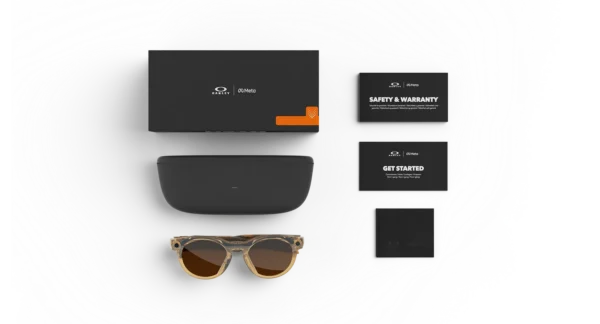
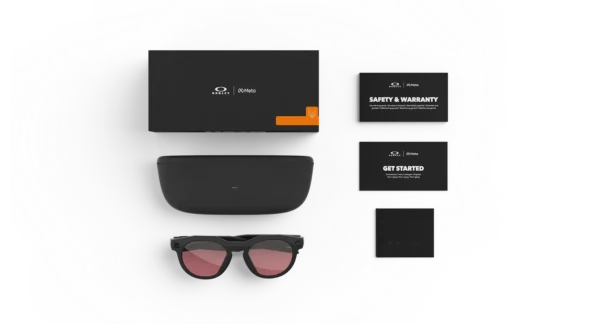
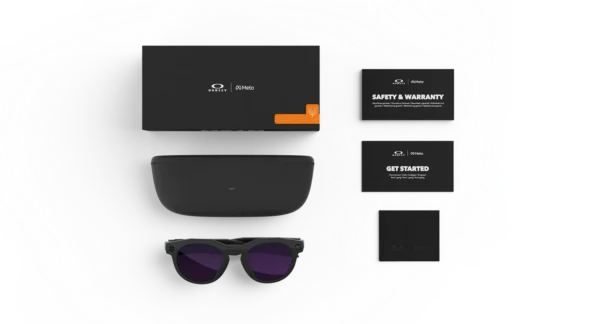
| Frame color|Lens color | Light Curry — Clear to Brown Transitions®, Black — Prizm™ Dark Golf, Black — Clear to Amethyst Transitions®, Clear — Clear to Grey Transitions®, Black — Prizm™ Black Polarized, Black — Clear, Warm Grey — Prizm™ Ruby, Brown Smoke — Prizm™ Deep Water Polarized |
|---|---|
| Frame size | Standard |
Related products
-
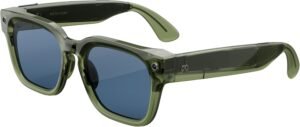
Meta Fury Glasses with AI, Photo, Video, Audio & Messaging – Racing Green/Light Blue Atlantic
$409.99 -
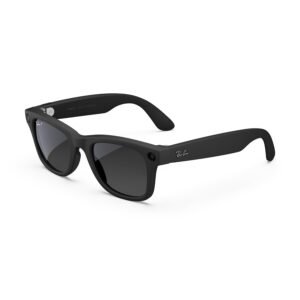
Ray-Ban | Meta Wayfarer (Gen 2) Glasses with AI, Photo, Video, Audio & Messaging – Matte Black/Polarized Gradient Graphite – Standard
$559.99Select options This product has multiple variants. The options may be chosen on the product page -
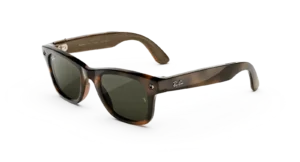
RAY-BAN Wayfarer (Gen 3) AI GLASSES
Price range: $449.00 through $529.00Select options This product has multiple variants. The options may be chosen on the product page -
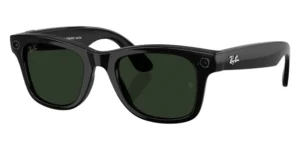
Ray-Ban | Meta Wayfarer (Gen 2) Glasses with AI, Photo, Video, Audio & Messaging – Matte Black/Clear – Standard
Price range: $519.99 through $609.99Select options This product has multiple variants. The options may be chosen on the product page
Reviews
There are no reviews yet.