Don't miss our holiday offer - up to 50% OFF!

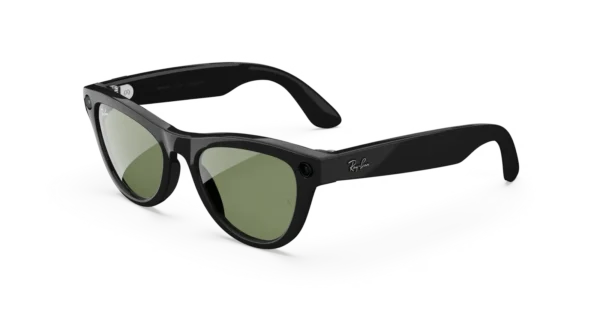
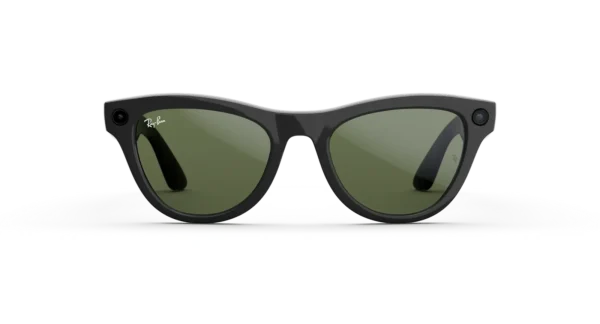
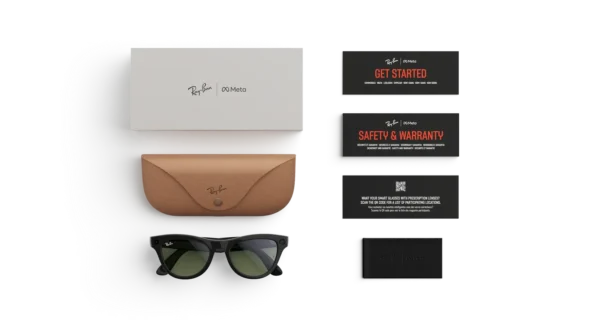
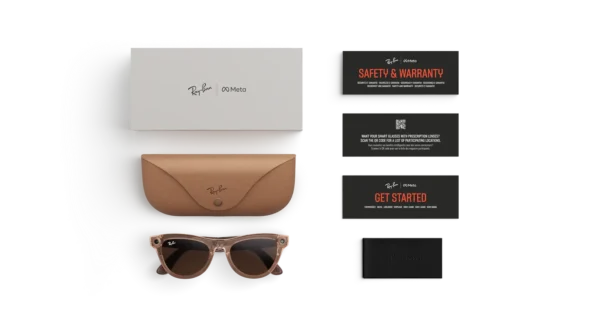

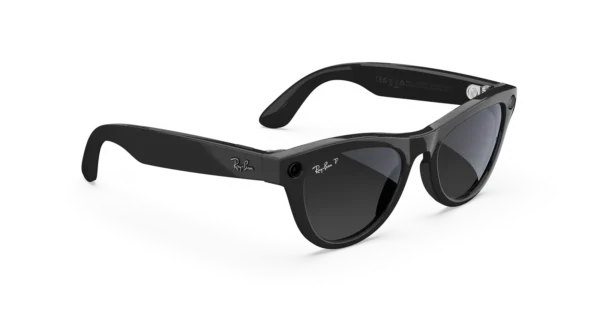
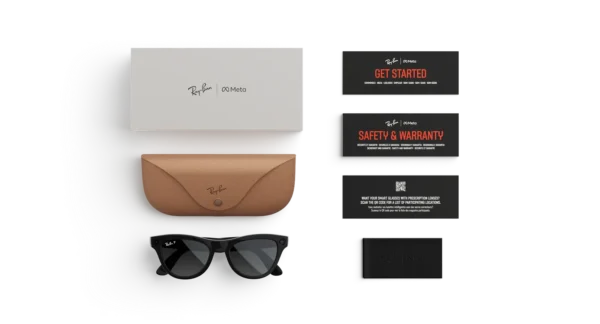
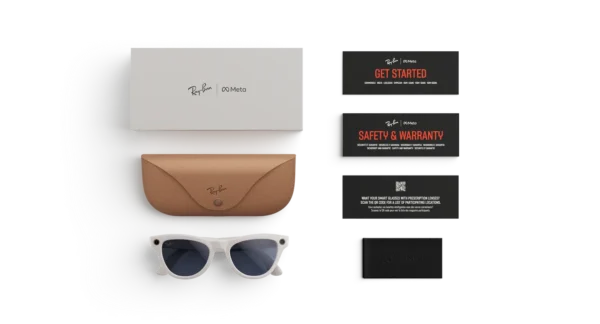

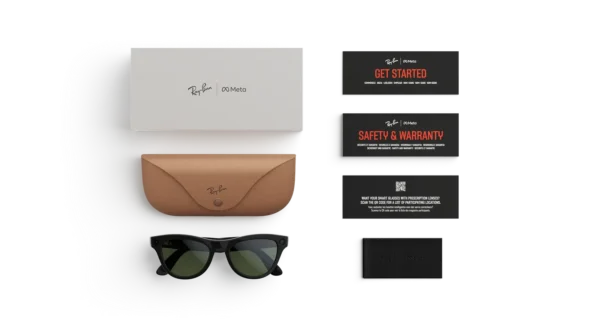
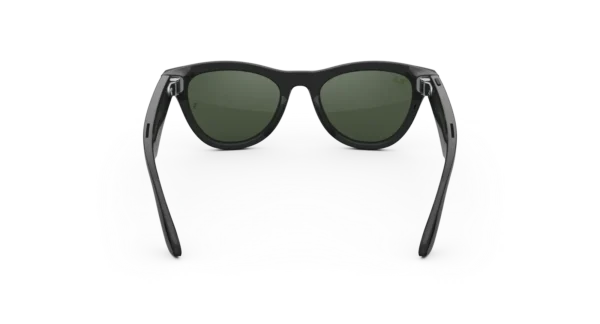
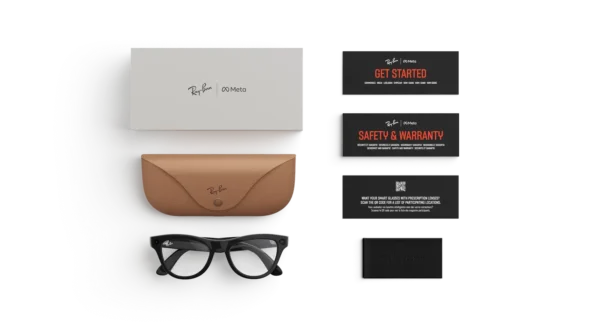

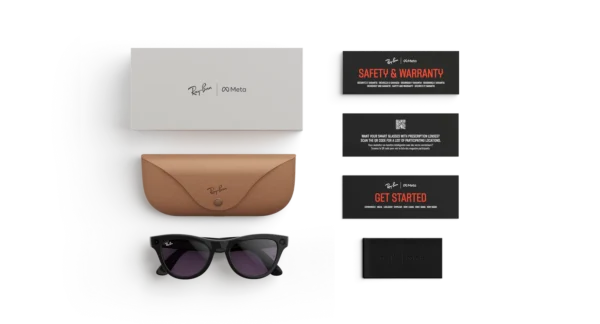
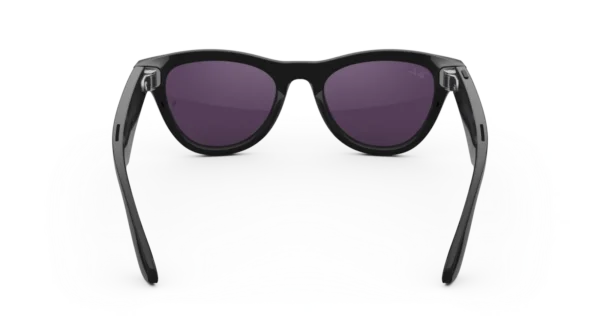
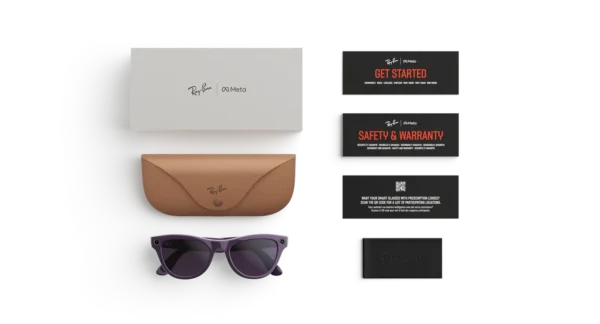

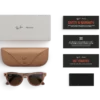

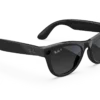
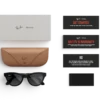
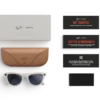

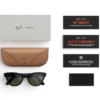
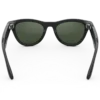
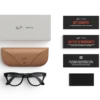


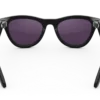
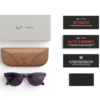

RAY-BAN META Skyler (Gen 2) SMART GLASSES
Price range: $379.00 through $459.00
These glasses combine a jet-set vibe with Meta AI. React to what you see, take pictures and videos, listen on the go, make calls and send messages without touching your phone.
This pair has Shiny Mystic Violet frames with Clear to Amethyst Transitions® lenses that effortlessly adapt from a clear or light tint inside to darker tint outside* and offer 100% UVA & UVB protection
RAY-BAN META Skyler (Gen 2) Smart Glasses
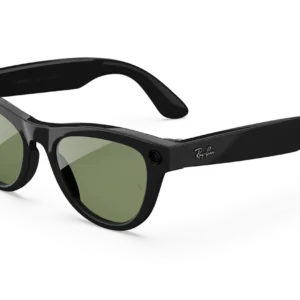
Experience iconic eyewear with intelligent technology, hands-free photography, immersive audio, and everyday convenience.
The future of eyewear is being shaped by a combination of timeless design and practical innovation. With the RAY-BAN META Skyler (Gen 2) Smart Glasses, classic fashion is brought together with connected features that can make everyday activities more convenient, creative, and enjoyable.
Designed with a distinctive cat-eye silhouette, the Skyler collection offers a stylish alternative to conventional eyewear. Furthermore, its smart capabilities are intended to help you capture meaningful moments, listen to your favourite audio, communicate with others, and interact with Meta AI without constantly reaching for your phone.
Whether you are exploring a new destination, spending time with friends, travelling, or creating content for your social channels, these smart glasses can become a practical addition to your daily routine. Instead of carrying another camera or relying entirely on your smartphone, selected activities can be managed directly through your eyewear.
The second-generation model also introduces improvements to battery performance and video capture. Consequently, more opportunities can be enjoyed throughout the day, while familiar Ray-Ban styling remains at the centre of the experience.
Discover a New Approach to Everyday Eyewear
Classic Design Meets Connected Technology
Great eyewear should complement your personal style while offering practical benefits. For this reason, the Skyler design has been created to combine a recognisable fashion identity with modern smart functionality.
Its gently curved, cat-eye-inspired frame provides a distinctive appearance without requiring an overly complicated design. Meanwhile, the integrated technology allows selected digital activities to be performed through voice commands, touch controls, and a compatible smartphone.
As a result, the glasses can be worn for ordinary daily activities while providing access to features that extend beyond traditional sunglasses.
Key product highlights
- Signature Skyler styling: A contemporary cat-eye silhouette inspired by classic Ray-Ban design.
- Hands-free photography: Capture photographs from a first-person perspective.
- Enhanced video recording: Record supported video formats, including 3K Ultra HD at up to 30 frames per second.
- Meta AI assistance: Access supported AI features through voice interaction.
- Open-ear audio: Listen to music, podcasts, and other compatible audio while remaining more aware of your surroundings.
- Integrated communication: Make calls and use supported messaging features through a connected phone.
- Improved battery performance: Enjoy up to eight hours of use under specified conditions, depending on usage.
- Portable charging: Recharge the glasses using the included charging case.
Together, these features create an experience that is designed to feel natural rather than unnecessarily complicated.
Modern Style with the RAY-BAN META Skyler (Gen 2)
A Distinctive Cat-Eye Silhouette
The appearance of your eyewear can influence an entire outfit. Therefore, the Skyler frame has been designed for people who appreciate a fashionable shape with a modern edge.
Inspired by the glamour of earlier decades and the style of classic travel eyewear, its narrow front and gentle curves offer a distinctive alternative to traditional rectangular frames. Moreover, the balanced design can complement casual outfits, contemporary streetwear, and more polished everyday looks.
The Skyler silhouette is particularly worth considering if you prefer expressive eyewear rather than a conventional frame. However, comfort and fit should always be considered alongside appearance.
Designed for Everyday Versatility
From morning errands to afternoon outings, versatile eyewear can be worn across a variety of settings. The Skyler smart glasses are intended to combine this everyday practicality with connected features that can be accessed when needed.
For example, photographs can be captured during a walk, a voice message can be sent while preparing for the day, or a favourite podcast can be played during a commute.
In addition, the familiar eyewear format means that the technology is incorporated into a product designed to be worn on your face rather than carried separately.
Why the design stands out
- A recognisable fashion-forward frame shape.
- Integrated electronics without the appearance of a conventional headset.
- Everyday styling suitable for a range of personal wardrobes.
- Multiple lens options, depending on the selected configuration.
- A practical balance between eyewear, audio, photography, and connected assistance.
Please select the frame colour, lens treatment, and fit that match your requirements, as availability can vary by retailer and region.
Hands-Free Photography for Everyday Moments
Capture Experiences from Your Perspective
Some moments happen too quickly for a smartphone camera to be taken out and positioned. With the integrated camera system, supported photographs can be captured directly from the glasses.
This first-person perspective can be useful when documenting a trip, attending a gathering, exploring a new city, or recording an activity that requires both hands.
Furthermore, the capture process is designed to be straightforward. Depending on your settings, a photograph can be taken through supported voice commands or the physical controls incorporated into the frame.
Instead of interrupting every experience to operate a phone, you can remain more involved in the activity while preserving selected moments.
Enhanced Video Capture
Video recording is an important part of the second-generation experience. Supported recording options include 3K Ultra HD video at up to 30 frames per second, providing an additional way to document daily experiences.
For example, travel clips, outdoor adventures, creative projects, and casual everyday footage can be recorded from your natural viewpoint. The hands-free format can also make short-form content creation more convenient for people who regularly share experiences online.
However, recording quality can vary with lighting, movement, settings, and the selected capture mode. For professional productions requiring extensive manual controls, dedicated cameras may still be more appropriate.
Photography Without Unnecessary Distractions
A camera integrated into eyewear can make spontaneous photography feel less disruptive. Instead of holding a phone in front of you, selected moments can be captured while you remain focused on your surroundings.
Nevertheless, consideration should always be given to other people. Recording should be performed respectfully, with appropriate consent where required and in accordance with applicable privacy laws.
Meta AI for Helpful Everyday Assistance
Ask Questions Naturally
Artificial intelligence can be useful when information is needed while your hands are occupied. With supported Meta AI features, the Skyler smart glasses can help answer questions, provide information, and offer assistance during selected daily activities.
For instance, you may ask about something you are looking at or request help understanding a sign. Depending on regional availability, language support, connectivity, and software configuration, additional visual assistance may also be offered.
This creates a more convenient way to access certain types of information without repeatedly unlocking your phone.
Explore Your Surroundings
Travelling often involves discovering unfamiliar locations, reading signs, and learning about places of interest. With supported visual AI capabilities, questions can be asked about objects or surroundings, helping you explore with greater convenience.
Similarly, supported translation features may assist when encountering written information in another language.
However, AI-generated responses may occasionally be incomplete or inaccurate. Important information should therefore be verified independently, particularly when it relates to safety, navigation, or other consequential decisions.
Voice Interaction and Touch Controls
A useful smart device should offer accessible ways to control its functions. Accordingly, the glasses support voice interaction and touch controls for selected tasks.
Voice commands can be useful when your hands are occupied, while touch controls provide an alternative when speaking aloud is inconvenient.
Feature availability depends on the connected device, application, software version, language, and location. A compatible smartphone and the Meta AI application are required for the supported connected experience.
Open-Ear Audio for Music and Calls
Enjoy Your Favourite Audio
Music and podcasts can make everyday activities more enjoyable. With the integrated open-ear speaker system, compatible audio can be played without inserting traditional earbuds into your ears.
This design can be useful during relaxed walks, daily errands, or other suitable activities where remaining aware of surrounding sounds is important.
Additionally, the integrated microphone system supports compatible communication features. Calls and supported voice interactions can therefore be handled without necessarily holding your smartphone.
Audio clarity and perceived volume can vary according to environmental noise, fit, and listening conditions. Open-ear audio should not be treated as hearing protection or as a guarantee that every surrounding sound will remain audible.
Stay Connected Throughout the Day
Communication can become easier when selected tasks are handled through your eyewear. Depending on the available software features and connected applications, calls, messages, and voice messages can be managed using supported controls.
Consequently, you can remain connected while completing ordinary activities, without needing to interact with your phone for every action.
As with any connected device, notifications and communication functions should be configured according to your preferences. This helps create an experience that supports your routine without adding unnecessary interruptions.
Battery Performance Designed for Longer Days
More Time Between Charges
Battery life is an important consideration when choosing smart eyewear. The second-generation Skyler model is rated for up to eight hours of use on a single charge under specified conditions.
Actual performance will depend on factors such as recording frequency, audio playback, AI activity, connectivity, temperature, and device settings.
For everyday users, this improved battery capacity can provide greater flexibility across a typical day. Nevertheless, intensive video recording and other power-demanding activities may reduce the available operating time.
Convenient Charging on the Go
The supplied charging case provides a convenient way to recharge the glasses when you are away from a power outlet. It is rated to provide up to an additional 48 hours of charging capacity under the manufacturer’s stated conditions.
Furthermore, supported fast charging can restore approximately 50% of the glasses’ battery in around 20 minutes.
This can be particularly useful when preparing for a trip or fitting a quick recharge into a busy schedule. Actual charging times and total battery performance will vary according to usage, temperature, battery condition, and charging circumstances.
Connectivity and Compatible Devices
Connect Your Glasses to Your Smartphone
The connected experience is designed to work with a compatible smartphone and the Meta AI application. Depending on the device and software configuration, Bluetooth and Wi-Fi are used to support communication and content transfer.
The published specifications include Bluetooth 5.3 and Wi-Fi 6E for supported configurations.
Once the glasses have been configured, supported photographs and videos can be managed through the associated application. Software updates and account access may also be required for particular features.
Before purchasing, check the latest compatibility requirements for your smartphone and operating system. Availability of AI tools, messaging integrations, and translation features can differ by country and language.
Technical Specifications
The following details are based on published specifications for the RAY-BAN META Skyler (Gen 2). Specifications may vary according to the precise frame and lens configuration.
| Feature | Specification |
|---|---|
| Product type | AI-enabled smart glasses |
| Frame style | Skyler cat-eye |
| Camera | Ultra-wide integrated camera |
| Still image resolution | Up to 3024 × 4032 pixels |
| Video recording | Up to 3K at 30 fps, subject to supported mode |
| Audio | Two integrated open-ear speakers |
| Microphones | Custom five-microphone array |
| Voice assistant | Meta AI, where supported |
| Controls | Voice and touch |
| Internal storage | 32 GB |
| Battery life | Up to 8 hours, depending on usage |
| Charging case | Included |
| Additional case charging | Up to 48 hours, under stated conditions |
| Wireless connectivity | Bluetooth 5.3 and Wi-Fi 6E, depending on configuration |
| Smartphone support | Compatible iOS and Android devices |
| Prescription options | Available for supported lens configurations |
| Charging cable | Check package and regional specifications |
Who Should Consider These Smart Glasses?
For Everyday Creators
If you regularly capture short videos or photographs, hands-free recording can provide a convenient alternative to constantly holding your phone.
The first-person viewpoint can be especially useful for travel diaries, casual lifestyle content, and spontaneous moments. However, the best recording solution will depend on your preferred video quality, editing workflow, and production requirements.
For Travellers and Explorers
Travellers may appreciate having photography, audio, and supported AI assistance incorporated into their eyewear.
Whether you are exploring a new neighbourhood or documenting a memorable destination, the glasses are designed to help make selected activities easier to manage.
For People Who Value Fashion and Technology
Traditional eyewear and digital accessories do not always need to be separate purchases. The Skyler model combines an established fashion identity with technology intended for everyday use.
As a result, it may appeal to shoppers who want connected functionality without choosing a visibly technical headset.
For Everyday Communication
Calls, supported messages, and audio playback can be useful additions for people with busy routines. Moreover, voice-based controls may reduce the need to handle a smartphone for certain tasks.
These features are intended to complement your existing devices rather than replace every function of a smartphone.
Responsible Use and Care
Smart glasses include a camera and microphones, so considerate use is essential. Before recording, respect the privacy of people nearby and follow local requirements concerning photography, audio recording, and consent.
To help maintain the product:
- Store the glasses in their charging case when they are not being worn.
- Clean the lenses with a suitable soft cleaning cloth.
- Avoid exposing the device to temperatures outside the manufacturer’s recommended range.
- Follow the official cleaning and charging instructions.
- Check the product’s stated water-resistance limitations before using it near water.
- Keep software updated to support compatibility and available features.
Although the glasses are designed for everyday convenience, they should not be assumed to be waterproof. Their use should also be avoided in situations where camera operation, audio playback, or voice interaction could create a safety risk.
Frequently Asked Questions
What makes the second-generation Skyler different?
The second-generation model combines the Skyler frame design with updated camera capabilities, improved battery performance, and additional Meta AI features. The precise experience depends on software availability and the selected configuration.
Can photographs and videos be captured without holding a phone?
Yes. Supported photographs and videos can be captured directly through the glasses using their integrated camera and available controls.
Does the product support Meta AI?
Yes, Meta AI is part of the supported experience. However, particular features, languages, and services depend on regional availability, software updates, and compatible devices.
Can music be played through the glasses?
Yes. Integrated open-ear speakers support compatible music and podcast playback, subject to device connectivity and application availability.
How long does the battery last?
A charge is rated for up to eight hours of use under specified conditions. The charging case can provide additional charging capacity, although actual performance varies with usage.
Can prescription lenses be fitted?
Prescription options are available for supported configurations. Confirm the available prescription range, lens type, and fitting requirements with an authorised retailer or qualified optical professional before ordering.
Are the glasses compatible with every smartphone?
No. A compatible iOS or Android device is required. The supported operating system versions and individual features should be checked before purchase.
Are the glasses waterproof?
They should not be treated as waterproof. Check the official specifications for the selected model and avoid submerging the device or exposing it to conditions beyond its stated resistance rating.
Make Everyday Moments More Convenient
Fashion, connectivity, and hands-free creativity come together in the RAY-BAN META Skyler (Gen 2) Smart Glasses. With their distinctive cat-eye styling, integrated camera, open-ear audio, and supported AI assistance, they offer a practical option for people who want to combine everyday eyewear with selected smart features.
Whether your interests include photography, travel, communication, or simply exploring connected technology, the Skyler collection provides a distinctive way to bring these capabilities into your routine.
Choose your preferred frame and lens configuration, confirm smartphone compatibility, and explore the possibilities of a more connected everyday experience.
Product availability, specifications, AI features, lens options, and battery performance may vary by region and configuration. Please confirm the details applicable to your selected product before purchasing.
RAY-BAN META Skyler (Gen 2) Smart Glasses — Extended Product Description
A Smarter Perspective on Modern Living
Technology That Fits Your Routine
Technology is most useful when it can be incorporated naturally into everyday life. Instead of requiring a separate device for every activity, modern smart eyewear brings selected digital functions into a familiar accessory.
The RAY-BAN META Skyler (Gen 2) Smart Glasses have been designed around this principle. Photography, audio playback, voice interaction, and compatible AI features are integrated into a frame intended for everyday wear.
As a result, daily activities can be approached with greater convenience. A memorable moment can be photographed without raising a phone, a supported question can be directed to Meta AI, and compatible audio can be enjoyed while moving between destinations.
Furthermore, the familiar eyewear format makes the product suitable for shoppers who prefer practical technology that complements their existing lifestyle.
A Balance Between Personal Style and Functionality
Eyewear has traditionally been selected according to appearance, comfort, and lens performance. Smart glasses introduce another consideration: the usefulness of their connected features.
The Skyler design combines these priorities within a distinctive frame. Its cat-eye-inspired shape offers a fashionable appearance, while integrated electronics provide access to selected digital functions.
Nevertheless, the best eyewear choice should reflect individual preferences. Face shape, frame dimensions, prescription requirements, lens colour, and intended use should all be considered before an order is placed.
By evaluating these factors together, shoppers can choose a configuration that suits both their appearance and their everyday requirements.
Explore the Camera Experience
First-Person Photography for Everyday Memories
Photographs are often most meaningful when they preserve a natural moment. However, reaching for a smartphone can sometimes interrupt an experience or make spontaneous photography less convenient.
An integrated camera provides another way to capture these occasions. With supported controls, photographs can be taken from the wearer’s perspective, allowing everyday scenes to be documented without continuously holding a separate camera.
For example, a weekend outing, a family gathering, a walk through a new city, or a creative project can be recorded with less equipment in hand.
Moreover, first-person photography can help communicate what an experience actually looked like from your point of view. This can be useful when creating personal memories or sharing selected moments with friends.
Video Recording for Social Content
Short-form video has become an important part of digital communication. Creators, travellers, and everyday users frequently document experiences for social platforms, personal archives, and private conversations.
The integrated recording system offers an alternative to traditional handheld capture. Supported video modes include 3K recording at up to 30 frames per second, allowing compatible footage to be captured directly through the eyewear.
Additionally, hands-free recording can be useful when demonstrating an activity or documenting a process that requires both hands. The resulting footage may then be transferred through the supported application for viewing and sharing.
Although the format provides convenience, results will depend on lighting, movement, recording settings, and the selected mode. Dedicated camera equipment may still be preferable for productions requiring interchangeable lenses, extensive manual adjustments, or advanced stabilisation.
Make Everyday Recording More Convenient
Convenience is not limited to recording quality. The ability to initiate supported capture through voice commands or integrated controls can also make a difference.
Instead of unlocking a smartphone and opening a camera application, a supported command may allow a photograph to be captured more quickly.
However, recording should always be performed responsibly. People nearby should be treated with respect, and applicable privacy rules should be followed whenever photographs or videos are created.
Discover the Benefits of Meta AI
Information at the Right Moment
Questions can arise while shopping, travelling, studying, or exploring unfamiliar surroundings. With supported Meta AI functionality, selected questions can be asked through the glasses rather than typed into a phone.
Depending on the available features, the assistant may provide general information, explain certain subjects, or help with questions about objects and surroundings.
For instance, a traveller might request information about a visible landmark, while a shopper could ask for general guidance about an unfamiliar item.
This approach is designed to make selected interactions more convenient. However, AI assistance should be regarded as a helpful resource rather than a substitute for reliable professional advice or independent verification.
Visual Assistance for Everyday Exploration
When supported visual AI features are available, information about selected objects or surroundings may be requested through voice interaction.
This can provide another way to explore unfamiliar environments and understand what is being seen. For users who enjoy learning while travelling, such assistance may add useful context to ordinary experiences.
Feature availability is not identical in every market. Language support, software versions, account eligibility, internet access, and regional restrictions can all influence the experience.
Therefore, the available Meta AI functions should be confirmed for the country in which the glasses will be used.
Translation and Multilingual Convenience
Language differences can create challenges when travelling or communicating internationally. Supported translation features may help users understand certain written or spoken information, depending on the available service.
For example, translation assistance may be useful when encountering an unfamiliar phrase or trying to understand selected information in another language.
Nevertheless, translation quality can vary. Important legal, medical, or safety-related information should be checked with a reliable source or a qualified interpreter whenever accuracy is essential.
Enjoy Open-Ear Audio Throughout the Day
Music Without Traditional Earbuds
Audio is often part of a daily routine. Music may accompany a walk, podcasts may provide entertainment during household activities, and calls may need to be answered while moving between tasks.
Integrated open-ear speakers offer an alternative to conventional in-ear headphones. Compatible audio is played through the glasses, leaving the ear canals unobstructed.
Consequently, some users may prefer this design for casual listening and selected everyday activities.
However, open-ear audio does not guarantee complete awareness of surrounding sounds. Volume should be kept at a considerate level, especially in busy public areas.
Integrated Microphones for Communication
A connected eyewear system can make compatible communication more convenient. The built-in microphone array is designed to support selected calls and voice interactions without requiring a separate headset.
This can be useful when a smartphone is stored in a pocket or bag. Moreover, voice-based interaction may reduce the number of physical steps required to complete a supported task.
Call quality can depend on the surrounding environment, network conditions, smartphone compatibility, and software configuration.
For this reason, the glasses should be considered a convenient communication accessory rather than a guaranteed replacement for professional audio equipment.
Designed for Travel and Exploration
Capture Your Next Adventure
Travel often involves discovering new places, meeting people, and collecting memories. During these experiences, a lightweight and accessible recording option can be useful.
The Skyler smart glasses offer hands-free photography and video capture for compatible recording modes. Instead of continuously holding a phone, selected moments can be documented from your perspective.
Furthermore, supported AI assistance may help provide information about unfamiliar surroundings, while integrated audio offers another way to enjoy entertainment during suitable activities.
Before travelling, it is advisable to check regional feature availability, connectivity requirements, charging arrangements, and local rules concerning recording devices.
Convenience During Daily Journeys
A commute may include walking, waiting, and moving between different locations. During appropriate moments, connected eyewear can provide access to supported audio and communication features.
However, safe use should always take priority. Audio playback and AI interaction should be avoided whenever they could distract from traffic, cycling, driving, or other activities requiring full attention.
The product is best used as a complementary accessory when conditions allow its features to be enjoyed responsibly.
A Contemporary Option for Creative Individuals
Support Your Personal Content Style
Creative work does not always require a complicated setup. Sometimes, a straightforward way to capture a perspective or document an activity is enough.
The integrated camera provides an additional recording option for lifestyle content, personal projects, and informal behind-the-scenes footage.
For example, a creator might document a walk through a market, capture a short cooking demonstration, or record selected moments during a sightseeing trip.
Afterward, supported files can be managed through the compatible application and incorporated into a broader content workflow.
The glasses do not replace every capability of a dedicated production camera. Instead, they provide an alternative for situations where portability and hands-free operation are more important than extensive manual control.
A Practical Addition to Your Digital Equipment
Smartphones, headphones, cameras, and wearable devices each serve different purposes. Smart eyewear combines selected functions within one product, potentially reducing the need to handle several accessories during certain activities.
For people who value convenience, this integrated approach may be particularly appealing.
Nevertheless, the best purchase decision depends on how frequently the features will be used. Shoppers who primarily require advanced photography, professional audio, or extensive AI functionality should compare the relevant specifications before deciding.
Lens Choices and Visual Comfort
Select a Configuration That Suits Your Needs
The lens is an important part of the overall eyewear experience. Depending on the available configuration, shoppers may be able to choose from different lens colours, finishes, or treatments.
The most suitable option will depend on where the glasses are expected to be worn and what level of visual correction is required.
For example, a configuration intended for bright outdoor conditions may differ from one selected for everyday indoor use. Prescription requirements may also affect the available frame and lens combinations.
Before ordering, verify the precise lens specifications, prescription compatibility, and any restrictions associated with the selected frame.
Prescription Lens Considerations
Prescription eyewear must be selected carefully to ensure appropriate visual correction and comfortable wear.
Supported prescription options may be available for this product range, although the precise range and compatibility depend on the configuration and the requirements of the wearer.
A qualified optical professional can help determine whether the selected model can accommodate the required prescription.
It is also advisable to confirm lens availability with the retailer before purchase, especially when a specialised prescription or lens treatment is required.
Comfort and Fit
A fashionable frame should also feel comfortable during regular use. Frame width, bridge fit, temple length, and overall weight distribution can affect the wearing experience.
Because facial dimensions differ, a style that feels comfortable for one person may not provide the same fit for another.
Whenever possible, consult the official sizing information or try an equivalent frame before ordering. If the glasses are purchased online, review the retailer’s return and exchange conditions before completing the transaction.
Battery and Charging Convenience
Plan Around Your Daily Activities
Battery requirements vary according to the way a device is used. Photography, video recording, wireless connectivity, audio playback, and AI interactions can all influence power consumption.
The second-generation model is rated for up to eight hours of use under specified conditions. This figure should be understood as a maximum published estimate rather than a guaranteed duration for every user.
For people who regularly record video or use several connected features, keeping the charging case available may provide additional flexibility.
Make Use of the Charging Case
The included charging case is designed to recharge the glasses when they are not being worn. Under the manufacturer’s stated conditions, it can provide up to an additional 48 hours of charging capacity.
This arrangement can be particularly useful when travelling or spending time away from a convenient power source.
To help maintain battery performance, follow the official charging instructions and avoid exposing the device to unsuitable temperatures. Charging times and overall performance may change with usage patterns and battery condition.
Connectivity and Everyday Setup
Get Started With a Compatible Smartphone
The connected experience requires a compatible smartphone and the supported Meta AI application.
During setup, users may be asked to complete account-related steps, grant necessary permissions, pair the device, and follow instructions shown in the application.
Once configuration has been completed, supported content and selected device functions can be accessed through the available software.
The precise setup process may change with application updates and operating-system versions. Consequently, the manufacturer’s current instructions should be followed when the glasses are first configured.
Keep Your Software Up to Date
Software updates can introduce improvements, compatibility changes, and additional functionality.
Checking for available updates may help maintain access to supported features. However, new capabilities should not be assumed to be available in every country or on every device.
Before relying on a particular AI, communication, or translation function, verify that it is supported by your current configuration.
Privacy, Security, and Responsible Use
Understand the Camera and Microphone Features
Connected eyewear offers convenience, but it also introduces privacy considerations. Since the glasses include recording and audio hardware, users should understand how these features operate and how captured content is managed.
Before recording in public or private spaces, consider the expectations of other people and follow applicable local laws.
The appropriate approach may differ between locations, workplaces, educational environments, and private events.
Manage Connected Permissions
During setup, the associated application may request permissions required for particular functions. These may relate to Bluetooth, local media, notifications, microphones, or other supported services.
Review these requests carefully and allow only the permissions necessary for the functions you intend to use.
Furthermore, account security should be maintained through appropriate authentication and up-to-date software.
Make Informed Decisions About AI
AI-generated answers can be helpful for general information, brainstorming, and everyday questions. Nevertheless, errors can occur, and information may not always be current.
Consequently, important decisions should be based on verified sources rather than an AI response alone.
This balanced approach allows users to benefit from connected assistance while recognising its limitations.
What to Check Before Buying
Confirm the Exact Model
Product names and frame configurations can sometimes be similar across generations. Before purchasing, ensure that the listing specifically identifies the second-generation Skyler model.
Check the product description, model details, included accessories, and warranty conditions. This can help avoid confusion between different versions or configurations.
Review the Package Contents
The package should be checked against the retailer’s stated contents. The glasses and charging case are central components, while other accessories may vary according to the market or package.
If a charging cable, documentation, or additional accessory is important to you, confirm its inclusion before ordering.
Compare the Features With Your Priorities
Not every shopper will use every smart feature. Therefore, it is helpful to identify the functions that matter most before making a purchase.
Consider whether the main priorities are photography, video recording, music, hands-free calls, supported AI assistance, or the appearance of the frame.
This makes it easier to determine whether the product offers meaningful value for your routine.
Frequently Asked Questions — Extended Edition
Can the glasses replace a smartphone?
No. They provide access to selected connected functions, but a compatible smartphone remains necessary for setup and various application-based features.
Can I use the glasses without an internet connection?
Some basic functions may operate without continuous internet access, depending on the feature. However, connected AI services and other online functions generally require an appropriate connection.
Can the glasses be used for professional video production?
They may be suitable for selected first-person footage and casual content creation. However, professional projects may require dedicated cameras, specialised microphones, and more extensive recording controls.
Is the charging case useful when travelling?
Yes. It is designed to recharge the glasses while away from a power outlet, making it useful for everyday travel. Actual charging capacity depends on the device’s usage and charging conditions.
Can the glasses be worn all day?
They are designed for everyday use, but comfort varies according to fit, personal preference, and activity. Take breaks when necessary and follow the manufacturer’s guidance.
Will all Meta AI features work in my country?
Not necessarily. AI functions, languages, and connected services can vary according to regional availability and software support. Confirm the current feature list for your location before purchasing.
Do the glasses support every lens prescription?
No universal prescription compatibility should be assumed. Check the supported prescription range and available lens options with an authorised retailer or qualified optical professional.
Why Consider the Skyler Second Generation?
The appeal of smart eyewear lies in the combination of several everyday functions within a familiar accessory. Photography, compatible audio, voice interaction, and supported AI tools can be accessed without carrying a separate device for each task.
At the same time, the Skyler design retains its distinctive fashion identity. This makes it worth considering for shoppers who want their technology to complement their personal style.
Although the glasses will not replace every smartphone or camera function, they offer another way to approach connected everyday experiences.
Find Your Everyday Smart Eyewear
Bring fashion and connected functionality together with the RAY-BAN META Skyler (Gen 2) Smart Glasses. From spontaneous photographs to compatible audio and supported AI assistance, the product is designed to make selected everyday tasks more convenient.
Review the available frame and lens configurations, confirm device compatibility, and check the retailer’s warranty and return terms before placing your order.
Choose the configuration that fits your style and explore a more convenient way to capture, listen, and stay connected.
Specifications and features are subject to change. Battery estimates reflect specified usage conditions, while AI and connectivity functions may depend on region, account eligibility, software, and compatible devices.
Meta Glasses Gen 1 – Smart Glasses for Everyday Technology, Hands-Free Capture, and Connected Living
Discover Meta Glasses Gen 1
Modern technology is increasingly being designed to fit naturally into everyday life. With Meta Glasses Gen 1, the idea of connected eyewear can be explored through a combination of personal style, hands-free convenience, and digital connectivity. Rather than carrying another device for every task, smart glasses provide an alternative way to interact with selected digital features while going about daily activities.
For shoppers exploring Meta glasses Gen 1, the appeal lies in the possibility of combining familiar eyewear with smart technology. Everyday moments can be captured, compatible connected features can be accessed, and digital experiences can be explored with less reliance on holding a smartphone.
Furthermore, the development of smart eyewear has introduced new ways to think about wearable technology. From the original Ray-Ban Meta glasses to newer smart eyewear collections, consumers have been given more opportunities to compare appearance, connectivity, camera capabilities, and compatibility with their existing devices.
At NewViewLens, discovering the right smart glasses should begin with understanding what each product offers. Consequently, this guide explains the concept of Meta smart glasses, the differences between eyewear and virtual reality products, and the factors that should be considered before purchasing a connected eyewear device.
What Are Meta Glasses Gen 1?
Meta smart glasses are wearable electronic devices designed to combine selected digital features with the familiar appearance of conventional eyewear. Depending on the specific model, these features may include a camera, microphones, speakers, wireless connectivity, and integration with a compatible mobile application.
The phrase Meta glasses Gen 1 is commonly used by shoppers researching earlier generations of connected eyewear. However, product generations should be identified carefully because original Ray-Ban Meta glasses, later-generation models, and other Meta-associated eyewear products may differ in their specifications and available functions.
Before placing an order, customers should verify the exact model name, product generation, frame style, lens configuration, and regional availability. This is particularly important when comparing refurbished products, discontinued models, and newer releases.
A Familiar Eyewear Experience
Smart glasses are intended to be worn in a manner similar to conventional glasses. Their design allows selected electronic components to be integrated into an eyewear frame, helping technology become part of an ordinary daily routine.
For people who prefer practical accessories, this approach can be attractive. Instead of constantly reaching for a phone to perform every small task, compatible functions may be available directly through the glasses.
Nevertheless, the experience depends on the particular model. Features advertised for a newer product should not automatically be assumed to exist in the first generation.
Hands-Free Convenience
Hands-free interaction is one of the defining ideas behind connected eyewear. Depending on supported functionality, a user may be able to capture photographs, record video, listen to audio, or interact with compatible voice features without holding a separate device.
As a result, smart glasses may appeal to travelers, content creators, commuters, and people who enjoy documenting everyday experiences.
However, recording indicators, privacy requirements, battery capacity, and available controls should be reviewed before use. Responsible recording practices are especially important when other people may appear in photographs or videos.
Key Features to Consider
The exact specifications of Meta Glasses Gen 1 should be confirmed against the manufacturer’s documentation for the particular model being purchased. The following features explain the main areas that buyers should investigate.
Integrated Camera and Content Capture
A camera integrated into compatible smart glasses can offer a different perspective from a conventional handheld camera. Images and videos may be captured from the wearer’s point of view, making the format useful for selected everyday activities.
For example, travelers may want to document a walk through a new city, while creators may prefer a hands-free perspective for short-form content.
Before buying, review the supported image and video resolutions, recording limits, storage arrangements, transfer process, and compatibility with the intended smartphone.
Audio and Microphone Technology
Depending on the product, smart glasses may incorporate microphones and speakers for calls, audio playback, and compatible voice interactions.
These features can make connected eyewear useful during everyday routines. Nevertheless, audio quality, environmental noise handling, call controls, and supported services can vary between products.
Customers should also check how audio is delivered and whether the device is appropriate for their intended environment.
Wireless Connectivity
Connected eyewear typically relies on compatible wireless technology to communicate with a smartphone or other supported device. Some functions may require an active connection, a paired phone, an internet connection, or access to a manufacturer’s service.
Consequently, connectivity should be treated as an important part of the purchasing decision rather than an optional detail.
Frame Design and Lens Options
Appearance remains an important consideration when selecting smart glasses. Frame shape, material, weight, fit, and lens type can influence how comfortable and practical the product feels throughout the day.
Customers comparing Meta glasses should investigate the exact frame measurements and available lens configurations. Prescription availability must be confirmed for the particular model and market.
Meta Glasses Gen 1 vs. Newer Ray-Ban Meta Models
Searches for new Meta Ray-Ban models, Ray-Ban Meta glasses, and Ray-Ban Meta smart glasses price reflect a growing interest in connected eyewear. However, these phrases can refer to products from different generations.
An earlier model may appeal to shoppers looking for a particular frame design or a lower price, while a newer model may provide updated hardware or additional supported capabilities.
When comparing products, consider the following:
- Generation: Confirm the exact model and release generation.
- Camera: Compare the manufacturer’s published camera specifications.
- Audio: Review the supported speakers, microphones, and audio features.
- Battery: Check the stated operating time and charging arrangements.
- Application compatibility: Verify the current requirements for setup and everyday use.
- Frame and lenses: Compare sizes, colors, lens options, and prescription compatibility.
- Warranty: Confirm whether the product is new, refurbished, or previously owned.
- Software support: Check the manufacturer’s current support information for the specific model.
A higher price does not automatically mean that a product is the best choice for every buyer. Instead, the right option should match the intended use, preferred design, budget, and required features.
Meta Glasses Gen 1 and the Ray-Ban Meta Collection
The terms Meta Ray-Ban, Ray-Ban Meta, Ray-Ban Meta glasses, and Ray-Bans Meta glasses are commonly used when shoppers explore smart eyewear associated with Ray-Ban and Meta.
These search terms should be distinguished from the names of individual products. Ray-Ban Meta is a product family, while the specific generation and frame determine the features available.
Ray-Ban Meta Prescription Lenses
Customers searching for Ray-Ban Meta prescription lenses or Ray-Ban Meta glasses prescription options should verify lens compatibility before purchasing.
Prescription availability can depend on the frame, lens type, prescription requirements, and country of purchase. Not every lens configuration is necessarily available for every generation.
When shopping for prescription smart glasses, confirm the following:
- Whether the selected frame supports prescription lenses.
- Whether the required prescription falls within the manufacturer’s supported range.
- Whether the preferred lens material and treatment are available.
- Whether the retailer offers the appropriate fitting and lens installation service.
- Whether the prescription configuration affects the product warranty.
These checks help customers avoid purchasing a frame that does not meet their visual requirements.
Women’s Meta Glasses
Searches for women’s Meta glasses often reflect a preference for particular frame shapes, colors, sizes, or styling options. Smart eyewear does not need to be selected according to gender alone; fit and personal preference should guide the decision.
Smaller frame dimensions, lightweight construction, lens shape, and color choices may be useful comparison points for anyone seeking a particular look.
Customers should compare the measurements of the actual product rather than relying exclusively on marketing descriptions.
Kylie Meta Glasses and Celebrity-Inspired Searches
The phrase Kylie Meta glasses may be used by shoppers looking for celebrity-inspired eyewear styles. A celebrity-related search does not establish that a particular person endorses, owns, or has officially partnered with a product.
For this reason, customers should identify the actual frame model and verify its authenticity instead of relying on celebrity associations or unverified promotional claims.
Meta Glasses Gen 1 vs. Meta Oakley Glasses
Interest in Meta Oakley glasses and Oakley Meta Vanguard AI glasses reflects another area of smart eyewear research. However, Oakley-branded smart eyewear and Ray-Ban Meta products should not be treated as identical products.
The frame design, intended activities, supported features, lens choices, and hardware can differ by model.
Shoppers considering sports-oriented eyewear should investigate the manufacturer’s published information regarding fit, impact resistance, weather exposure, recording functions, and permitted activities. Ordinary smart glasses should not be assumed to provide the protective performance of certified sports safety eyewear.
Shop Oakley Meta Vanguard AI Glasses
Customers searching for “shop Oakley Meta Vanguard AI glasses – now available” should verify the product’s current release status, stock availability, regional distribution, and official specifications before purchasing.
Product availability and prices can change. Therefore, a listing should display the exact product, current price, supported features, shipping information, and applicable warranty rather than relying on a generic promotional phrase.
Getting Started with the Meta App
A compatible mobile application may be required to configure supported smart glasses, manage selected settings, transfer content, or access connected services.
The exact application requirements depend on the product generation and the manufacturer’s current software support.
Searches such as Meta app, Meta Quest app, application Oculus, Oculus app, and Oculus install can be confusing because different Meta products use different software ecosystems.
For smart eyewear, customers should follow the setup instructions provided for their specific glasses rather than automatically installing an application intended for a virtual reality headset.
Meta App Setup
A typical setup process for compatible smart glasses may involve these steps:
- Charge the glasses and any supplied charging accessories according to the manufacturer’s instructions.
- Install the official compatible application from a trusted app store or the manufacturer’s verified source.
- Sign in using the account required for the particular product and region.
- Enable the requested wireless permissions on the phone.
- Follow the in-app pairing instructions.
- Review the privacy, recording, and device settings before using the glasses.
- Install available official updates if they are offered for the model.
The precise steps may vary. If the glasses cannot be paired, consult the manufacturer’s troubleshooting guidance for that generation.
Meta App for PC and Meta Quest App for PC
Searches for Meta app PC, Meta PC app, Meta Quest app for PC, and Oculus app for PC generally relate to computer-based virtual reality software rather than ordinary smart glasses setup.
A PC application designed for Meta Quest or Oculus products should not be assumed to configure Ray-Ban Meta eyewear. The intended device must be identified first.
This distinction is useful for customers who own more than one Meta-associated product and want to avoid installing incompatible software.
Meta Glasses and Meta Quest VR Products
Smart glasses and virtual reality headsets are both associated with wearable technology, but they serve different purposes.
Meta smart glasses are designed to resemble conventional eyewear and provide selected connected functions. By contrast, Meta Quest headsets are designed for immersive virtual reality and, on supported devices, mixed reality experiences.
Meta Quest 3S and Meta Quest 3
Searches for Meta Quest 3S games, Meta Quest 3 128GB, Meta Quest 3S 128 GB, and Meta Quest 3 monthly payment plan concern separate headset products.
These searches should not be interpreted as specifications of Meta Glasses Gen 1.
Before choosing a headset, customers should compare storage capacity, supported games, comfort, controller requirements, battery arrangements, software compatibility, and the total purchase cost.
A payment plan should also be checked for its actual financing terms, eligibility requirements, interest charges, and total repayment amount.
Oculus Quest, Oculus Go, and Oculus 2
The names Oculus Quest, Oculus Go, and Oculus 2 are commonly encountered in searches for earlier or related virtual reality products. The spelling “occulus” or “oculous app” may also appear in informal searches.
These devices belong to the VR product category rather than the smart-glasses category. Their setup processes, applications, accessories, and compatibility requirements can differ.
Anyone researching older Oculus hardware should verify current software support and the availability of replacement parts before making a purchase.
Meta Quest Controllers and Accessories
Searches for Oculus controller, Meta Quest 3 controllers, Quest 3 controller, and Meta Quest 3 silicone facial interface refer to accessories for compatible VR headsets.
Likewise, a Quest 3 battery pack is intended for supported headset configurations, not for automatically extending the battery life of Meta Glasses Gen 1.
Accessory compatibility should always be confirmed against the exact headset model.
Meta Quest Games and VR Experiences
People researching wearable technology may also search for virtual reality games. These terms can be useful when understanding the broader Meta product ecosystem, although they are not features of smart glasses.
Examples of VR-related searches include:
- Batman: Arkham Shadow
- Pistol Whip
- The Thrill of the Fight
- Rick and Morty VR game
- Taxi Driver VR
- Cooking Clash VR
- Untangled VR
- Untangled VR game
- Zombonk
- Gorilla World
- Meta Quest 3S games
Availability, supported headsets, age ratings, and regional access should be checked on the relevant official game listing.
A product page for Meta Glasses Gen 1 should not suggest that these games run directly on the glasses unless the manufacturer explicitly confirms such functionality.
Meta AI and Multimodal Generative AI Models
The development of multimodal generative AI models has expanded the ways in which computers can process and respond to different forms of information, including text, images, audio, and other supported inputs.
In wearable technology, AI-assisted functions may allow compatible products to support selected voice interactions, information requests, or other contextual experiences.
However, AI features are not identical across every device or generation. Availability may depend on the product, language, software version, account settings, and region.
Meta AI Features
Searches for Meta AI, Meta superintelligence, Vibe AI Meta, Sam-Audio, AudioBox, and Meta SAM 3D relate to AI research, services, or technologies that should be evaluated individually.
They do not establish that each technology is built into Meta Glasses Gen 1.
Before purchasing smart glasses for AI-assisted functionality, check the official specifications for the exact model and confirm which functions are available in your country.
AI-Assisted Everyday Experiences
When supported, AI-assisted wearable features may offer another way to interact with digital information without using a conventional screen for every task.
Nevertheless, customers should understand the distinction between advertised AI capabilities and features available on their own device. Some functions may require internet access, an eligible account, an updated application, or additional permissions.
Privacy settings should be reviewed carefully, particularly when camera, microphone, or voice-assistant functionality is used.
Casting Meta Content and Managing Connected Devices
Searches for casting Meta, cast Meta, Meta casting, horizon.meta.com/casting, horizon.meta.casting, and horizon.meta.com.casting commonly relate to casting or sharing experiences from compatible Meta Quest devices.
These search phrases should not be confused with the setup process for Meta smart glasses.
Casting functionality depends on the supported headset, software, network configuration, and currently available sharing options.
Meta Quest Casting
For a compatible VR headset, casting may allow supported content to be displayed on another screen or device. Users should follow the current official instructions for their particular headset and browser or application.
If a casting page is unavailable, verify the official address and current support documentation before entering account credentials.
Meta Horizon and Connected Experiences
The terms Horizon, Horizon casting, and Horizon Meta casting may refer to Meta’s VR-related services and sharing features.
They should be understood separately from the camera, audio, and connectivity functions of smart glasses.
This distinction makes it easier to choose the correct support resource when a customer owns both smart eyewear and a Meta Quest headset.
Facebook, Instagram, and WhatsApp Connectivity
Some shoppers researching Meta smart glasses also search for Facebook, Instagram, WhatsApp, and related account services.
These services belong to the wider Meta ecosystem, but their availability and integration depend on the device, application, country, and current software support.
Instagram and Content Sharing
Searches for Instagram, Instagram logo, logo Instagram, and Instagram search may relate to sharing content or managing an account.
When a compatible smart-glasses model supports the desired sharing workflow, the manufacturer’s current instructions should be followed. Do not assume every Instagram feature is available directly through the glasses.
Facebook and Messenger
Searches for Facebook Messenger app, Facebook login account, Facebook login, Facebook logo, www.fb, and owner for Facebook relate to the social platform and account services rather than the physical specifications of smart glasses.
If account access is required during setup, use the official sign-in flow associated with the specific product.
Never enter passwords into an unfamiliar website or share verification codes with someone claiming to provide unofficial technical support.
WhatsApp and Messaging
Searches for WhatsApp, WhatsApp Messenger, WhatsApp logo, and WhatsApp messages concern messaging services.
Compatibility with calls, messaging, notifications, or other connected features must be verified for the exact eyewear model and software version.
The presence of WhatsApp on a smartphone does not automatically mean every messaging feature is supported on connected glasses.
Account Security and Meta Support
Reliable product support is an important consideration when purchasing connected technology. Customers should be able to identify the correct support channel, review the warranty terms, and protect their account information.
Meta Customer Service
Searches for Meta customer service, Facebook help center, Facebook 24/7 customer service, Meta phone number, and Meta refund may relate to account recovery, billing questions, device issues, or purchase disputes.
Available support methods vary by product, account status, and region. A publicly advertised phone number should not be assumed to be an official Meta support number without verification.
For device-related problems, start with the manufacturer’s official help resources and select the appropriate product category.
Facebook Login and Account Recovery
Searches for Facebook login account, login, Facebook Help Center, and I am security may indicate a need for account access or security assistance.
If an account is locked or compromised, use the official recovery process. Do not provide passwords, one-time verification codes, or recovery credentials to third parties.
Customers should also be cautious of websites promising guaranteed account recovery or instant access in exchange for payment.
Community Standards and Meta Verified
The phrases Facebook Community Standards and Meta Verified subscriber refer to account policies and verification-related services.
They are not hardware features of Meta Glasses Gen 1. Customers researching these topics should review the current official policy and eligibility information for their account and country.
Privacy, Recording, and Responsible Use
Smart eyewear can make certain digital activities more convenient. At the same time, its camera and microphone capabilities make privacy an important part of responsible ownership.
Before using compatible recording features, customers should understand how recording indicators work, where media is stored, how content is transferred, and which permissions are required.
When recording in public or private spaces, local laws and the expectations of other people should be respected. Permission should be obtained where required.
Additional precautions include:
- Keep device software updated through official channels.
- Use a secure account and a strong, unique password.
- Review connected applications and account permissions.
- Avoid installing unofficial software from unknown websites.
- Check the privacy policy for relevant cloud or AI services.
- Understand how to delete unwanted content and manage stored media.
- Follow the manufacturer’s recommendations for charging, cleaning, and storage.
These practices help customers make more informed decisions about connected eyewear.
Choosing the Right Smart Glasses
Selecting a suitable pair of smart glasses involves more than choosing a frame that looks attractive. Buyers should consider their everyday needs, the supported features, the intended environment, and the overall cost.
Everyday Wear
For daily use, comfort, frame dimensions, lens selection, and ease of charging may be especially important.
Customers who expect to wear their glasses for extended periods should examine the product’s weight and fit specifications.
Content Creation
For photography and video, camera performance, recording controls, media transfer, and storage arrangements should be compared.
The best choice depends on the intended content and the manufacturer’s published capabilities.
Travel and Communication
Travelers may prioritize portability, battery arrangements, audio features, and compatibility with their preferred phone.
Language support and regional restrictions should be verified before relying on any AI-assisted or connected feature while abroad.
Prescription Requirements
Customers who require corrective lenses should confirm that the selected frame supports their prescription and preferred lens configuration.
Prescription availability should be verified for the exact product rather than inferred from another model in the same family.
Frequently Asked Questions About Meta Glasses Gen 1
What are Meta Glasses Gen 1?
The phrase generally refers to an earlier generation of Meta-associated smart eyewear. The exact product should be identified before comparing its camera, audio, connectivity, and software capabilities.
Are Meta Glasses Gen 1 the same as Ray-Ban Meta glasses?
Not necessarily. Product names are sometimes used loosely in online searches. Verify the exact frame, generation, and manufacturer’s model information before purchasing.
Can Meta Glasses Gen 1 play Meta Quest games?
Smart glasses and Meta Quest VR headsets are different product categories. Meta Quest games are designed for compatible VR devices, and direct game compatibility with smart glasses should not be assumed.
Do Meta Glasses Gen 1 require an application?
Compatible smart glasses may require a supported mobile application for setup, pairing, settings, or media management. Check the official instructions for the exact model.
Are Ray-Ban Meta glasses available with prescription lenses?
Prescription options depend on the specific frame, lens configuration, prescription requirements, and region. Confirm compatibility with the manufacturer or an authorized retailer.
Can I use the Meta Quest app to configure smart glasses?
Not automatically. Meta Quest software is associated with VR products, while smart eyewear may require a different application. Follow the setup instructions for the specific glasses.
How can I check the current price of Meta smart glasses?
Compare the exact model, generation, frame, lens configuration, condition, shipping cost, and warranty. Prices can vary between retailers and regions.
How can I get help with a Meta glasses problem?
Consult the manufacturer’s official support resources for the exact device. Keep the model information and purchase documentation available, and avoid sharing passwords or verification codes with unofficial support providers.
Explore Connected Eyewear at NewViewLens
Choosing smart glasses should be an informed and comfortable process. By comparing the model generation, frame design, lens requirements, connectivity, software support, and warranty, shoppers can identify an option that better matches their needs.
At NewViewLens, the goal is to help customers understand smart eyewear terminology and compare products with greater confidence.
Explore the available collection, review the specifications of each listing, and confirm compatibility before placing an order. Whether you are researching Meta Glasses Gen 1, comparing Ray-Ban Meta models, or investigating other connected eyewear, accurate product information should always guide your decision.
Find the smart eyewear that fits your style, your requirements, and your everyday routine.
Meta Glasses Gen 1 Advanced Buying Guide, Smart Technology, Compatibility, and Product Selection
Understanding the Meta Smart Glasses Experience
The development of connected eyewear has changed how consumers approach wearable technology. Instead of relying exclusively on a smartphone screen, selected digital functions can be accessed through compatible glasses designed for everyday wear.
When researching Meta Glasses Gen 1, it is important to understand the difference between the physical eyewear, the software used to manage it, and the online services that may be required for specific functions. These elements work together to determine the overall user experience.
Furthermore, a product’s generation can influence its available features, supported applications, and long-term software compatibility. For this reason, the exact model should always be confirmed before a purchase is completed.
Why Choose Smart Glasses?
Smart glasses may appeal to people who value convenience, portability, and a familiar eyewear design. Depending on the model, selected functions may be available without requiring the user to hold a phone continuously.
For instance, compatible camera features can provide a hands-free perspective, while supported audio functions can help users listen to content or communicate during everyday activities.
However, the suitability of any device depends on its actual specifications. Camera resolution, microphone performance, battery capacity, connectivity, and software availability should be evaluated separately rather than assumed from the product category alone.
Wearable Technology for Everyday Activities
Wearable devices are increasingly being considered for travel, communication, content creation, and personal convenience. Smart glasses provide one approach to this trend by integrating selected electronics into a conventional-looking frame.
Nevertheless, smart glasses are not intended to replace every function of a smartphone, computer, or VR headset. Instead, their value comes from the specific activities they support.
Customers should therefore identify their main priorities before choosing a product. A person who primarily wants hands-free photography may have different requirements from someone who prioritizes prescription lenses or audio playback.
Meta Glasses Gen 1 and the Evolution of Connected Eyewear
Interest in Meta glasses has expanded as consumers compare early products with newer connected eyewear. Searches for Meta Ray-Ban, Ray-Ban Meta glasses, new Meta Ray-Ban models, and Meta Oakley glasses often reflect an interest in understanding these product differences.
Comparing Different Product Generations
Product generations may introduce changes to hardware, design, software compatibility, or supported features. Nevertheless, newer does not automatically mean better for every customer.
A buyer comparing an earlier generation with a later model should examine the published specifications for both products. The comparison should also include availability of replacement accessories, warranty coverage, and continued support.
The following considerations may help:
- Design: Compare frame shapes, measurements, colors, and materials.
- Camera system: Verify the advertised image and video specifications.
- Audio functions: Check the supported microphones, speakers, and call features.
- Software: Review compatibility requirements and supported mobile operating systems.
- Lens options: Confirm clear, tinted, polarized, or prescription configurations where available.
- Charging: Check the supplied charging equipment and battery specifications.
- Price: Compare the complete purchase cost, including delivery and any applicable fees.
This approach provides a more reliable basis for choosing between Meta Glasses Gen 1 and newer alternatives.
Original and Refurbished Smart Glasses
Some shoppers search for refurbished Ray-Ban Meta glasses or older smart-glasses generations because they want to compare prices.
When considering a refurbished device, the product condition should be examined carefully. Battery health, camera operation, microphone performance, charging contacts, included accessories, and account compatibility may all affect the experience.
A reputable listing should clearly identify the device as new, used, or refurbished. Warranty terms and return conditions should also be displayed before checkout.
Customers should avoid listings that use photographs of one model while describing another or that make unsupported claims about features.
Meta Glasses Gen 1 and Mobile Application Compatibility
A compatible application can play an important role in setting up and managing smart eyewear. Depending on the product, it may be used for pairing, settings, content transfer, and supported connected features.
Searches for Meta app, Oculus app, application Oculus, Oculus install, and Meta Quest app can refer to different products. Consequently, selecting the correct software is essential.
Finding the Correct Application
Before installing an application, identify the exact model of the glasses and consult the manufacturer’s official setup instructions.
The name of an application may change over time, and availability can differ according to region and operating system. A search result containing the word “Meta” or “Oculus” should not automatically be considered compatible with every Meta device.
For added security, download software from an official app store or a verified manufacturer source. Avoid unofficial installation files that request unnecessary permissions or account credentials.
Pairing and Initial Configuration
For compatible smart glasses, the initial setup may include charging the device, enabling wireless connectivity, signing in to a supported account, and following the application’s pairing instructions.
If pairing fails, check that the phone meets the published requirements and that the glasses have sufficient battery power. Restarting the devices or consulting the official troubleshooting guide may also be helpful.
The exact procedure should be followed for the selected generation rather than copied from instructions intended for a different product.
Understanding Meta Quest PC Software
Searches for Meta app PC, Meta PC app, Oculus app for PC, and Meta Quest app for PC generally concern software for compatible virtual reality devices.
This distinction matters because smart glasses and virtual reality headsets have different setup requirements. An application designed to connect a VR headset to a computer should not be assumed to provide full configuration support for Meta Glasses Gen 1.
Before downloading desktop software, verify its intended hardware, supported operating system, and official source.
Meta Quest 3S, Meta Quest 3, and Oculus Products
Meta’s wider device ecosystem includes virtual reality headsets, applications, accessories, and immersive digital experiences. However, these products should be separated from smart eyewear when creating product descriptions and collection pages.
Meta Quest 3S 128 GB and Meta Quest 3 128 GB
The search terms Meta Quest 3S 128 GB and Meta Quest 3 128GB refer to headset-related buying research. Storage capacity and hardware specifications should be confirmed against the exact model.
Customers comparing VR headsets should also review supported games, comfort, display characteristics, controllers, battery arrangements, and software compatibility.
A product page should not imply that a smart-glasses model has the storage capacity or immersive display system of a separate VR headset.
Oculus Go and Oculus Quest
Oculus Go and Oculus Quest are associated with virtual reality hardware rather than ordinary smart eyewear.
People researching older headsets should confirm whether their preferred applications and services remain supported. The availability of accessories and replacement components may also vary.
The spelling variations “occulus” and “oculous app” may appear in search queries, but the official product name and software source should be used in published technical information.
Controllers and Headset Accessories
Searches for Meta Quest 3 controllers, Quest 3 controller, Oculus controller, silicone facial interfaces, and Quest 3 battery packs relate to VR accessories.
These components should be matched to the appropriate headset generation. A controller or facial interface designed for one model may not fit another.
For this reason, accessory compatibility should be verified before checkout, particularly when purchasing discounted or third-party equipment.
Meta Quest Games and the VR Gaming Ecosystem
Virtual reality gaming represents a separate category of immersive technology. A VR headset typically provides a dedicated display and tracking system, with game compatibility determined by the hardware and software platform.
Searches for Meta Quest 3S games, VR game, Batman: Arkham Shadow, Pistol Whip, The Thrill of the Fight, Rick and Morty VR game, Taxi Driver VR, Cooking Clash VR, and Zombonk are associated with gaming research rather than the core functions of smart glasses.
Choosing VR Games
When purchasing a VR game, customers should confirm the supported headset, required controllers, age rating, storage requirements, and regional availability.
A game advertised for a particular Meta Quest device should not be assumed to work with Oculus Go or every other headset.
Likewise, the presence of gaming-related terms in a smart-glasses search does not mean that the glasses can run those games independently.
VR Accessories and Comfort
Comfort can influence the overall VR experience. Headset fit, facial interfaces, controller ergonomics, and battery arrangements may be important for longer sessions.
Accessories should be selected according to the manufacturer’s compatibility information. Product descriptions should clearly identify whether an accessory is intended for Meta Quest 3, Quest 3S, another Oculus device, or a different platform.
Meta AI and Multimodal Generative AI Models
Artificial intelligence is becoming an important area of development across consumer electronics. Multimodal generative AI models are designed to process or generate different types of information, potentially including text, images, and audio.
In supported wearable devices, AI-assisted features may provide additional ways to interact with information. However, the functions available on a particular pair of smart glasses depend on its hardware, software, supported services, and region.
Meta AI on Compatible Devices
Meta AI is associated with a range of digital experiences, but the availability of individual functions should be verified for the exact product.
Some features may require an internet connection, a compatible application, an eligible account, or an updated software version. Language availability and regional restrictions may also apply.
Customers should therefore avoid assuming that every AI feature advertised for a newer product is supported on Meta Glasses Gen 1.
Understanding AI-Related Search Terms
Searches for Meta superintelligence, Vibe AI Meta, SAM-Audio, AudioBox, and Meta SAM 3D may refer to different AI projects, research initiatives, or services.
These phrases should not be presented as built-in smart-glasses features without supporting product documentation. A technically accurate product page should distinguish between general AI developments and capabilities available on the actual device.
Privacy and AI-Assisted Features
AI-enabled services may involve processing voice commands, images, or other information. Before using these features, customers should review the relevant privacy notices and understand which permissions are requested.
It is also sensible to check whether a function requires cloud processing, whether it is available offline, and how associated data can be managed.
Clear information about these limitations helps customers make better purchasing decisions.
Meta Casting, Horizon, and Connected Experiences
Casting features are commonly associated with compatible VR headsets and the Meta Horizon ecosystem. Search phrases such as casting Meta, cast Meta, Meta casting, and Horizon casting may indicate an interest in sharing a headset’s display with another supported screen.
However, casting should not be confused with the ordinary camera and media-transfer features of smart eyewear.
How Casting Differs from Smart Glasses
A compatible VR headset may support displaying its content on another device through a supported casting process. The precise procedure depends on the headset, software, network, and receiving device.
Smart glasses, by comparison, may use a compatible application to manage captured media or selected connected functions.
Customers should follow the official instructions for their own device instead of assuming that a casting website is required for all Meta products.
Safe Use of Casting Websites
Searches containing terms such as horizon.meta.com/casting or horizon.meta.casting should be checked carefully before use.
Only enter account credentials on a verified official website. If a link is unfamiliar, check the manufacturer’s current support documentation rather than trusting a similar-looking domain.
This precaution is particularly important when a search result promises instant access to an account, a special casting feature, or a software download.
Facebook, Instagram, and WhatsApp Services
Meta-associated products may interact with online services, but the availability of each integration depends on the device and current software support.
Facebook Login and Account Security
Searches for Facebook login account, Facebook login, and Facebook Help Center generally concern account access and recovery.
Customers should use official account-recovery procedures when access is lost. Passwords, recovery codes, and one-time verification codes should never be shared with unofficial support representatives.
A smart-glasses purchase should also be evaluated independently of any claims promising special account access or guaranteed verification.
Instagram Content Sharing
Instagram-related searches may reflect interest in publishing photographs or video content. Where supported, compatible smart glasses may provide a workflow for capturing and transferring media.
However, supported sharing options can vary by generation, application version, and region. The precise workflow should be verified before being advertised as a product feature.
WhatsApp Messaging and Calls
WhatsApp messaging and calling functions may be relevant to connected-device research, but they should not be assumed to be available in every smart-glasses model.
Customers should check the current compatibility documentation for the specific device and the relevant messaging service.
Product Authenticity, Warranty, and Returns
Smart eyewear combines conventional frame design with electronic components. Consequently, authenticity, condition, warranty coverage, and return eligibility are important purchasing considerations.
How to Check a Smart-Glasses Listing
Before buying, confirm that the listing contains the correct product name, model generation, frame color, lens configuration, and included accessories.
The seller should provide a clear description of the item’s condition, the warranty offered, and the return policy.
If a listing promises advanced AI features, prescription compatibility, or software support, those claims should be verified against the actual product documentation.
Understanding Refurbished Products
A refurbished product may offer a lower initial purchase price, but the condition and included coverage should be disclosed clearly.
Customers should ask whether the device has been tested, whether the battery and charging equipment are included, and whether any cosmetic or functional defects remain.
The return window and warranty should be reviewed before payment.
Refunds and Customer Support
Customers who need a refund should follow the seller’s published return procedure and retain their order confirmation and relevant correspondence.
For account-related problems, use the official support channel associated with the relevant service. Device support and social-media account support may be handled through different processes.
A clear distinction between seller support, manufacturer support, and platform account recovery can reduce confusion.
Responsible Marketing for Smart Glasses
Accurate product descriptions are essential for online retailers. A well-written listing should explain the features of the actual device, identify relevant compatibility limitations, and avoid unsupported claims.
Avoiding Misleading Product Claims
A product should not be described as supporting every Meta AI function, every Meta Quest game, or every social-media integration unless those capabilities have been confirmed.
Similarly, searches for Meta Quest 3 Pro, Meta Quest 3S, Ray-Ban Meta, and Oakley Meta should not be treated as interchangeable model names.
Product names, generation details, and specifications should be checked before publishing a listing.
Advertising and Platform Policies
Retailers advertising smart glasses through Facebook or Instagram should review the applicable advertising policies and commerce requirements.
Searches for Meta Facebook pharma health advertising policies 2024 2025 may concern rules for health-related advertising rather than eyewear specifications.
Policies can change, so current official documentation should be consulted before launching a campaign. A product listing should also avoid unsubstantiated health, safety, or performance claims.
Active Ads Library Searches
The phrase “ads library active ads US” is related to research into advertising activity. It does not describe a feature of Meta Glasses Gen 1.
Retailers conducting competitor research should use official advertising research resources and comply with the applicable platform rules.
Why Accurate Product Information Matters
Customers benefit when product pages distinguish between confirmed features, general technology trends, and compatibility that still needs verification.
For Meta Glasses Gen 1, the most useful information includes the exact model identity, supported functions, lens options, application requirements, battery specifications, warranty, and return terms.
Related searches for Meta phone number, Facebook 24/7 customer service, Meta refund, and account support may be addressed through a separate help or FAQ page. Keeping those subjects separate from the product’s main description helps visitors find relevant answers more easily.
Frequently Asked Questions
Are Meta Glasses Gen 1 suitable for everyday use?
Suitability depends on the model’s fit, lens configuration, battery arrangements, supported features, and the wearer’s intended activities. Customers should compare the published specifications before purchasing.
Do Meta smart glasses support all Meta AI functions?
No universal compatibility should be assumed. Supported AI features vary by device, software version, language, and region.
Can Meta Glasses Gen 1 connect to a PC?
Computer connectivity depends on the model and its supported software. A PC application intended for Meta Quest should not be assumed to support smart glasses.
Can I use Meta Quest 3 controllers with smart glasses?
Meta Quest controllers are designed for compatible VR headsets. They should not be assumed to work with ordinary smart eyewear.
Are smart glasses the same as VR goggles?
No. Smart glasses generally resemble conventional eyewear and provide selected connected features, while VR goggles or headsets are designed for immersive visual experiences.
How do I choose between Meta and Oakley smart glasses?
Compare the exact product generations, fit, frame design, lens choices, supported functions, warranty, and price. The intended activity should guide the decision.
What should I check before buying prescription smart glasses?
Confirm the exact frame’s prescription compatibility, supported prescription range, available lens treatments, fitting options, and return conditions.
Final Buying Considerations
Meta Glasses Gen 1 may be worth researching for shoppers interested in connected eyewear, hands-free convenience, and the evolution of wearable technology. The best purchasing decision, however, depends on accurate information about the specific model rather than the broad popularity of the Meta brand.
Compare the product with newer Ray-Ban Meta and other compatible smart-eyewear options. Review the official specifications, verify the supported application, confirm lens compatibility, and check the warranty before completing your order.
At NewViewLens, informed shopping begins with transparent product details and realistic expectations. By matching the device to your needs, you can make a more confident decision about smart eyewear for everyday life.
| Frame color|Lens color | Shiny Black — Green, Shiny Transparent Peach — Transitions® Brown, Shiny Black — Polar Gradient Graphite, Shiny Chalky Gray — Transitions® Sapphire, Shiny Black — Transitions® Graphite Green, Shiny Black — Clear, Shiny Black — Transitions® Amethyst, Shiny Mystic Violet — Transitions® Amethyst |
|---|---|
| Frame size | Standard |
Related products
-
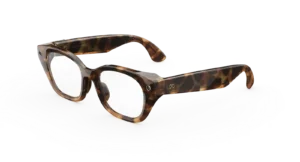
META CAPRI AI GLASSES
$299.00Select options This product has multiple variants. The options may be chosen on the product page -
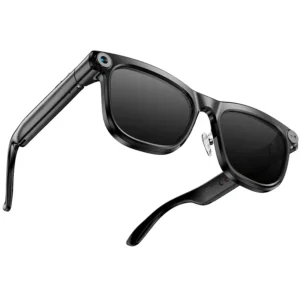
KAIGEER | AI Smart Glasses (Gen 1) with 13MP Camera Real-Time Translation Bluetooth Calls & WiFi – Shiny Black
$99.00 -
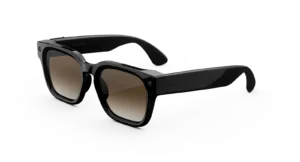
META GLASSES Fury
Price range: $299.00 through $379.00Select options This product has multiple variants. The options may be chosen on the product page -
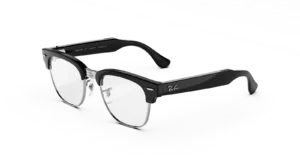
RAY-BAN META Clubmaster (Audio) AI GLASSES STANDARD
Price range: $349.00 through $429.00Select options This product has multiple variants. The options may be chosen on the product page
Reviews
There are no reviews yet.